



Question: s17-7 accounting problem Murachs Visual Basic 2015 bwi920@yahoo.com. Printing is for personal, private use only. No part of this book may be reproduced or transmitted
s17-7 accounting problem
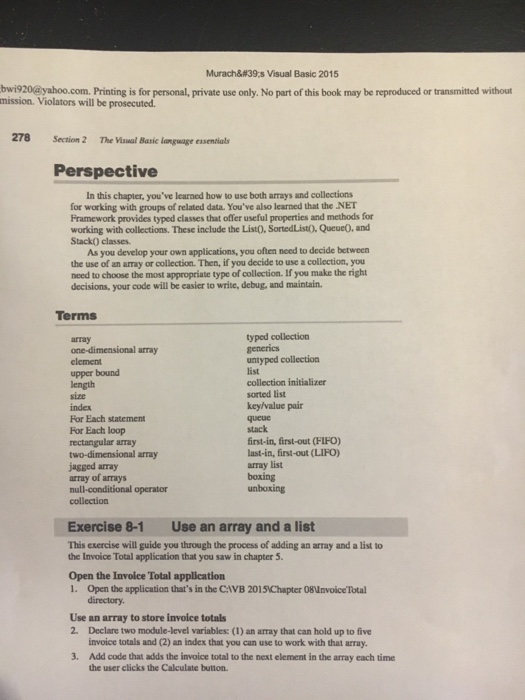
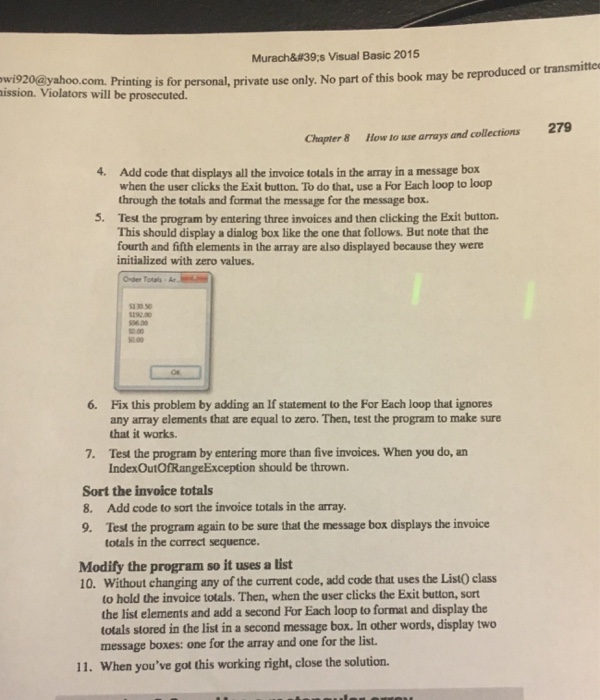
Murachs Visual Basic 2015 bwi920@yahoo.com. Printing is for personal, private use only. No part of this book may be reproduced or transmitted without mission. Violators will be prosecuted. 278 Section 2 The Viswal Basic Language essentials Perspective In this chapter, you've learned how to use both arrays and collections for working with groups of related data. You've also learned that the NET Framework provides typed classes that offer useful properties and methods for working with collections. These include the ListO, SortedListO, QueueO, and Stack) classes. As you develop your own applications, you often need to decide betweern the use of an array or collection. Then, if you decide to use a collection, you decisions, your code will be easier to write, debug, and maintain Terms typed collection array one-dimensional array element upper bound ength size index For Each statement For Each loop rectangular array two-dimensional array jassed array array of arrays null-conditional operator collection untyped collection list collection initializer sorted list key/value pair queue stack first-in, first-out (FIFO) last-in, first-out (LIFO) array list boxing unboxing Exercise 8-1 Use an array and a list This exercise will guide you through the process of adding an array and a list to the Invoice Total application that you saw in chapter 5 Open the Invoice Total application 1. Open the application that's in the CAVB 2015 Chapter 08invoice Total directory. Use an array to store invoice totals 2. Declare two module-level variables: (1) an array that can hold up to five invoice totals and (2) an index that you can use to work with that array 3. Add code that adds the invoice total to the next element in the array each time the user clicks the Calculate button
Step by Step Solution
There are 3 Steps involved in it

Get step-by-step solutions from verified subject matter experts