







Question: Safari File Edit View History Bookmarks Develop Window Help * Da 8 Thu Jan 20 2:46 PM O egcc.instructure.com + BE Home | Chess.com 60
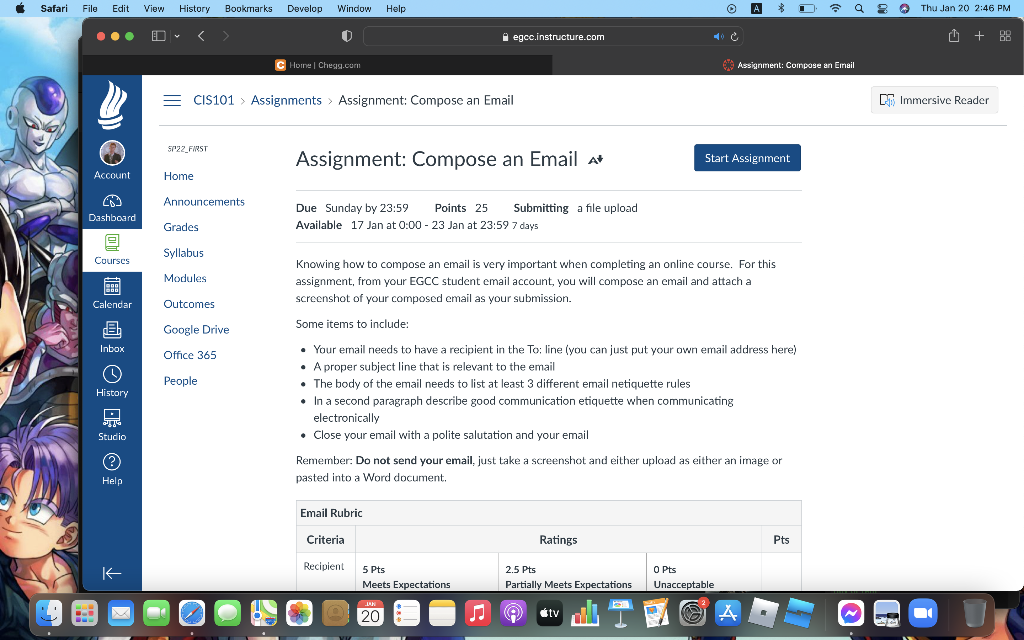
Safari File Edit View History Bookmarks Develop Window Help * Da 8 Thu Jan 20 2:46 PM O egcc.instructure.com + BE Home | Chess.com 60 Assignment: Compose an Email CIS101 > Assignments > Assignment: Compose an Email Immersive Reader ST22 FAST Assignment: Compose an Email A Start Assignment Account Home Announcements CN) Dashboard Due Sunday by 23:59 Points 25 Submitting a file upload Available 17 Jan at 0:00 - 23 Jan at 23:59 7 days Grades Syllabus Courses Modules eg Knowing how to compose an email is very important when completing an online course. For this assignment, from your EGCC student email account, you will compose an email and attach a screenshot of your composed email as your submission. Calendar Outcomes in] Some items to include: Google Drive Inbox Office 365 People History Your email needs to have a recipient in the To: line (you can just put your own email address here) A proper subject line that is relevant to the email The body of the email needs to list at least 3 different email netiquette rules In a second paragraph describe good communication etiquette when communicating electronically Close your email with a polite salutation and your email Remember: Do not send your email, just take a screenshot and either upload as either an image or pasted into a Word document, Studio Help Email Rubric Criteria Ratings Pts Recipient 5 Pts Meets Expectations 2.5 Pts Partially Meets Expectations O pts Unacceptable . 20 tv A
Step by Step Solution
There are 3 Steps involved in it

Get step-by-step solutions from verified subject matter experts
 Study Help