



Question: sales decisions. Enter a formula in cell J4 using the IF function to it whether or not the item Beaded Earrings should go on sale.
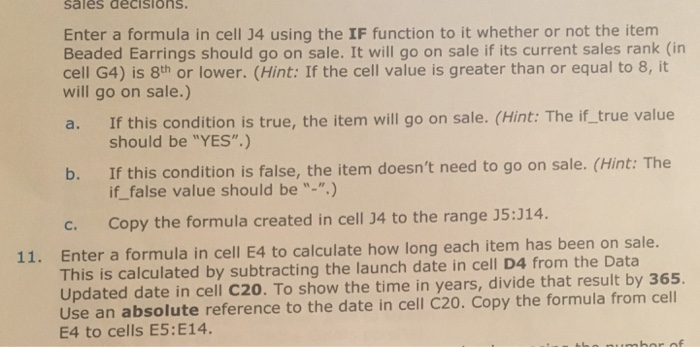
sales decisions. Enter a formula in cell J4 using the IF function to it whether or not the item Beaded Earrings should go on sale. It will go on sale if its current sales rank (in cell G4) is 8th or lower. (Hint: If the cell value is greater than or equal to 8,it will go on sale.) a. If this condition is true, the item will go on sale. (Hint: The if_true value b. If this condition is false, the item doesn't need to go on sale. (Hint: The c. Copy the formula created in cell 34 to the range J5:314. should be "YES".) if_ false value should be "-".) Enter a formula in cell E4 to calculate how long each item has been on sale This is calculated by subtracting the launch date in cell D4 from the Data Updated date in cell C20. To show the time in years, divide that result by 365. Use an absolute reference to the date in cell C20. Copy the formula from cell E4 to cells E5:E14 c. Copy the formula created in cell 34 to the range J5:J14. Enter a formula in cell E4 to calculate how long each item has been on sale. This is calculated by subtracting the launch date in cell D4 from the Data Updated date in cell C20. To show the time in years, divide that result by Use an absolute reference to the date in cell C20. Copy the formula from cell E4 to cells E5:E14. 365 sales decisions. Enter a formula in cell J4 using the IF function to it whether or not the item Beaded Earrings should go on sale. It will go on sale if its current sales rank (in cell G4) is 8th or lower. (Hint: If the cell value is greater than or equal to 8,it will go on sale.) a. If this condition is true, the item will go on sale. (Hint: The if_true value b. If this condition is false, the item doesn't need to go on sale. (Hint: The c. Copy the formula created in cell 34 to the range J5:314. should be "YES".) if_ false value should be "-".) Enter a formula in cell E4 to calculate how long each item has been on sale This is calculated by subtracting the launch date in cell D4 from the Data Updated date in cell C20. To show the time in years, divide that result by 365. Use an absolute reference to the date in cell C20. Copy the formula from cell E4 to cells E5:E14 c. Copy the formula created in cell 34 to the range J5:J14. Enter a formula in cell E4 to calculate how long each item has been on sale. This is calculated by subtracting the launch date in cell D4 from the Data Updated date in cell C20. To show the time in years, divide that result by Use an absolute reference to the date in cell C20. Copy the formula from cell E4 to cells E5:E14. 365
Step by Step Solution
There are 3 Steps involved in it

Get step-by-step solutions from verified subject matter experts