







Question: Sample Code: The code below shows how to establish a connection to database called Company which resides on the local database server. A DML statement
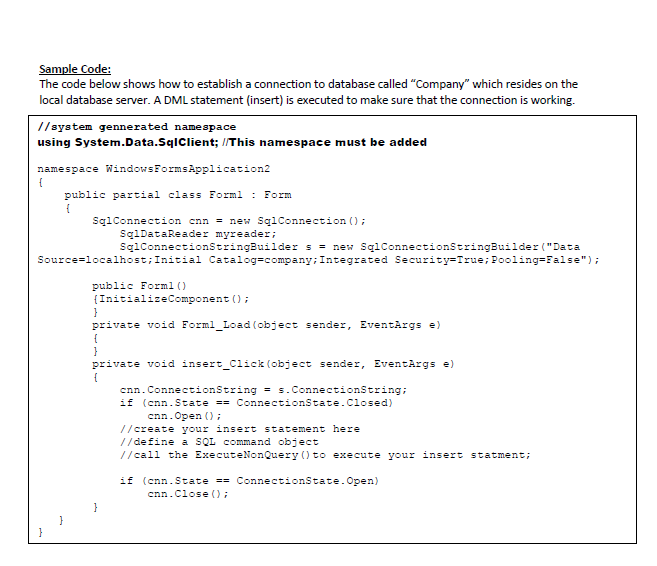
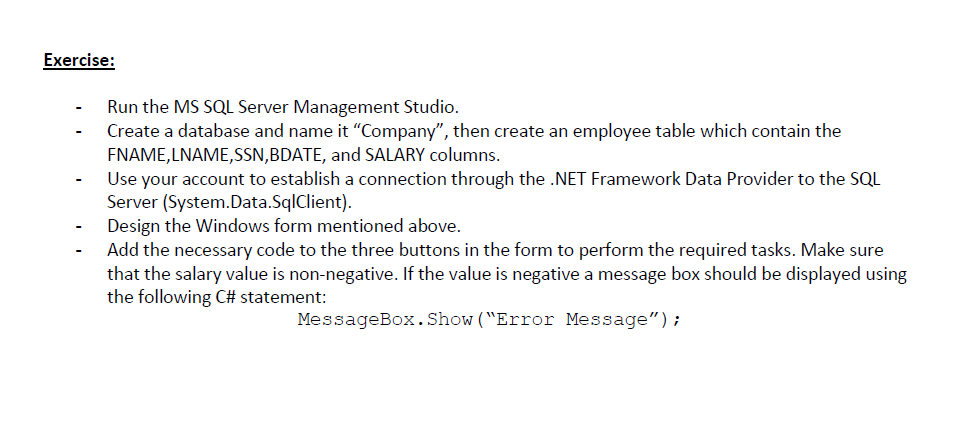
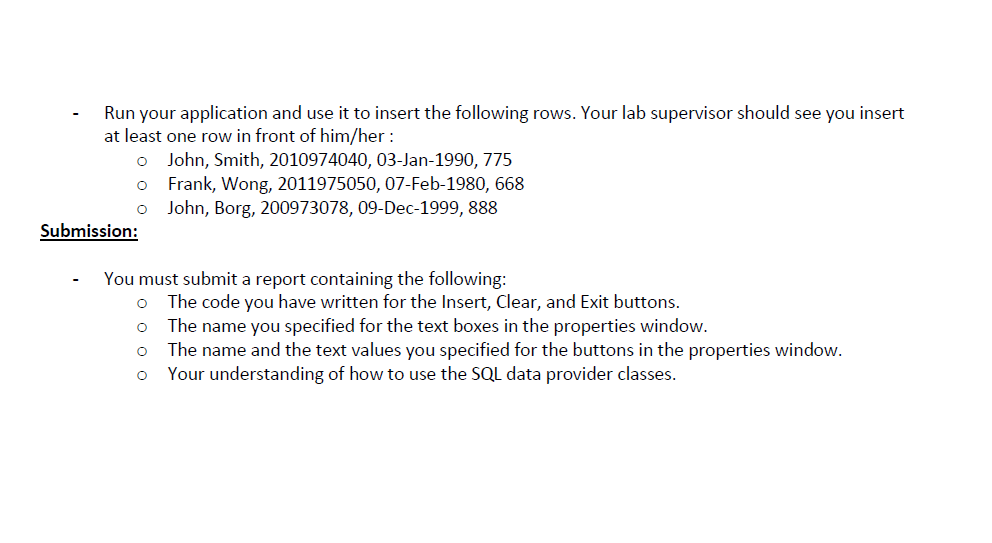
Sample Code: The code below shows how to establish a connection to database called "Company" which resides on the local database server. A DML statement (insert) is executed to make sure that the connection is working. //system gennerated namespace using System.Data.SqIClient; //This namespace must be adcled namespace WindowsZormsapplication2 \& public partial class Eorml : Form 1 SqlConnection cnn = new SqlConnection(); SqlDataReader myreader; SqlConnectionStringBuilder s = new SqlConnectionStringBuilder("Data Source=localhost; Initial Catalog=company; Integrated Security=True; Pooling=Ealse"); public Forml() \{InitializeComponent (); \} private void Forml_Load(object sender, Eventargs e) \} private void insert_Click(object sender, Eventargs e) f cnn. ConnectionString =s. ConnectionString; if (cnn.State == ConnectionState. Closed) cnn. Open () ; //create your insert statement here //define a SQL command object //call the ExecuteNonquery() to execute your insert statment; if (cnn. State == ConnectionState. Open ) cnn. Close (); 3 \} \} Exercise: - Run the MS SQL Server Management Studio. - Create a database and name it "Company", then create an employee table which contain the FNAME,LNAME,SSN,BDATE, and SALARY columns. - Use your account to establish a connection through the .NET Framework Data Provider to the SQL Server (System.Data.SqlClient). - Design the Windows form mentioned above. - Add the necessary code to the three buttons in the form to perform the required tasks. Make sure that the salary value is non-negative. If the value is negative a message box should be displayed using the following C# statement: MessageBox. Show ("Error Message"); - Run your application and use it to insert the following rows. Your lab supervisor should see you insert at least one row in front of him/her: John, Smith, 2010974040, 03-Jan-1990, 775 Frank, Wong, 2011975050, 07-Feb-1980, 668 John, Borg, 200973078, 09-Dec-1999, 888 - You must submit a report containing the following: The code you have written for the Insert, Clear, and Exit buttons. The name you specified for the text boxes in the properties window. The name and the text values you specified for the buttons in the properties window. Your understanding of how to use the SQL data provider classes
Step by Step Solution
There are 3 Steps involved in it

Get step-by-step solutions from verified subject matter experts
 Study Help