







Question: sample_dir |-- cambridge | `-- library |-- faculty |-- history.online |-- markham | |-- annex | `-- annex2 |-- oxford | |-- outline.doc | `
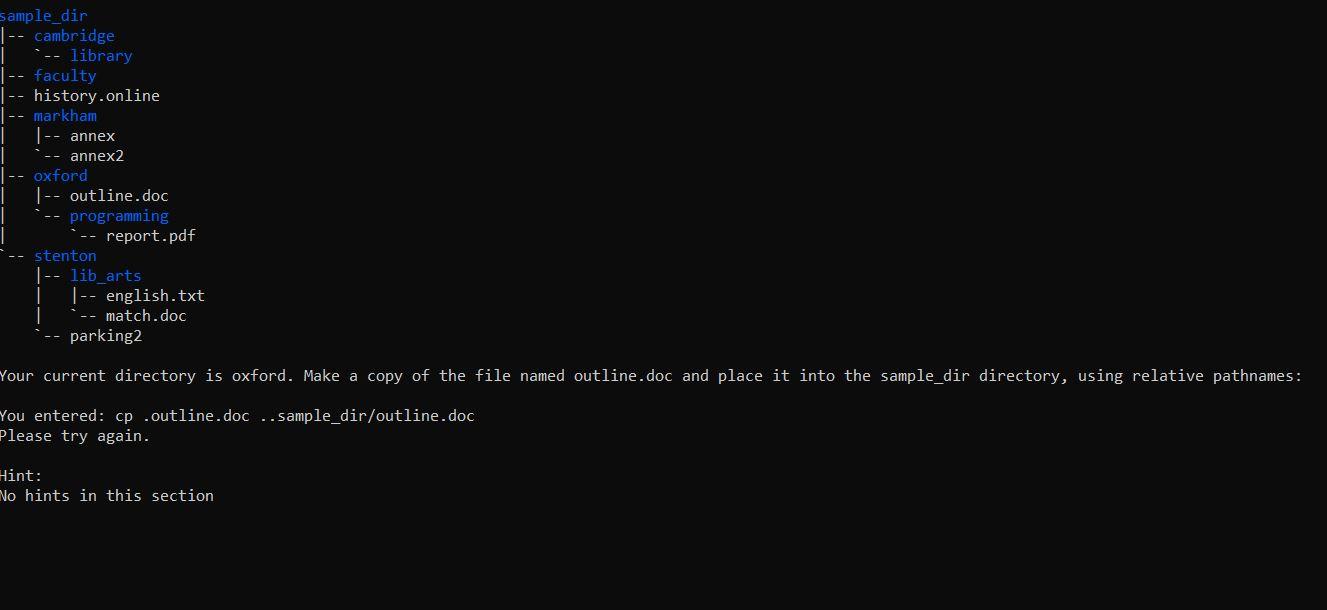 sample_dir |-- cambridge | `-- library |-- faculty |-- history.online |-- markham | |-- annex | `-- annex2 |-- oxford | |-- outline.doc | ` -- programming | `-- report.pdf `-- stenton |-- lib_arts |-- english.txt | `-- match.doc |`-- parking2
Your current directory is oxford. Make a copy of the file named outline.doc and place it into the sample_dir directory, using relative pathnames:
sample_dir 1 -- cambridge -- library | -- faculty | -- history.online -- markham |-- annex annex2 -- oxford | -- outline.doc programming report.pdf stenton |-- lib_arts |-- english.txt -- match.doc parking2 Your current directory is oxford. Make a copy of the file named outline.doc and place it into the sample_dir directory, using relative pathnames: You entered: cp .outline.doc .. sample_dir/outline.doc Please try again. Hint: No hints in this
Step by Step Solution
There are 3 Steps involved in it

Get step-by-step solutions from verified subject matter experts
 Study Help