



Question: Sandy Copper uses the Mookie The Beagle Concierge app during one of her unplanned business trips to request pet care services for Remy, her
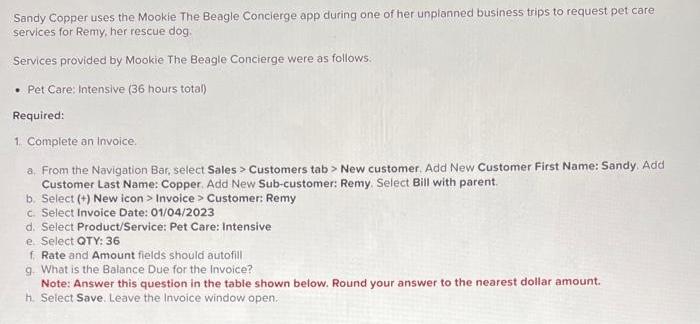
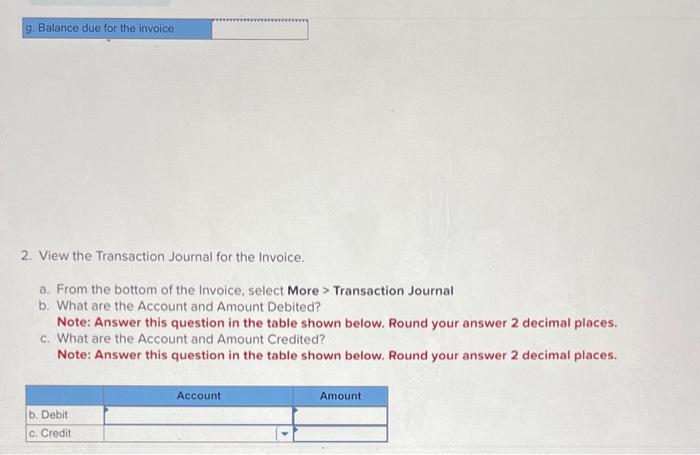
Sandy Copper uses the Mookie The Beagle Concierge app during one of her unplanned business trips to request pet care services for Remy, her rescue dog. Services provided by Mookie The Beagle Concierge were as follows. Pet Care: Intensive (36 hours total) Required: 1. Complete an Invoice. a. From the Navigation Bar, select Sales > Customers tab > New customer. Add New Customer First Name: Sandy. Add Customer Last Name: Copper. Add New Sub-customer: Remy. Select Bill with parent. b. Select (+) New icon > Invoice > Customer: Remy c. Select Invoice Date: 01/04/2023 d. Select Product/Service: Pet Care: Intensive e. Select QTY: 36 f. Rate and Amount fields should autofill g. What is the Balance Due for the Invoice? Note: Answer this question in the table shown below. Round your answer to the nearest dollar amount. h. Select Save. Leave the Invoice window open. g. Balance due for the invoice 2. View the Transaction Journal for the Invoice. a. From the bottom of the Invoice, select More > Transaction Journal b. What are the Account and Amount Debited? Note: Answer this question in the table shown below. Round your answer 2 decimal places. c. What are the Account and Amount Credited? Note: Answer this question in the table shown below. Round your answer 2 decimal places. b. Debit c. Credit Account Amount
Step by Step Solution
There are 3 Steps involved in it

Get step-by-step solutions from verified subject matter experts