







Question: SAP Navigation Saved Question 19 (2.5 points (Step 6: Help) Call up transaction VA01, double click and put OR into the Order Type held. Click
SAP Navigation 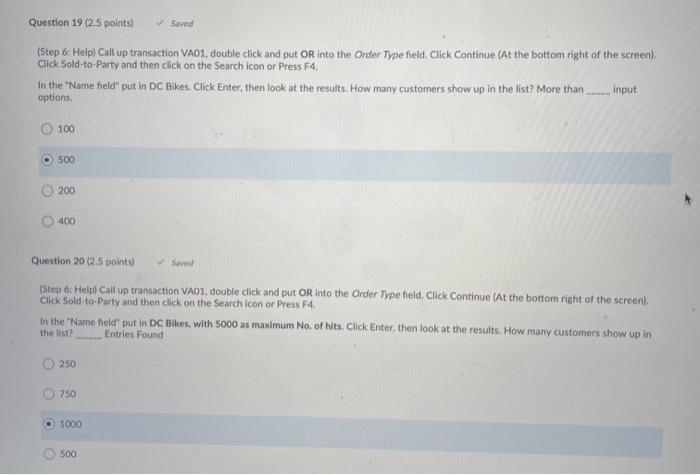
Saved Question 19 (2.5 points (Step 6: Help) Call up transaction VA01, double click and put OR into the Order Type held. Click Continue (At the bottom right of the screen). Click Sold-to-Party and then click on the Search icon or Press F4. In the "Name held" put in DC Bikes. Click Enter, then look at the results. How many customers show up in the list? More than _.... Input options. 100 500 200 400 Question 20 (2.5 points) (Step &: Helpl Call up transaction VA01, double click and put OR into the Order Type field. Click Continue (At the bottom right of the screen). Click Sold-to-Party and then click on the Search icon or Press F4. in the "Name field put in DC Bikes, with 5000 as maximum No. of hits. Click Enter, then look at the results. How many customers show up in the list Entries Found 250 750 1000 500 Saved Question 19 (2.5 points (Step 6: Help) Call up transaction VA01, double click and put OR into the Order Type held. Click Continue (At the bottom right of the screen). Click Sold-to-Party and then click on the Search icon or Press F4. In the "Name held" put in DC Bikes. Click Enter, then look at the results. How many customers show up in the list? More than _.... Input options. 100 500 200 400 Question 20 (2.5 points) (Step &: Helpl Call up transaction VA01, double click and put OR into the Order Type field. Click Continue (At the bottom right of the screen). Click Sold-to-Party and then click on the Search icon or Press F4. in the "Name field put in DC Bikes, with 5000 as maximum No. of hits. Click Enter, then look at the results. How many customers show up in the list Entries Found 250 750 1000 500
Step by Step Solution
There are 3 Steps involved in it
1 Expert Approved Answer
Step: 1 Unlock

Question Has Been Solved by an Expert!
Get step-by-step solutions from verified subject matter experts
Step: 2 Unlock
Step: 3 Unlock
 Study Help