







Question: Save the entire array ia into a file called 'filename' in a binary file format that can be loaded by intarr_load_binary(). Returns zero on success,
Save the entire array ia into a file called 'filename' in a binary file format that can be loaded by intarr_load_binary(). Returns zero on success, or a non-zero error code on failure. Arrays of length 0 should produce an output file containing an empty array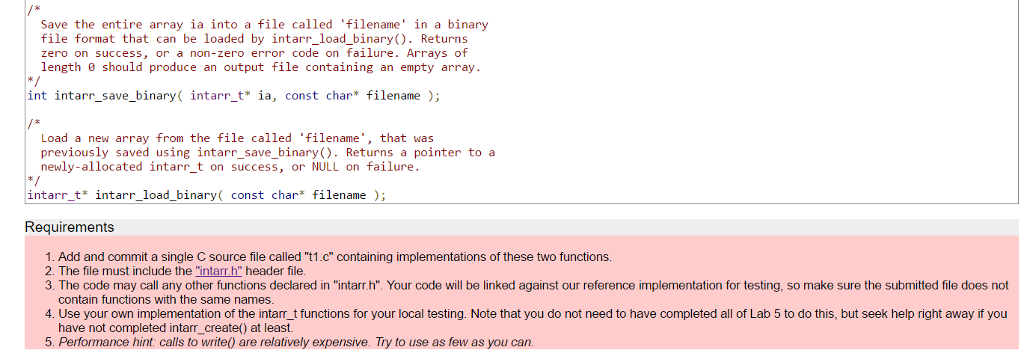
Save the entire array ia into a file called 'filename' in a binary file format that can be loaded by intarr load binary(). Returns zero on success, or a non-zero error code on failure. Arrays of length 0 should produce an output file containing an empty array int i save binary( intarr t ia, const char* filename Load a new array from the file called filename that was previously saved using intarr save binary Returns a pointer to a newly-allocated intarr t on success or NULL on failure intarrt intarr load binary const ch ar filename Requirements 1. Add and commit a single C source file called "t1.c" containing implementations of these two functions. 2. The file must include the intarr h" header file. 3. The code may call any other functions declared in "intarr.h". Your code will be linked against our reference implementation for testing, so make sure the submitted file does not contain functions with the same names 4. Use your own implementation of the intam t functions for your local testing. Note that you do not need to have completed all of Lab 5 to do this, but seek help right away if you have not completed intarr create() at least. 5. Performance hint calls to write0 are relatively expensive. Try to use as few as you can
Step by Step Solution
There are 3 Steps involved in it

Get step-by-step solutions from verified subject matter experts
 Study Help