







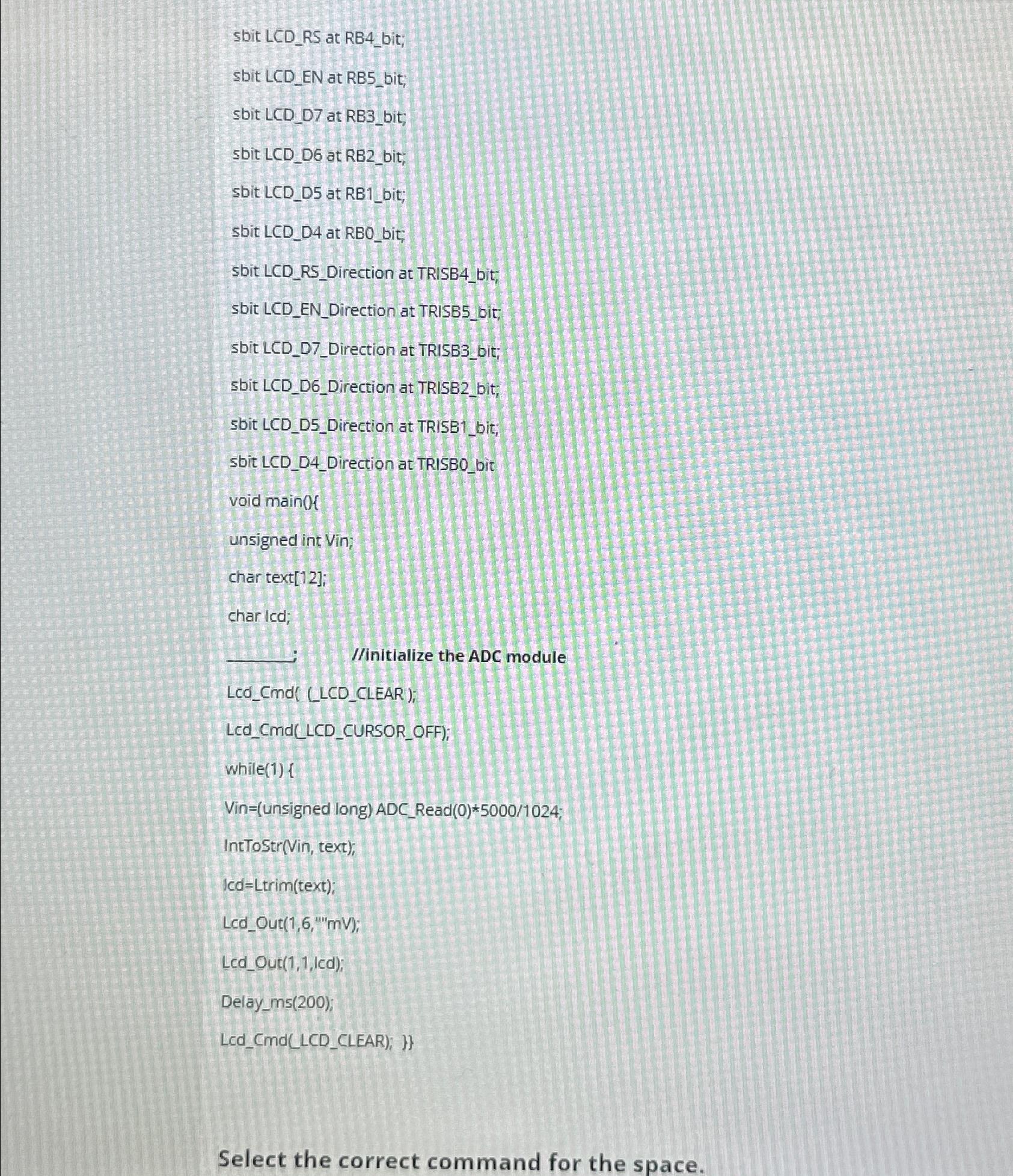
Question: sbit LCD _ RS at RB 4 _ bit; sbit LCD _ EN at RB 5 _ bit; sbit LCD _ D 7 at RB
sbit LCDRS at RBbit;
sbit LCDEN at RBbit;
sbit LCDD at RBbit;
sbit LCDD at RBbit;
sbit LCDD at RBbit;
sbit LCDD at RBObit;
sbit LCDRSDirection at TRISBbit:
sbit LCDENDirection at TRISBbit;
sbit LCDDDirection at TRISBbit;
sbit LCDDDirection at TRISBbit,
sbit LCDDDirection at TRISBbit;
sbit LCDDDirection at TRISBbit
void main
unsigned int Vin;
char text;
char Icd;
initialize the ADC module
LcdCmdLCDCLEAR;
LcdCMdLCDCURSOROFF;
while
Vinunsigned long ADCRead;
IntToStrVin text;
lcd Ltrim;
LcdOutmV;
LcdOutled;
Delayms;
LcdCmdLCDCLEAR;
Select the correct command for the space.
Step by Step Solution
There are 3 Steps involved in it
1 Expert Approved Answer
Step: 1 Unlock

Question Has Been Solved by an Expert!
Get step-by-step solutions from verified subject matter experts
Step: 2 Unlock
Step: 3 Unlock
 Study Help