







Question: Scenario 1: Write a program to print out the elements of a list, one element per line, using a for-loop. Declare and initialize the list
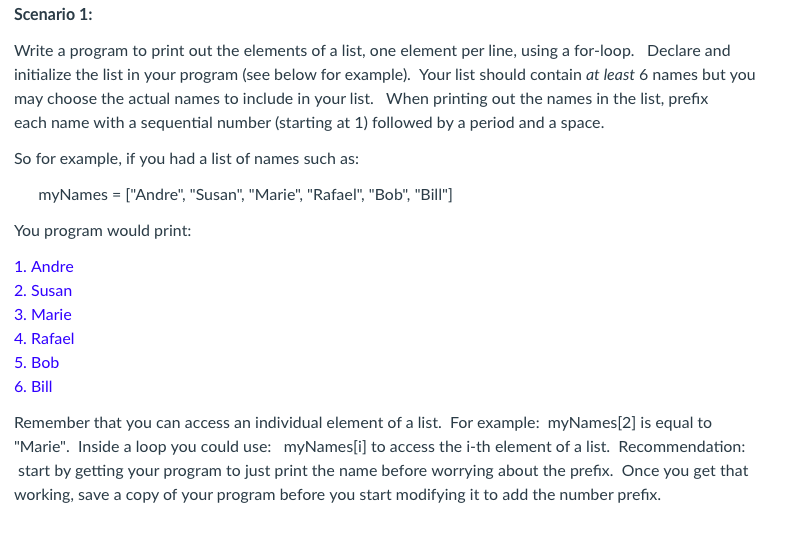
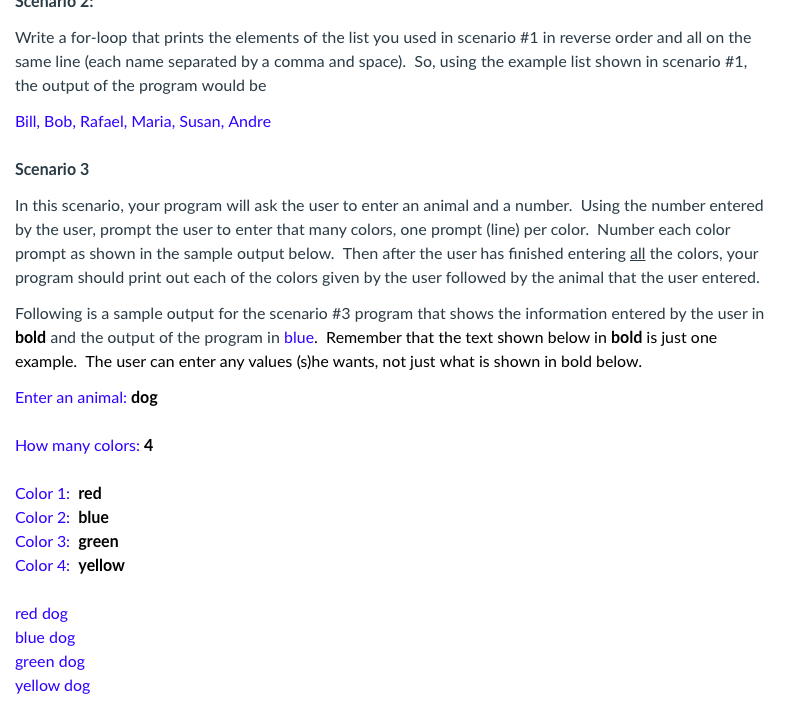
Scenario 1: Write a program to print out the elements of a list, one element per line, using a for-loop. Declare and initialize the list in your program (see below for example). Your list should contain at least 6 names but you may choose the actual names to include in your list. When printing out the names in the list, prefx each name with a sequential number (starting at 1) followed by a period and a space. So for example, if you had a list of names such as myNames "Andre", "Susan", "Marie", "Rafael, "Bob", "Bill" You program would print: 1. Andre 2. Susan 3. Marie 4. Rafael 5. Bob Remember that you can access an individual element of a list. For example: myNames[2] is equal to Marie". Inside a loop you could use: myNamesi] to access the i-th element of a list. Recommendation: start by getting your program to just print the name before worrying about the prefix. Once you get that working, save a copy of your program before you start modifying it to add the number prefix. Write a for-loop that prints the elements of the list you used in scenario #1 in reverse order and all on the same line (each name separated by a comma and space). So, using the example list shown in scenario #1 the output of the program would be Bill, Bob, Rafael, Maria, Susan, Andre Scenario 3 In this scenario, your program will ask the user to enter an animal and a number. Using the number entered by the user, prompt the user to enter that many colors, one prompt (line) per color. Number each color prompt as shown in the sample output below. Then after the user has finished entering all the colors, your program should print out each of the colors given by the user followed by the animal that the user entered Following is a sample output for the scenario #3 program that shows the information entered by the user in bold and the output of the program in blue. Remember that the text shown below in bold is just one example. The user can enter any values (s)he wants, not just what is shown in bold below Enter an animal: dog How many colors: 4 Color 1: red Color 2: blue Color 3: green Color 4: yellow red dog blue dog green dog yellow do
Step by Step Solution
There are 3 Steps involved in it

Get step-by-step solutions from verified subject matter experts
 Study Help