







Question: Scheduling Mini-projects are designed to critically stretch your thinking, let you explore the concept, or make you look at a specific situation or related problem.
Scheduling
Mini-projects are designed to critically stretch your thinking, let you explore the concept, or make you look at a specific situation or related problem. By nature, they are more difficult than the regular exercises.
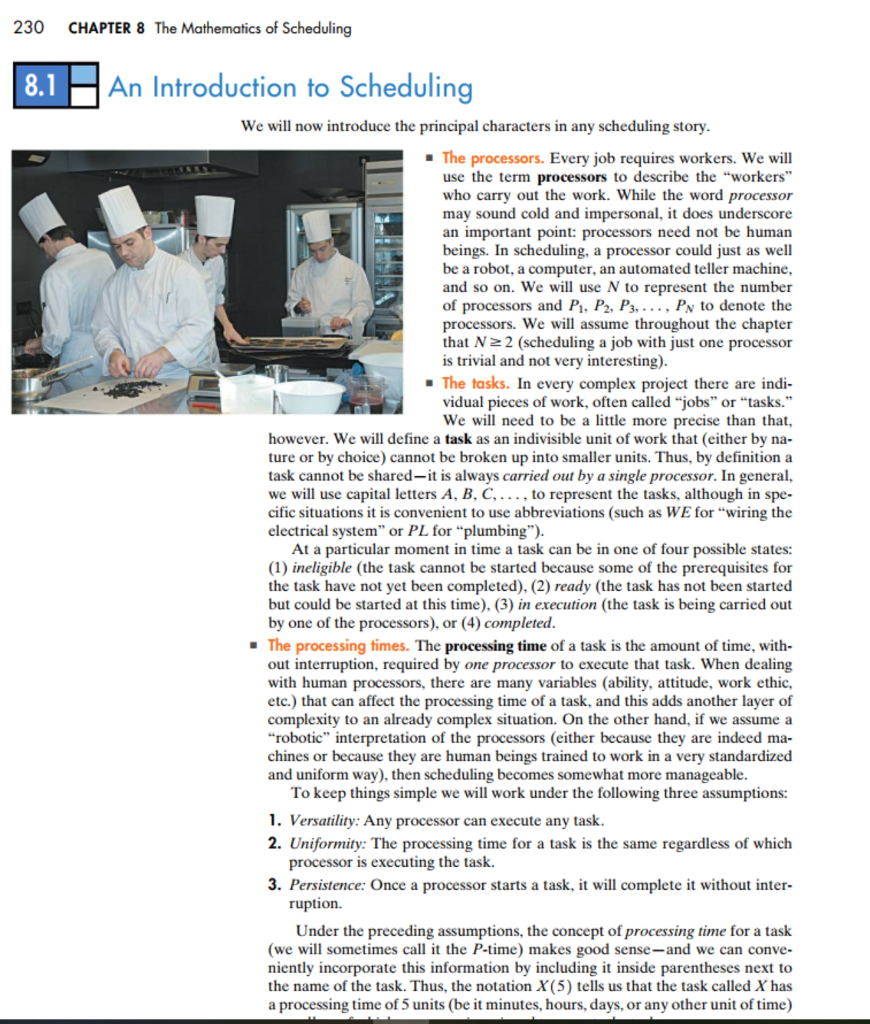
Take an ordinary job that you can parcel out pieces of it to another person. The job needs at least 10 tasks. Pick something you do regularly and know the steps necessary, such as baking a particular item, cooking a certain meal, cleaning house, any mult-task chore will work nicely.. You need to be specific in the tasks that make up the job.
Write down each task, symbol, and precedence relations in a chart (see table 8-1).
Then translate that chart into a project digraph (see figure 8-8 for an example
Now find an optimal solution using the critical-path algorithm and two processors (you and your helper on this job). Remember each task must be done by one person. See the list for doing the critical-path algorithm at the beginning of section 8.6.
You need to turn in a description of the job, the task chart, the project digraph, the priority list, the optimal solution chart and a paragraph explaining your work. Submit using an attachment by the due date listed in the class schedule. Type project as much as possible.
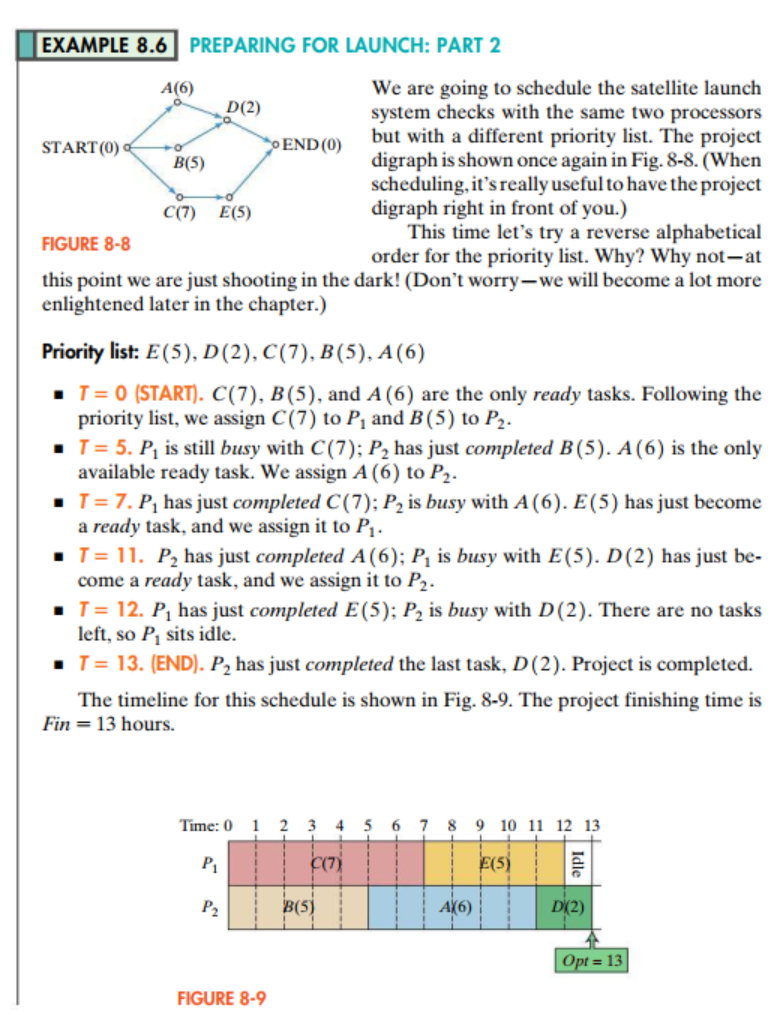
EXAMPLE 8.6 PREPARING FOR LAUNCH: PART 2 A(6) We are going to schedule the satellite launch system checks with the same two processors END(Obut with a different priority list. The project digraph is shown once again in Fig. 8-8. (When scheduling,it'sreally useful to have the project START(O) B(5) C(7) E(5) digraph right in front of you.) This time let's try a reverse alphabetical order for the priority list. Why? Why not-at this point we are just shooting in the dark! (Don't worry-we will become a lot more FIGURE 8-8 enlightened later in the chapter.) Priority list: E(5), D (2), C(7), B (5), A (6) T0 (START). C(7), B (5), and A (6) are the only ready tasks. Following the T= 5. Pl is still busy with C (7); P2 has just completed B (5) . A (6) is the only . = 7. Pihas just completed C(7):P2is busy with A(6). E(5) has just become T-11. P2 has just completed A (6); P is busy with E(5). D (2) has just be- T- 12. P1 has just completed E(5); P2 is busy with D (2). There are no tasks T = 13. (END). P2 has just completed the last task, D (2). Project is completed. The timeline for this schedule is shown in Fig. 8-9. The project finishing time is priority list, we assign C(7) to P1 and B (5) to P2 available ready task. We assign A (6) to P2 a ready task, and we assign it to P1 come a ready task, and we assign i to P left, so P1 sits idle. Fin 13 hours. Time: 0 1 2 3 4 5 6 7 8 9 10 11 12 13 B(5) AX6) D(2) Opt 13 FIGURE 8-9 EXAMPLE 8.6 PREPARING FOR LAUNCH: PART 2 A(6) We are going to schedule the satellite launch system checks with the same two processors END(Obut with a different priority list. The project digraph is shown once again in Fig. 8-8. (When scheduling,it'sreally useful to have the project START(O) B(5) C(7) E(5) digraph right in front of you.) This time let's try a reverse alphabetical order for the priority list. Why? Why not-at this point we are just shooting in the dark! (Don't worry-we will become a lot more FIGURE 8-8 enlightened later in the chapter.) Priority list: E(5), D (2), C(7), B (5), A (6) T0 (START). C(7), B (5), and A (6) are the only ready tasks. Following the T= 5. Pl is still busy with C (7); P2 has just completed B (5) . A (6) is the only . = 7. Pihas just completed C(7):P2is busy with A(6). E(5) has just become T-11. P2 has just completed A (6); P is busy with E(5). D (2) has just be- T- 12. P1 has just completed E(5); P2 is busy with D (2). There are no tasks T = 13. (END). P2 has just completed the last task, D (2). Project is completed. The timeline for this schedule is shown in Fig. 8-9. The project finishing time is priority list, we assign C(7) to P1 and B (5) to P2 available ready task. We assign A (6) to P2 a ready task, and we assign it to P1 come a ready task, and we assign i to P left, so P1 sits idle. Fin 13 hours. Time: 0 1 2 3 4 5 6 7 8 9 10 11 12 13 B(5) AX6) D(2) Opt 13 FIGURE 8-9
Step by Step Solution
There are 3 Steps involved in it

Get step-by-step solutions from verified subject matter experts
 Study Help