







Question: School of Computing is planning to implement a mentoring programme involving all the students in the school. The programme will be run as follows: The
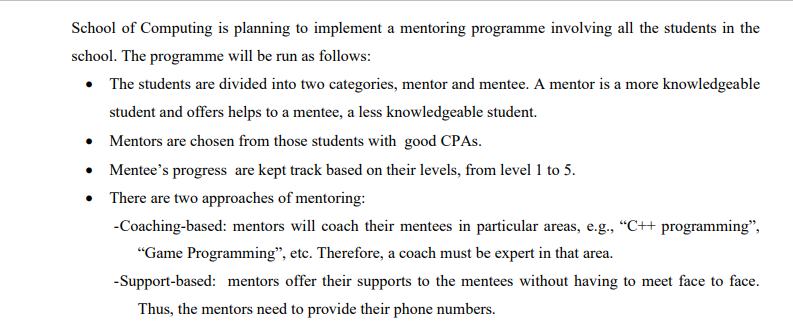
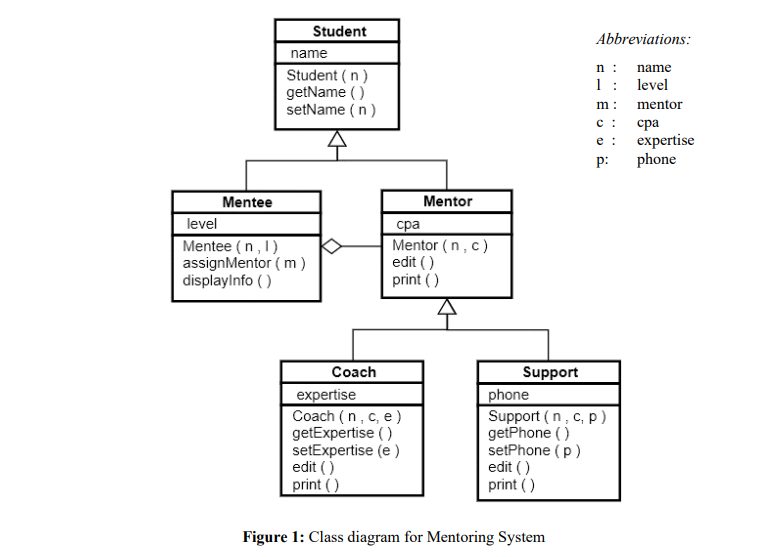
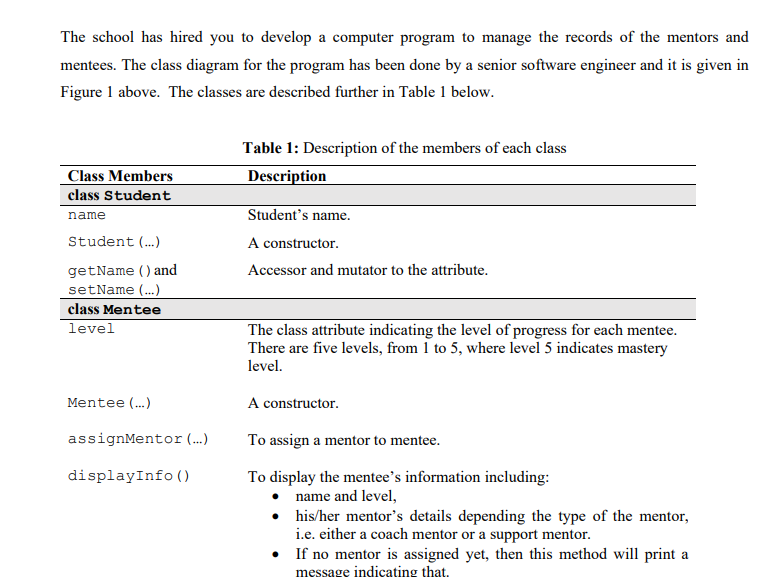
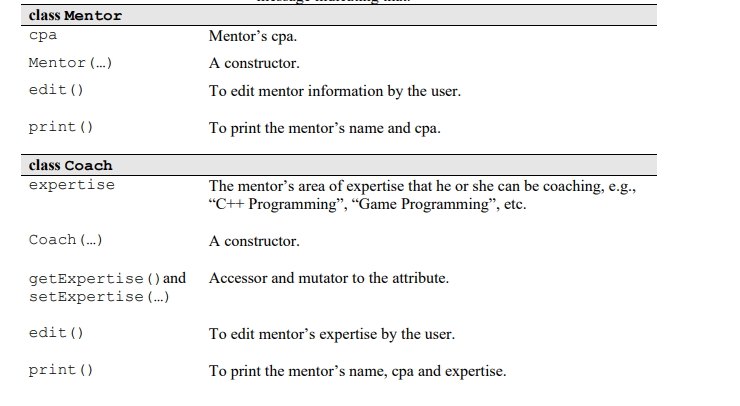
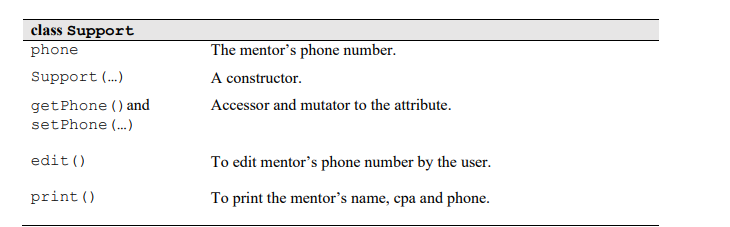
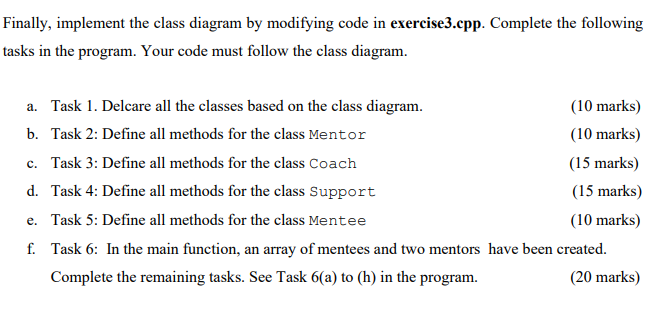
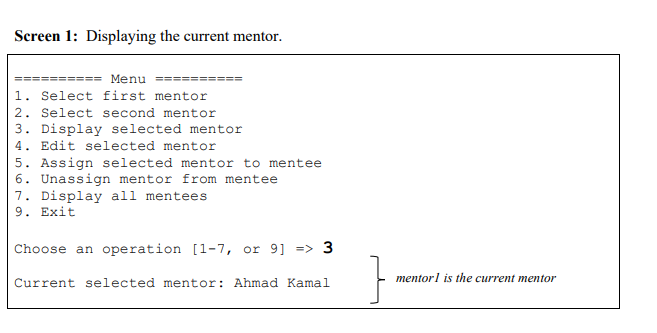
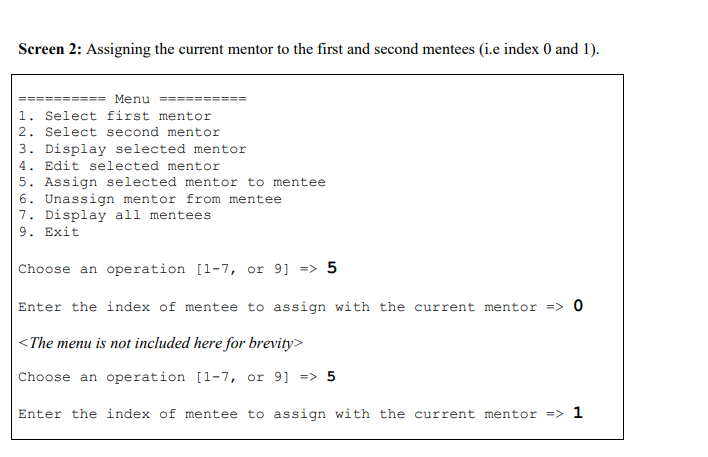
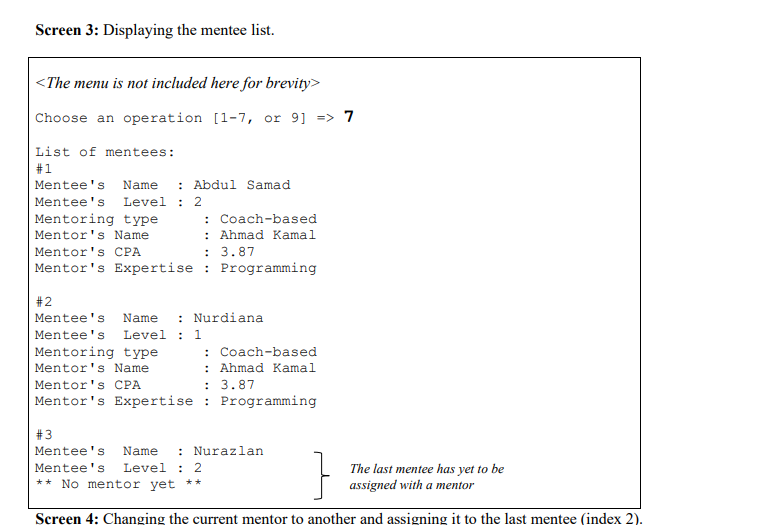
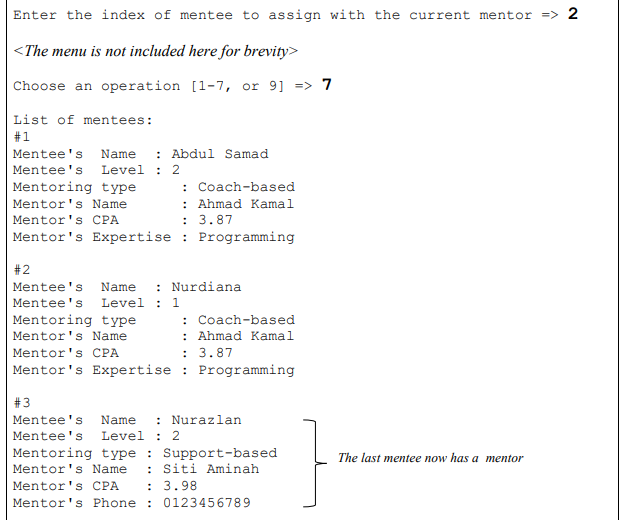
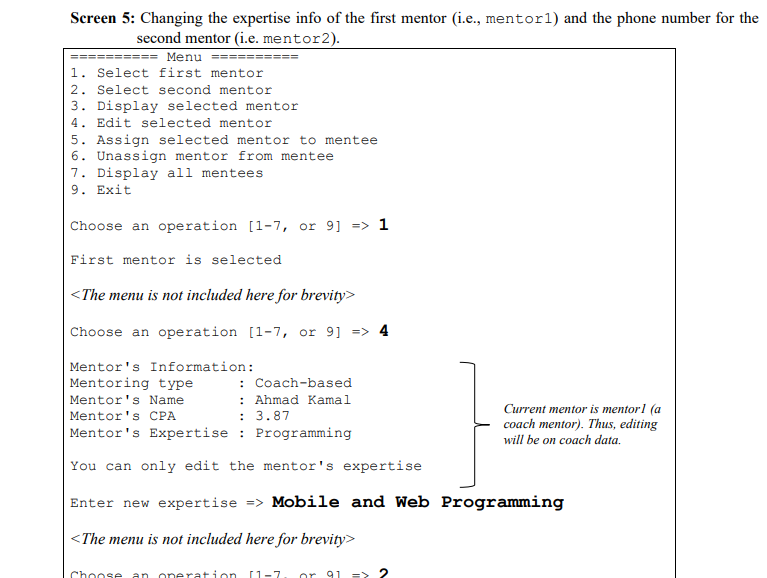
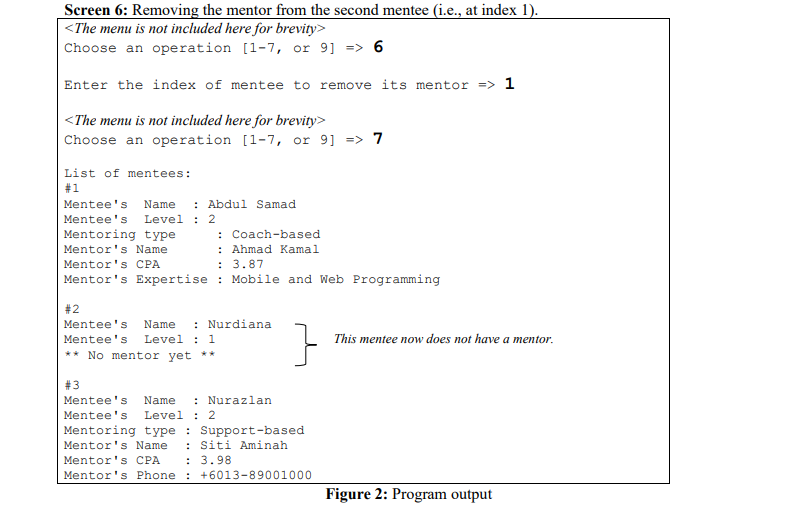
School of Computing is planning to implement a mentoring programme involving all the students in the school. The programme will be run as follows: The students are divided into two categories, mentor and mentee. A mentor is a more knowledgeable student and offers helps to a mentee, a less knowledgeable student. Mentors are chosen from those students with good CPAs. Mentee's progress are kept track based on their levels, from level 1 to 5. There are two approaches of mentoring: -Coaching-based: mentors will coach their mentees in particular areas, e.g., C++ programming, "Game Programming, etc. Therefore, a coach must be expert in that area. -Support-based: mentors offer their supports to the mentees without having to meet face to face. Thus, the mentors need to provide their phone numbers. Student name Student (n) getName() setName(n) Abbreviations: n: name 1: level m: mentor e : p: expertise phone Mentee level Mentee (n.) assignMentor (m) displayInfo() Mentor Mentor (n.) edit) print() Coach expertise Coach (n.ce) getExpertise) setExpertise (e) edit () print (1) Support phone Support (n.cp) getPhone () setPhone (p) edit() print) Figure 1: Class diagram for Mentoring System The school has hired you to develop a computer program to manage the records of the mentors and mentees. The class diagram for the program has been done by a senior software engineer and it is given in Figure 1 above. The classes are described further in Table 1 below. Table 1: Description of the members of each class Description Class Members class Student name Student (...) getName() and setName (...) class Mentee level Student's name. A constructor. Accessor and mutator to the attribute. The class attribute indicating the level of progress for each mentee. There are five levels, from 1 to 5, where level 5 indicates mastery level. Mentee (...) A constructor. assignMentor (...) displayInfo() To assign a mentor to mentee. To display the mentee's information including: name and level, his/her mentor's details depending the type of the mentor, i.e. either a coach mentor or a support mentor. If no mentor is assigned yet, then this method will print a message indicating that. class Mentor Mentor (...) edit() Mentor's cpa. A constructor To edit mentor information by the user. print () To print the mentor's name and cpa. class Coach expertise The mentor's area of expertise that he or she can be coaching, e.g., C++ Programming, Game Programming, etc. Coach (...) A constructor. getExpertise () and Accessor and mutator to the attribute. setExpertise (...) edit() To edit mentor's expertise by the user. To print the mentor's name, cpa and expertise. print () class Support phone Support (...) get Phone () and set Phone (...) The mentor's phone number. A constructor Accessor and mutator to the attribute. edit() To edit mentor's phone number by the user. print () To print the mentor's name, cpa and phone. Finally, implement the class diagram by modifying code in exercise3.cpp. Complete the following tasks in the program. Your code must follow the class diagram. a. Task 1. Delcare all the classes based on the class diagram. (10 marks) b. Task 2: Define all methods for the class Mentor (10 marks) c. Task 3: Define all methods for the class Coach (15 marks) d. Task 4: Define all methods for the class Support (15 marks) e. Task 5: Define all methods for the class Mentee (10 marks) f. Task 6: In the main function, an array of mentees and two mentors have been created. Complete the remaining tasks. See Task 6(a) to (h) in the program. (20 marks) Screen 1: Displaying the current mentor. ========= Menu === 1. Select first mentor 2. Select second mentor 3. Display selected mentor 4. Edit selected mentor 5. Assign selected mentor to mentee 6. Unassign mentor from mentee 7. Display all mentees 9. Exit Choose an operation [1-7, or 9] => 3 Current selected mentor: Ahmad Kamal } mentoris the current mentor Screen 2: Assigning the current mentor to the first and second mentees (i.e index 0 and 1). Menu = 1. Select first mentor 2. Select second mentor 3. Display selected mentor 4. Edit selected mentor 5. Assign selected mentor to mentee 6. Unassign mentor from mentee 7. Display all mentees 2. Exit Choose an operation [1-7, or 9] => 5 Enter the index of mentee to assign with the current mentor => 0
Step by Step Solution
There are 3 Steps involved in it

Get step-by-step solutions from verified subject matter experts
 Study Help