







Question: Script 1: 1. Perform a ls -al on the files within the user's home directory and save it to a file called Is.dat within your
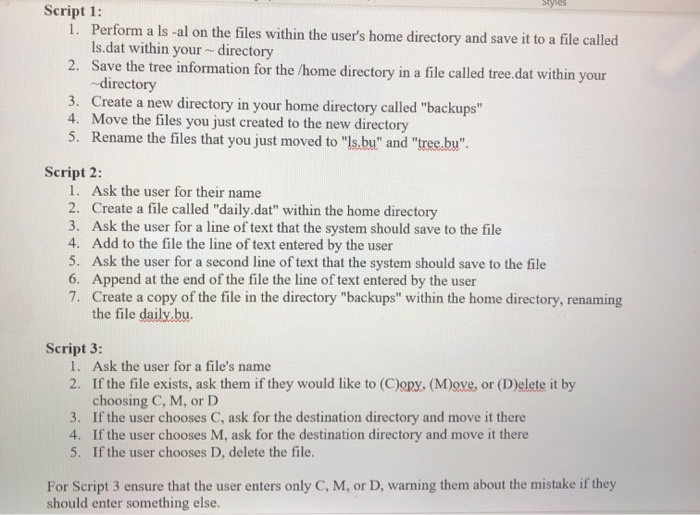
Script 1: 1. Perform a ls -al on the files within the user's home directory and save it to a file called Is.dat within your directory 2. Save the tree information for the /home directory in a file called tree.dat within your -directory 3. Create a new directory in your home directory called "backups" 4. Move the files you just created to the new directory 5. Rename the files that you just moved to "Is.bu" and "tree.bu". Script 2: 1. Ask the user for their name 2. Create a file called "daily.dat" within the home directory 3. Ask the user for a line of text that the system should save to the file 4. Add to the file the line of text entered by the user 5. Ask the user for a second line of text that the system should save to the file 6. Append at the end of the file the line of text entered by the user 7. Create a copy of the file in the directory "backups" within the home directory, renaming the file daily.bu. Script 3: 1. Ask the user for a file's name 2. If the file exists, ask them if they would like to (Cory, (M)ove, or (Delete it by choosing C, M, or D 3. If the user chooses C, ask for the destination directory and move it there 4. If the user chooses M, ask for the destination directory and move it there 5. If the user chooses D, delete the file. For Script 3 ensure that the user enters only C, M, or D, warning them about the mistake if they should enter something else
Step by Step Solution
There are 3 Steps involved in it
Heres how you can write these scripts in Bash Script 1 bash binbash 1 Perform a ls al on the files w... View full answer

Get step-by-step solutions from verified subject matter experts
 Study Help