







Question: SDT 100 Introduction to Data Analytics 45 Nearest Neighbor and Distance Calculations can be used for all sorts of data types. This week, we are
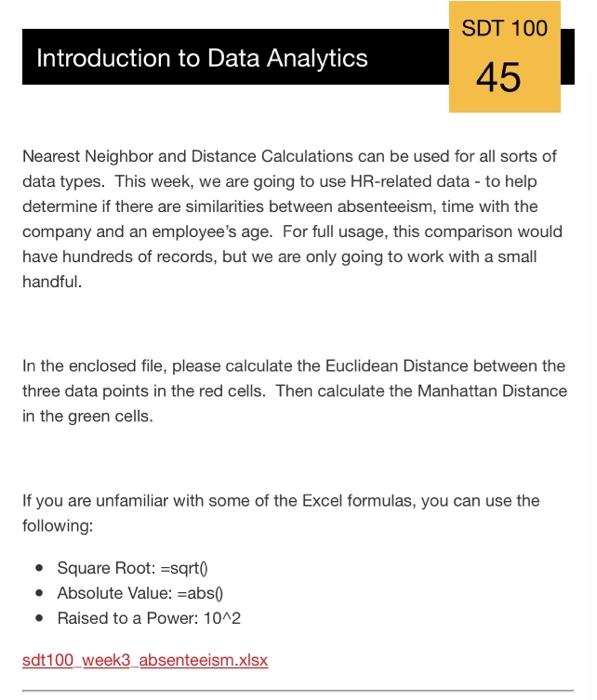
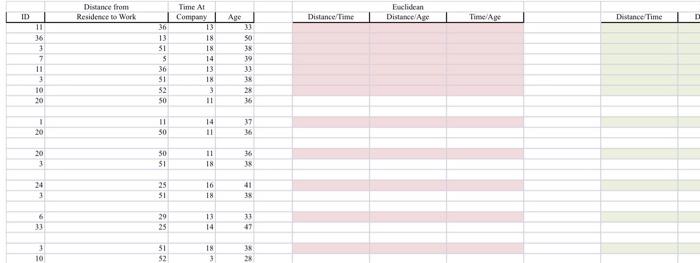
SDT 100 Introduction to Data Analytics 45 Nearest Neighbor and Distance Calculations can be used for all sorts of data types. This week, we are going to use HR-related data - to help determine if there are similarities between absenteeism, time with the company and an employee's age. For full usage, this comparison would have hundreds of records, but we are only going to work with a small handful. In the enclosed file, please calculate the Euclidean Distance between the three data points in the red cells. Then calculate the Manhattan Distance in the green cells. If you are unfamiliar with some of the Excel formulas, you can use the following: Square Root: =sqrto Absolute Value: =abs() Raised to a Power: 10^2 sdt100 week3 absenteeism.xlsx ID Distance from Residence to Work Exclidean Distance Age Distance/Time Time Age Dance Time 11 16 3 7 11 3 Time At Company 13 18 18 14 13 18 Age 31 50 38 3 13 31 s 36 S1 52 SO 10 20 18 28 36 11 ! 20 11 30 14 11 37 16 11 20 3 30 51 36 18 2 24 3 25 51 16 18 41 35 6 33 29 25 13 14 33 47 1 10 51 52 18 3 1 28
Step by Step Solution
There are 3 Steps involved in it

Get step-by-step solutions from verified subject matter experts
 Study Help