







Question: Section C Practical Instructions: Use Codeblocks / www.onlinegdb.com to write programs. Copy and paste the program in the answer part Write a program that accepts
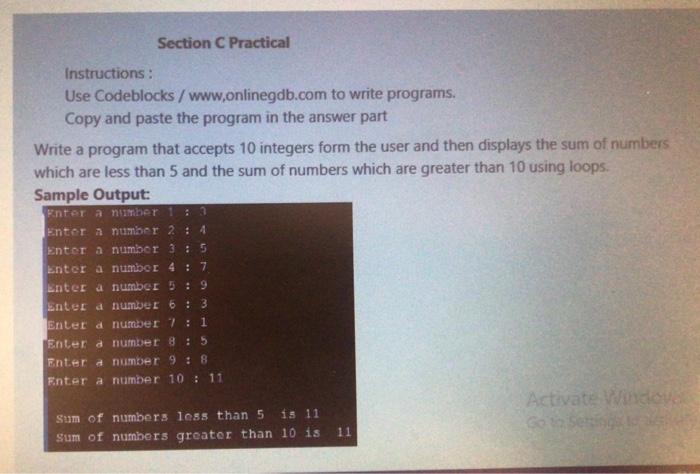
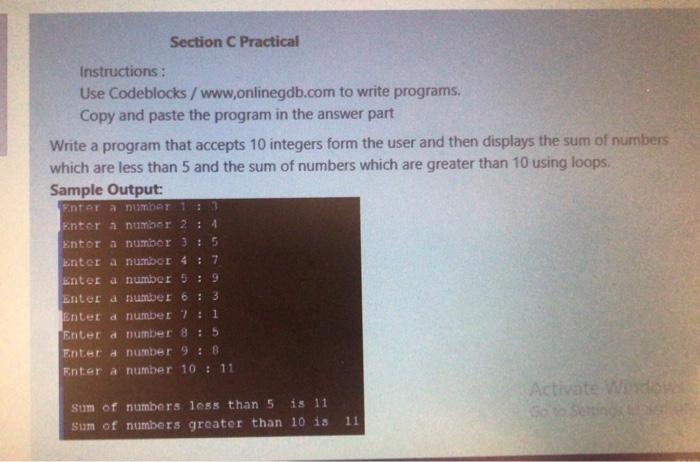
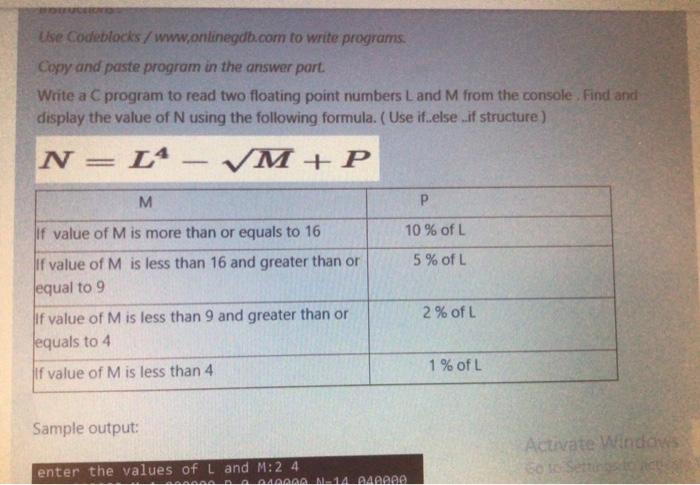
Section C Practical Instructions: Use Codeblocks / www.onlinegdb.com to write programs. Copy and paste the program in the answer part Write a program that accepts 10 integers form the user and then displays the sum of numbers which are less than 5 and the sum of numbers which are greater than 10 using loops. Sample Output: Enter a number 1 : 3 Entor a number 2 : 4 Enter a number 3 : 5 Enter a number 4: 7 Enter a number 5 : 9 unter d number 6 : 3 Enter d number 7 : 1 Enter a number 8: 5 Enter a number 9 : 8 Enter a number 10 : 11 Activate Windo Sum of numbers less than 5 is 11 Sum of numbers greater than 10 is 11 Corseti Section C Practical Instructions: Use Codeblocks / www.onlinegdb.com to write programs. Copy and paste the program in the answer part Write a program that accepts 10 integers form the user and then displays the sum of numbers which are less than 5 and the sum of numbers which are greater than 10 using loops. Sample Output: ERTATA DT 1 Enter a number 2 : 4 Entor a number 35 Enter a number 4:7 Enter a number 5 : 9 entend number 6:3 Entet d number 7: 1 Enter a number 8: 5 Enter a number 9 : 8 Enter a number 10 : 11 Activate Word Sum of numbers less than 5 is 11 Soto Sorin Sum of numbers greater than 10 is 11 Use Codeblocks / www.onlinegdb.com to write programs Copy and paste program in the answer part. Write a C program to read two floating point numbers Land M from the console. Find and display the value of N using the following formula. (Use if else if structure) N= L4 VM+P M P 10 % of L 5% of L lif value of M is more than or equals to 16 if value of M is less than 16 and greater than or equal to 9 if value of M is less than 9 and greater than or equals to 4 2% of L 1 % of L If value of M is less than 4 Sample output: Activate Windows Solo Settings enter the values of L and M:2 4 AAAAAA AL14QARD
Step by Step Solution
There are 3 Steps involved in it

Get step-by-step solutions from verified subject matter experts
 Study Help