







Question: SECTION_LENGTH = 3 ANSWER = 'CATDOGFOXEMU' SWAP = 'S' ROTATE = 'R' CHECK = 'C' def change_state(z: str, x: int, a: str) -> str:
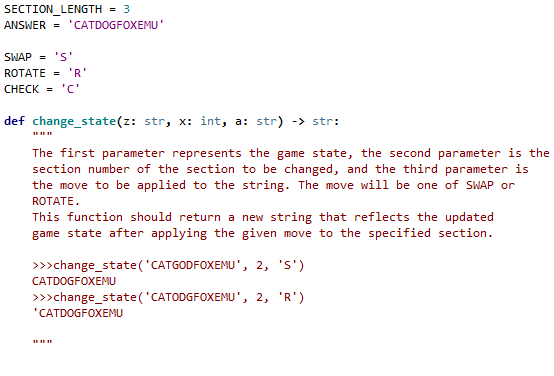
SECTION_LENGTH = 3 ANSWER = 'CATDOGFOXEMU'
SWAP = 'S' ROTATE = 'R' CHECK = 'C'
def change_state(z: str, x: int, a: str) -> str: """ The first parameter represents the game state, the second parameter is the section number of the section to be changed, and the third parameter is the move to be applied to the string. The move will be one of SWAP or ROTATE. This function should return a new string that reflects the updated game state after applying the given move to the specified section. >>>change_state('CATGODFOXEMU', 2, 'S') CATDOGFOXEMU >>>change_state('CATODGFOXEMU', 2, 'R') 'CATDOGFOXEMU """
SECTION_LENGTH = 3 ANSWER = 'CATDOGFOXEMU' SWAP = 's' ROTATE = 'R' CHECK = 'C' def change_state(z: str, x: int, a: str) -> str: The first parameter represents the game state, the second parameter is the section number of the section to be changed, and the third parameter is the move to be applied to the string. The move will be one of SWAP or ROTATE. This function should return a new string that reflects the updated game state after applying the given move to the specified section. >>>change_state('CATGODFOXEMU', 2, 'S') CATDOGFOXEMU >>>change_state('CATODGFOXEMU', 2, 'R') 'CATDOGFOXEMU
Step by Step Solution
There are 3 Steps involved in it

Get step-by-step solutions from verified subject matter experts
 Study Help