







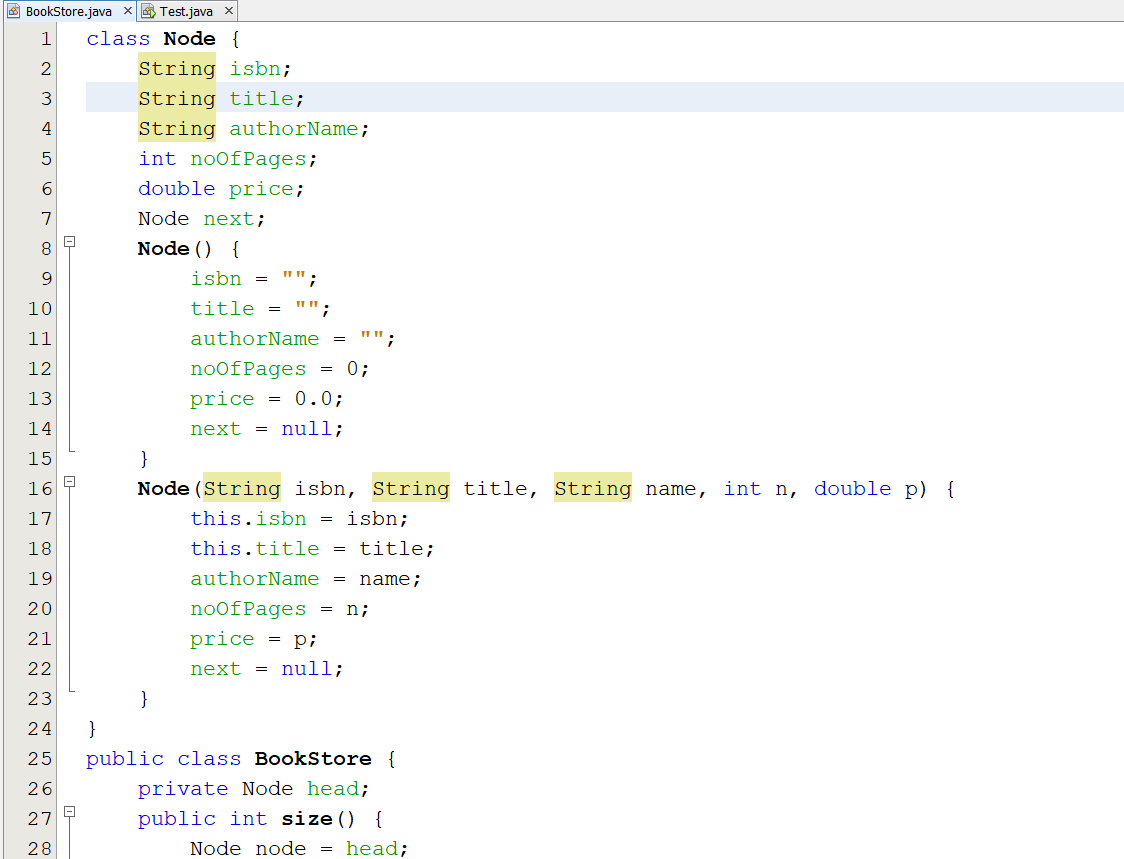
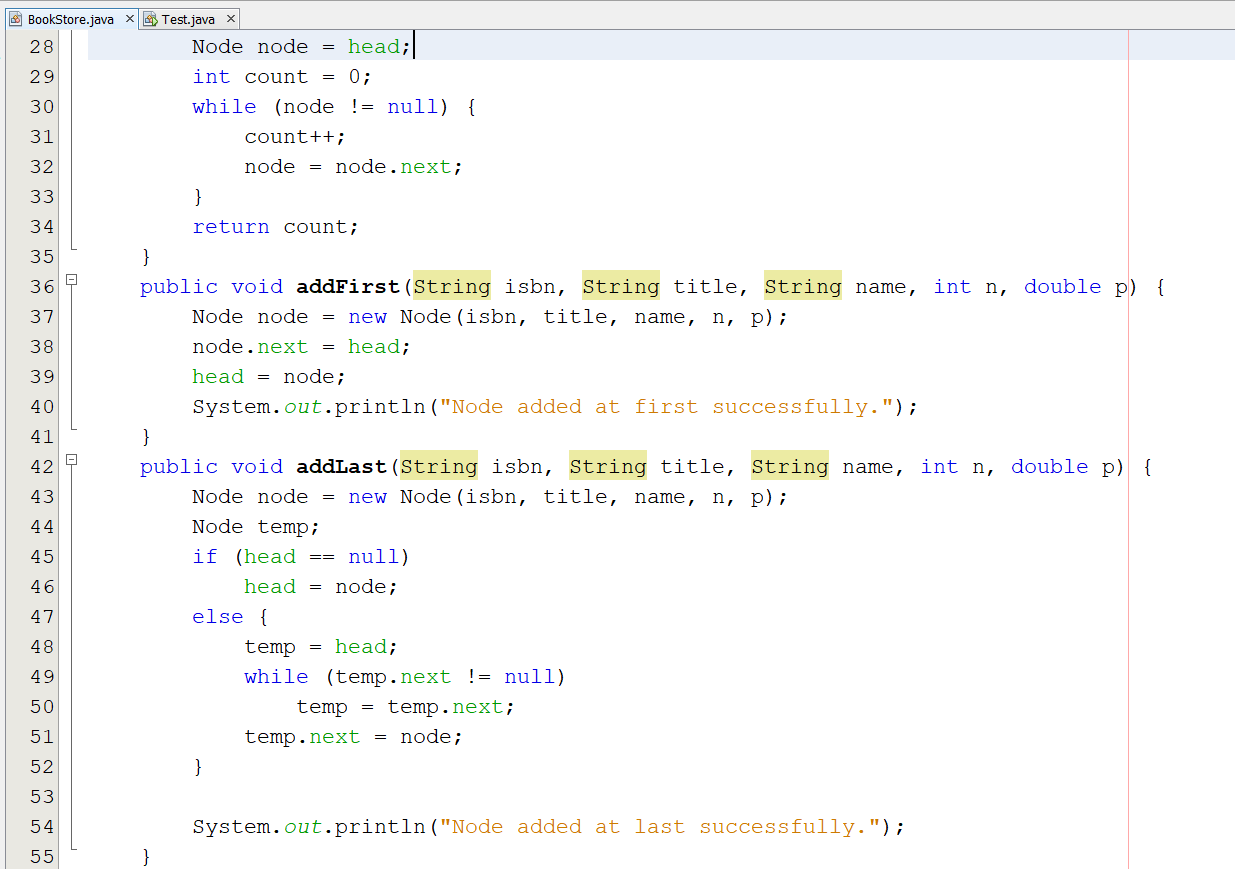
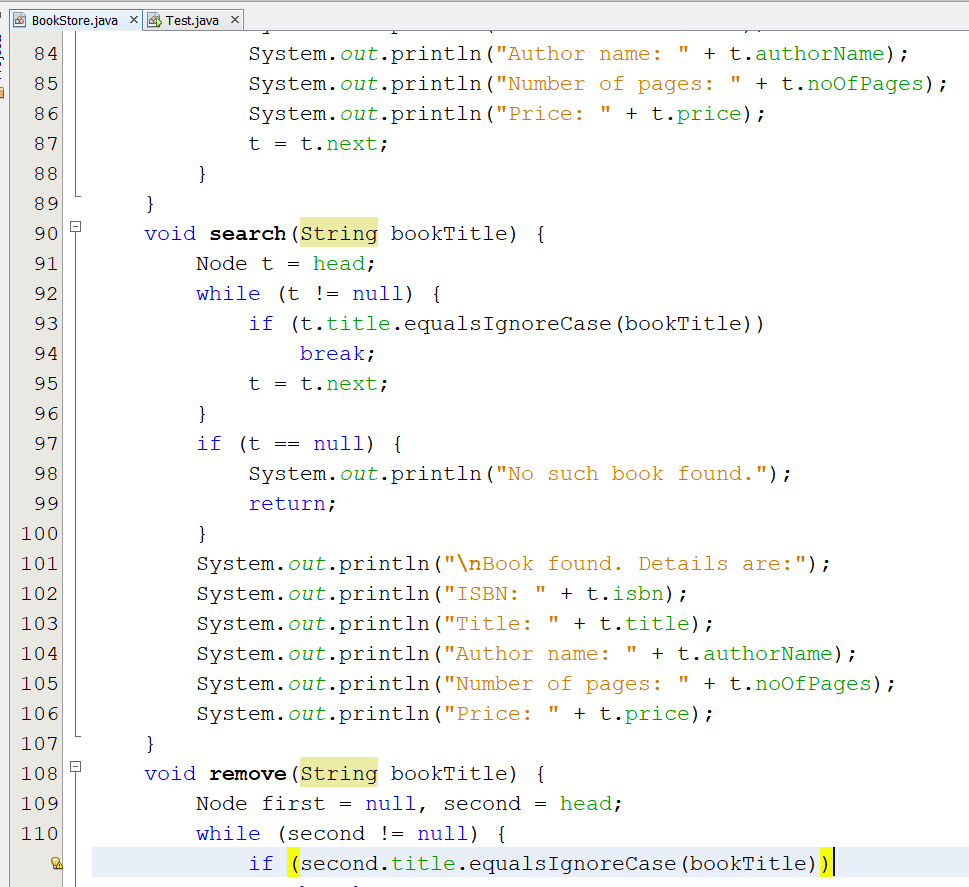
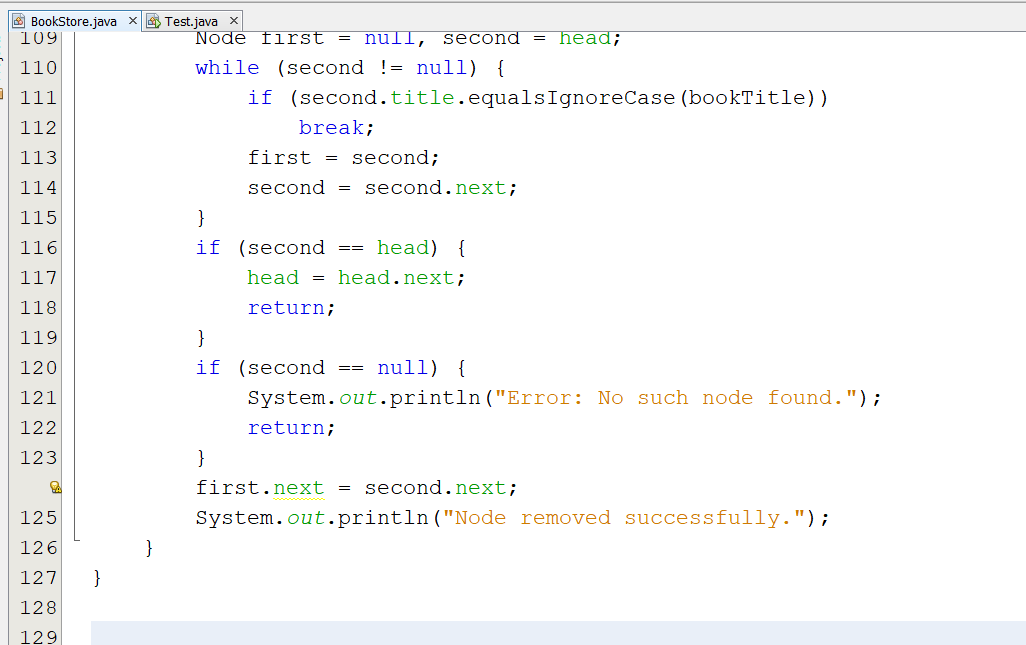
Question: Select data structure and algorithm, and then describe the used dataset and then the obtained results For this code. bookstore.java Test.java import java.util.Scanner; public class
Select data structure and algorithm, and then describe the used dataset and then the obtained results For this code.
bookstore.java
![class Test { public static void main(String[] args) { Scanner sc =](https://s3.amazonaws.com/si.experts.images/answers/2024/09/66dc5e99a85d8_16966dc5e993cd0e.jpg)
Test.java
import java.util.Scanner; public class Test { public static void main(String[] args) { Scanner sc = new Scanner(System.in); int ch = 1; String isbn; String title; String authorName; int noOfPages; double price; int position; BookStore list = new BookStore(); while (ch != 7) { System.out.println(" ===================================MENU==================================="); System.out.printf("%-20s%-20s%-20s%-20s ", "1. Add First", "2. Add Last", "3. Add at Pos", "4. Remove"); System.out.printf("%-20s%-20s%-14s ", "5. Search", "6. Display", "7. Exit"); System.out.println("=========================================================================="); System.out.print("Enter your choice: "); ch = Integer.parseInt(sc.nextLine()); switch (ch) { case 1: System.out.print(" Enter ISBN number: "); isbn = sc.nextLine(); System.out.print("Enter book title: "); title = sc.nextLine(); System.out.print("Enter author name: "); authorName = sc.nextLine(); System.out.print("Enter number of pages: "); noOfPages = Integer.parseInt(sc.nextLine()); System.out.print("Enter price: "); price = Double.parseDouble(sc.nextLine());
list.addFirst(isbn, title, authorName, noOfPages, price); break; case 2: System.out.print(" Enter ISBN number: "); isbn = sc.nextLine(); System.out.print("Enter book title: "); title = sc.nextLine(); System.out.print("Enter author name: "); authorName = sc.nextLine(); System.out.print("Enter number of pages: "); noOfPages = Integer.parseInt(sc.nextLine()); System.out.print("Enter price: "); price = Double.parseDouble(sc.nextLine());
list.addLast(isbn, title, authorName, noOfPages, price); break; case 3: System.out.print("Enter position to insert: "); position = Integer.parseInt(sc.nextLine()); System.out.print(" Enter ISBN number: "); isbn = sc.nextLine(); System.out.print("Enter book title: "); title = sc.nextLine(); System.out.print("Enter author name: "); authorName = sc.nextLine(); System.out.print("Enter number of pages: "); noOfPages = Integer.parseInt(sc.nextLine()); System.out.print("Enter price: "); price = Double.parseDouble(sc.nextLine());
list.addAtIndex(position, isbn, title, authorName, noOfPages, price); break; case 4: System.out.print(" Enter book title to be removed: "); title = sc.nextLine(); list.remove(title); break; case 5: System.out.print(" Enter book title to search for: "); title = sc.nextLine(); list.search(title); break;
case 6: list.display(); break; case 7: System.out.println(" Thank you!"); break; default: System.out.println("Error: Invalid choice."); } } } }
Step by Step Solution
There are 3 Steps involved in it

Get step-by-step solutions from verified subject matter experts
 Study Help