







Question: Select lines of code from the program that best answer each question. 1. The first program code segment must show how data have been stored
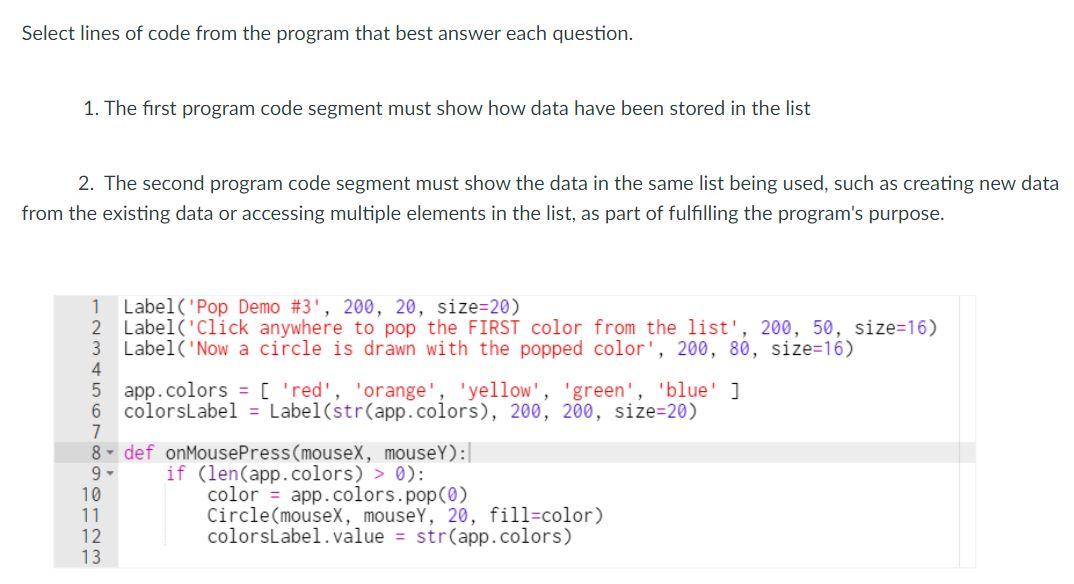
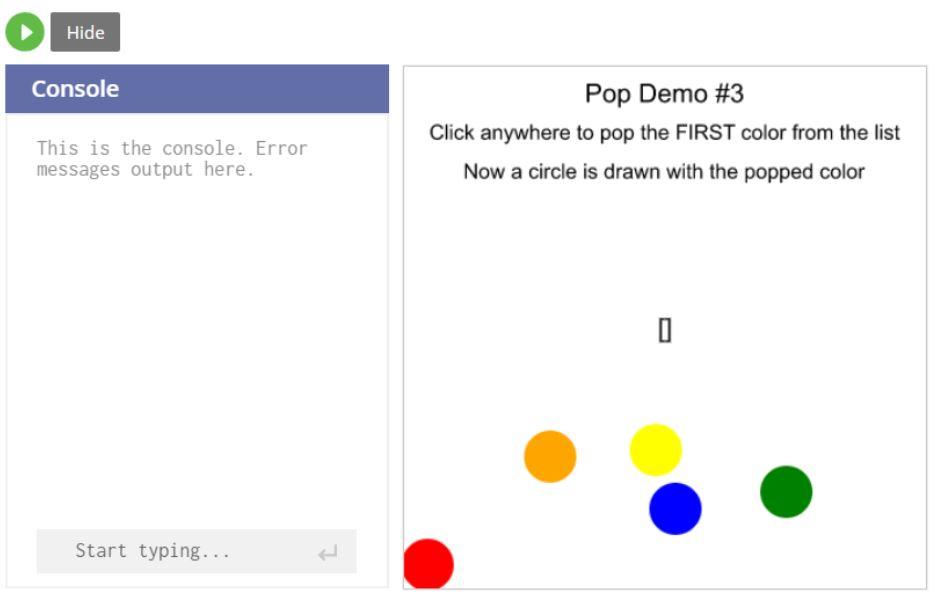
Select lines of code from the program that best answer each question. 1. The first program code segment must show how data have been stored in the list 2. The second program code segment must show the data in the same list being used, such as creating new data from the existing data or accessing multiple elements in the list, as part of fulfilling the program's purpose. 1 Label('Pop Demo #3', 200, 20, size=20) 2 Label('Click anywhere to pop the FIRST color from the list', 200, 50, size=16) 3 Label('Now a circle is drawn with the popped color', 200, 80, size=16) 4 5 app.colors = [ 'red', 'orange', 'yellow', 'green', 'blue' ] 6 colorsLabel = Label(str(app.colors), 200, 200, size=20) 7 8- def onMousePress(mouseX, mouseY): 9- if (len(app.colors) > 0): 10 color = app.colors.pop(0) 11 Circle(mouseX, mousey, 20, fill=color) 12 colorsLabel.value = str(app.colors) 13 Hide Console Pop Demo #3 Click anywhere to pop the FIRST color from the list Now a circle is drawn with the popped color This is the console. Error messages output here. Start typing... Select lines of code from the program that best answer each question. 1. The first program code segment must show how data have been stored in the list 2. The second program code segment must show the data in the same list being used, such as creating new data from the existing data or accessing multiple elements in the list, as part of fulfilling the program's purpose. 1 Label('Pop Demo #3', 200, 20, size=20) 2 Label('Click anywhere to pop the FIRST color from the list', 200, 50, size=16) 3 Label('Now a circle is drawn with the popped color', 200, 80, size=16) 4 5 app.colors = [ 'red', 'orange', 'yellow', 'green', 'blue' ] 6 colorsLabel = Label(str(app.colors), 200, 200, size=20) 7 8- def onMousePress(mouseX, mouseY): 9- if (len(app.colors) > 0): 10 color = app.colors.pop(0) 11 Circle(mouseX, mousey, 20, fill=color) 12 colorsLabel.value = str(app.colors) 13 Hide Console Pop Demo #3 Click anywhere to pop the FIRST color from the list Now a circle is drawn with the popped color This is the console. Error messages output here. Start typing
Step by Step Solution
There are 3 Steps involved in it

Get step-by-step solutions from verified subject matter experts
 Study Help