







Question: Selection Menu Loop The selection menu loop is the main user interface for the MusicHero project. Each of the successive parts will build out the
Selection Menu Loop
The selection menu loop is the main user interface for the MusicHero project. Each of the successive parts will build
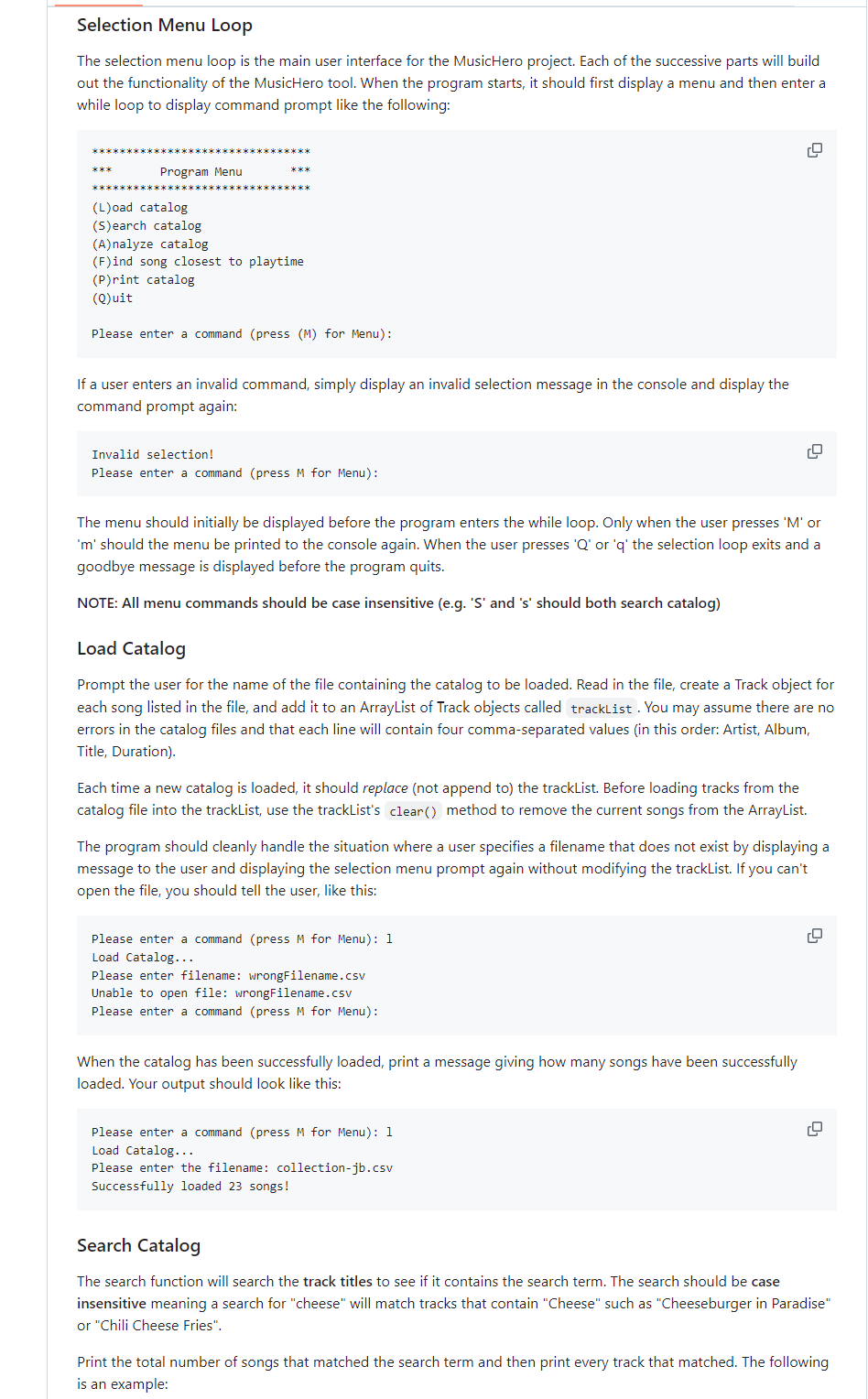
out the functionality of the MusicHero tool. When the program starts, it should first display a menu and then enter a
while loop to display command prompt like the following: Program Menu Load catalog
Search catalog
Analyze catalog
Find song closest to playtime
Print catalog
Quit
Please enter a command press M for Menu:
If a user enters an invalid command, simply display an invalid selection message in the console and display the
command prompt again:
Invalid selection!
Please enter a command press M for Menu:
The menu should initially be displayed before the program enters the while loop. Only when the user presses M or
m should the menu be printed to the console again. When the user presses Q or q the selection loop exits and a
goodbye message is displayed before the program quits.
NOTE: All menu commands should be case insensitive egS and s should both search catalog
Load Catalog
Prompt the user for the name of the file containing the catalog to be loaded. Read in the file, create a Track object for
each song listed in the file, and add it to an ArrayList of Track objects called trackList. You may assume there are no
errors in the catalog files and that each line will contain four commaseparated values in this order: Artist, Album,
Title, Duration
Each time a new catalog is loaded, it should replace not append to the trackList. Before loading tracks from the
catalog file into the trackList, use the trackList's clear method to remove the current songs from the ArrayList.
The program should cleanly handle the situation where a user specifies a filename that does not exist by displaying a
message to the user and displaying the selection menu prompt again without modifying the trackList. If you can't
open the file, you should tell the user, like this:
Please enter a command press M for Menu: l
Load Catalog...
Please enter filename: wrongFilename.csv
Unable to open file: wrongFilename.csv
Please enter a command press M for Menu:
When the catalog has been successfully loaded, print a message giving how many songs have been successfully
loaded. Your output should look like this:
Please enter a command press M for Menu: l
Load Catalog...
Please enter the filename: collectionjbcsv
Successfully loaded songs!
Search Catalog
The search function will search the track titles to see if it contains the search term. The search should be case
insensitive meaning a search for "cheese" will match tracks that contain "Cheese" such as "Cheeseburger in Paradise"
or "Chili Cheese Fries".
Print the total number of songs that matched the search term and then print every track that matched. The following
is an example:
Step by Step Solution
There are 3 Steps involved in it
1 Expert Approved Answer
Step: 1 Unlock

Question Has Been Solved by an Expert!
Get step-by-step solutions from verified subject matter experts
Step: 2 Unlock
Step: 3 Unlock
 Study Help