







Question: # set a variable to the path of the file filepath/tmp/out.txt' Collapse) Text files # something to write out text A newt? 4 4. 4.
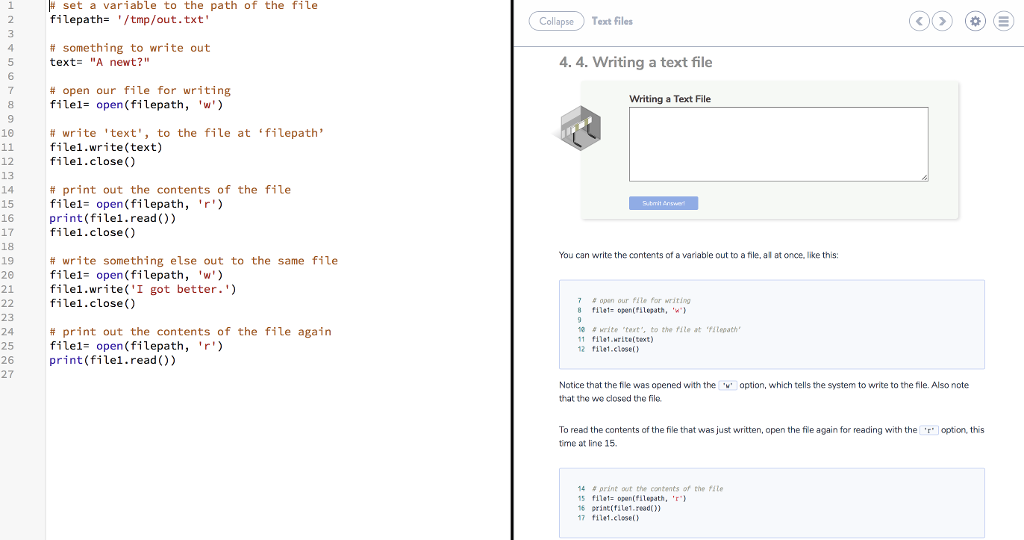
# set a variable to the path of the file filepath/tmp/out.txt' Collapse) Text files # something to write out text "A newt?" 4 4. 4. Writing a text file 6 # open our file for writing filel- open(filepath, 'w Writing a Text File 9 10 # write 'text', to the file at filepath' filel.write(text) filel.close ) 12 13 14 15 16 17 filel.close() 18 19 20 21 file1.write('I got better.') # print out the contents of the file file1- open(filepath, 'r') print (filel.read()) You can write the contents of a variable out to a file, al at once, like this: # write something else out to the same file filel- open (filepath 'w filel.close) 7 4 opan our ite for writing f?1el: open(filepath, 'w') 23 24 25 26 27 # print out the contents of the file again filel- open (filepath 'r) print (filel.read)) 10 # krite ,tert". to the file at 'filepath' 11 f?1e1.write(text) 12 file1.close() Notice that the file was opened with theoption, which tells the system to write to the file. Also note that the we closed the file To read the contents of the file that was just written, open the file again for reading with the r option, this tme at line 15. # ?rint out the contents of the file 5 filetopen(filepath, 'r 6 printrile1.read)) 17 file1.closet
Step by Step Solution
There are 3 Steps involved in it

Get step-by-step solutions from verified subject matter experts
 Study Help