







Question: setupMapData (10 points): Write a function named setupMapData that takes an array as a parameter and returns an array containing the data for a map.
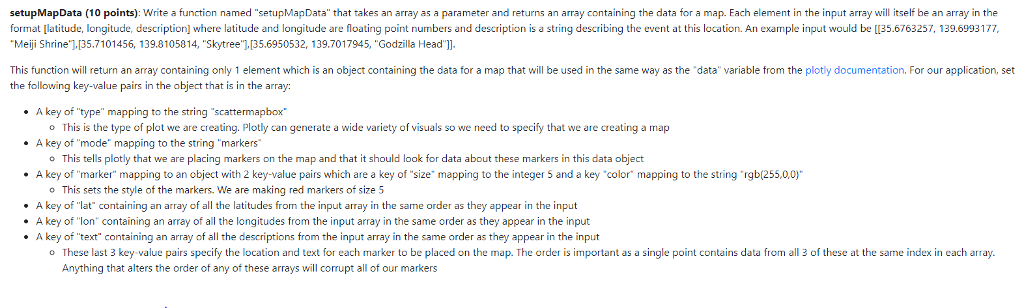
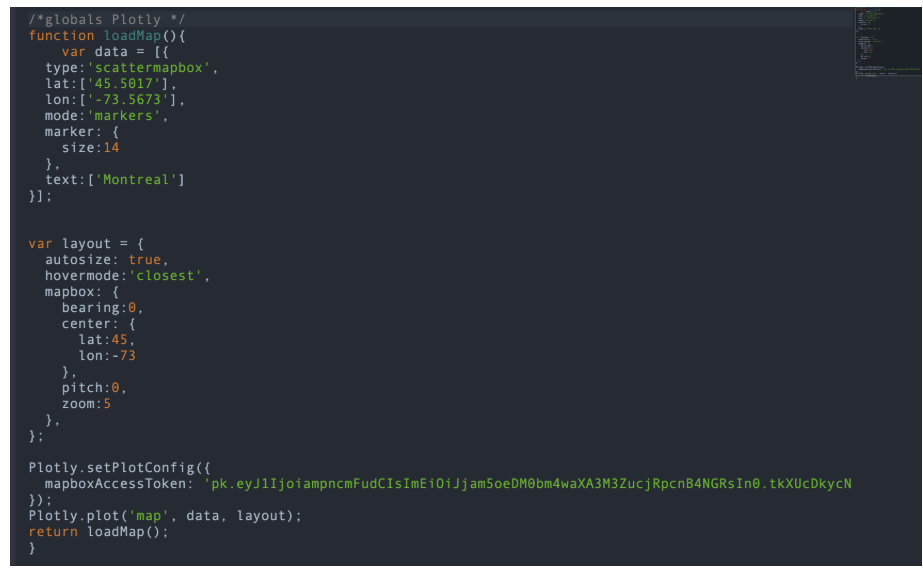
setupMapData (10 points): Write a function named "setupMapData" that takes an array as a parameter and returns an array containing the data for a map. Each element in the input array will itself be an array in the ormat latitude, longitude, description where latitude and longitude are floating point numbers and description s a string describing the event at this ocation. An e ample nput would be 35.6763257 139.69 3177 Meiji Shrine'][35.7101456, 139.8105814, "Skytree"],135.6950532, 139.7017945, "Godzilla Head"] This function will return an array containing only 1 element which is an object containing the data for a map that will be used in the same way as the "data variable from the plotly documentation. For our application, set the following key-value pairs in the object that is in the array: . A key of type" mapping to the . A key of "mode" mapping to the string markers . A key of "marker" mapping to an object with 2 key-value pairs which are a key of "size" mapping to the integer 5 and a key "color mapping to the string rgb(255,0,0)" string "scattermapbox o This is the type of plot we are creating. Plotly can generate a wide variety of visuals so we need to specify that we are creating a map o This tells plotly that we are placing markers on the map and that it should look for data about these markers in this data object o This sets the style of the markers. We are making red markers of size 5 . A key of "lat" containing an array of all the latitudes from the input array in the same order as they appear in the input . A key of "lon containing an array of all the longitudes from the input array in the same order as they appear in the input * A key of "text containing an array of all the descriptions from the input array in the same order as they appear in the input o These last 3 key-value pairs specify the location and text for each marker to be placed on the map. The order is important as a single point contains data from all 3 of these at the same index in each array Anything that alters the order of any of these arrays will corrupt all of our markers setupMapData (10 points): Write a function named "setupMapData" that takes an array as a parameter and returns an array containing the data for a map. Each element in the input array will itself be an array in the ormat latitude, longitude, description where latitude and longitude are floating point numbers and description s a string describing the event at this ocation. An e ample nput would be 35.6763257 139.69 3177 Meiji Shrine'][35.7101456, 139.8105814, "Skytree"],135.6950532, 139.7017945, "Godzilla Head"] This function will return an array containing only 1 element which is an object containing the data for a map that will be used in the same way as the "data variable from the plotly documentation. For our application, set the following key-value pairs in the object that is in the array: . A key of type" mapping to the . A key of "mode" mapping to the string markers . A key of "marker" mapping to an object with 2 key-value pairs which are a key of "size" mapping to the integer 5 and a key "color mapping to the string rgb(255,0,0)" string "scattermapbox o This is the type of plot we are creating. Plotly can generate a wide variety of visuals so we need to specify that we are creating a map o This tells plotly that we are placing markers on the map and that it should look for data about these markers in this data object o This sets the style of the markers. We are making red markers of size 5 . A key of "lat" containing an array of all the latitudes from the input array in the same order as they appear in the input . A key of "lon containing an array of all the longitudes from the input array in the same order as they appear in the input * A key of "text containing an array of all the descriptions from the input array in the same order as they appear in the input o These last 3 key-value pairs specify the location and text for each marker to be placed on the map. The order is important as a single point contains data from all 3 of these at the same index in each array Anything that alters the order of any of these arrays will corrupt all of our markers
Step by Step Solution
There are 3 Steps involved in it

Get step-by-step solutions from verified subject matter experts
 Study Help