



Question: Shelly Cashman Excel 2019 | Module 4: SAM Project lb 4. Miranda wants to calculate the monthly payment for a loan to purchase the
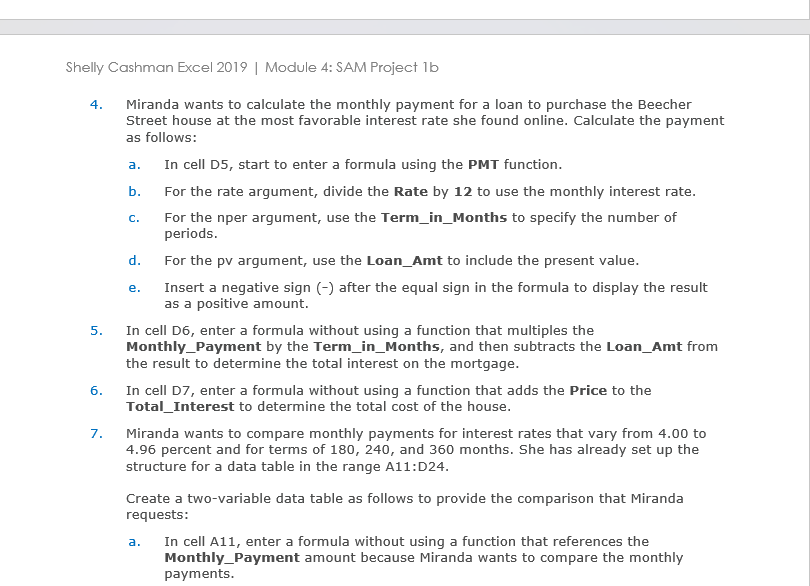
Shelly Cashman Excel 2019 | Module 4: SAM Project lb 4. Miranda wants to calculate the monthly payment for a loan to purchase the Beecher Street house at the most favorable interest rate she found online. Calculate the payment as follows: a. In cell D5, start to enter a formula using the PMT function. b. For the rate argument, divide the Rate by 12 to use the monthly interest rate. C. For the nper argument, use the Term_in_Months to specify the number of periods. d. For the pv argument, use the Loan_Amt to include the present value. 5. 6. 7. e. Insert a negative sign (-) after the equal sign in the formula to display the result as a positive amount. In cell D6, enter a formula without using a function that multiples the Monthly Payment by the Term_in_Months, and then subtracts the Loan_Amt from the result to determine the total interest on the mortgage. In cell D7, enter a formula without using a function that adds the Price to the Total_Interest to determine the total cost of the house. Miranda wants to compare monthly payments for interest rates that vary from 4.00 to 4.96 percent and for terms of 180, 240, and 360 months. She has already set up the structure for a data table in the range A11:D24. Create a two-variable data table as follows to provide the comparison that Miranda requests: a. In cell A11, enter a formula without using a function that references the Monthly Payment amount because Miranda wants to compare the monthly payments.
Step by Step Solution
There are 3 Steps involved in it

Get step-by-step solutions from verified subject matter experts