







Question: ShippingCharge problem. When you click the spinner it has the options The small radio button cannot be more than 5lb, and the large cannot be
ShippingCharge problem.
When you click the spinner it has the options The small radio button cannot be more than 5lb, and the large cannot be more than 7. The shipping rate is 2.0 for the small, but 2.5 for the large. If the user picks the Large Radio button and their weight entered is too high- then a Toast messag appears to tell them the weight they've selected is too large. This is using android studio, Java. 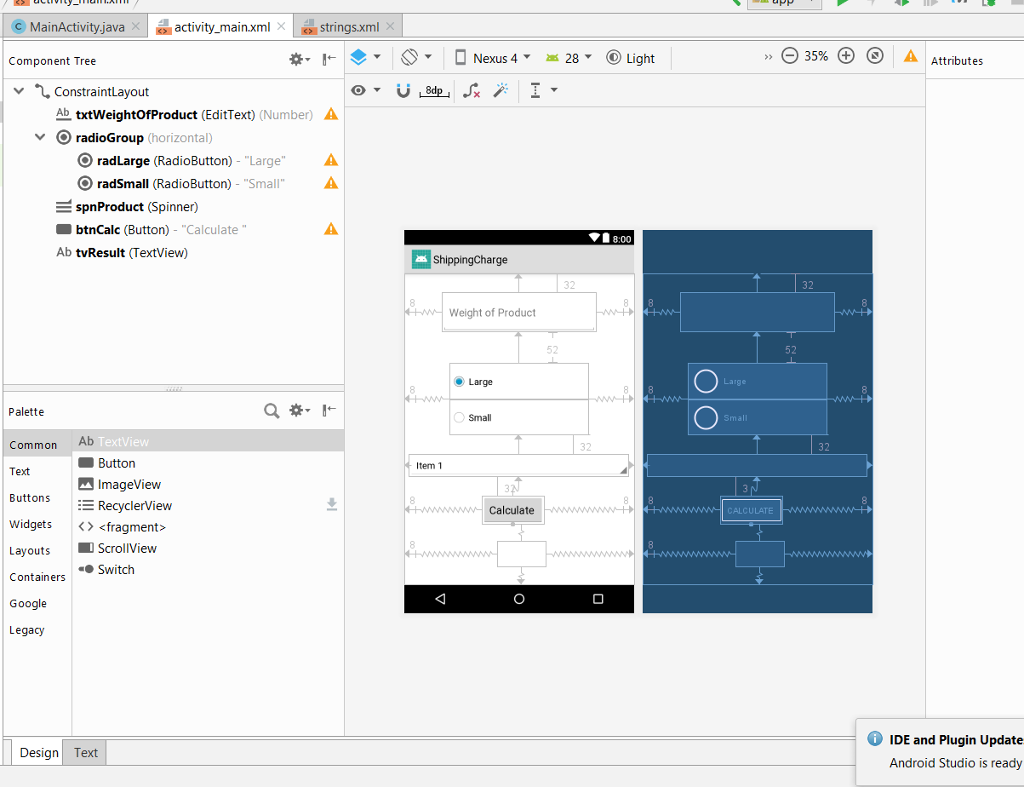
This is the code I have so far but I am stuck at finishing the option for the small button:
package hw.shippingcharge; import android.support.v7.app.AppCompatActivity; import android.os.Bundle; import android.view.View; import android.widget.Button; import android.widget.EditText; import android.widget.RadioButton; import android.widget.Spinner; import android.widget.TextView; import android.widget.Toast; import java.sql.ResultSet; import java.text.DecimalFormat; public class MainActivity extends AppCompatActivity { double weightEntered; @Override protected void onCreate(Bundle savedInstanceState) { super.onCreate(savedInstanceState); setContentView(R.layout.activity_main); final RadioButton radLarge = findViewById(R.id.radLarge); final RadioButton radSmall = findViewById(R.id.radSmall); // final EditText weightOfProduct = findViewById(R.id.txtWeightOfProduct); final TextView results = findViewById(R.id.tvResult); final Spinner productName = findViewById(R.id.spnProduct); Double shipCharge = 2.5; String strWeight = wegiht.getText().tostring(); Double dblWegiht = double.toParse.Tostring(); Button calculate = findViewById(R.id.btnCalc); calculate.setOnClickListener(new View.OnClickListener() { @Override public void onClick(View view) { String strWeightOfProductSelected = weightOfProduct.getText().toString(); double weightOfProductSelected = Double.parseDouble(strWeightOfProductSelected); double dblTotal = 0; String weightOfProductSelectd = productName.getSelectedItem().toString(); if (radLarge.isChecked()) { if(dblWeight new decimalFormat("$###.##"); String strResuult = formatter.format(getResult); result.setText("" + strProduct + "is" strResult) dblTotal = weightEntered + 5; } } else { } if (radSmall.isChecked()){ } else{ } //format calc //DecimalFormat = new DecimalFormat("##.#"); DecimalFormat formatter = new DecimalFormat("##.##"); String strTotal = formatter.format(dblTotal); results.setText(strTotal + ","+ weightOfProductSelected); Toast.makeText( MainActivity.this, formatter.format(dblTotal), Toast.LENGTH_LONG).show(); //if error of not being initialized just set =0 } } } }
Step by Step Solution
There are 3 Steps involved in it
1 Expert Approved Answer
Step: 1 Unlock

Question Has Been Solved by an Expert!
Get step-by-step solutions from verified subject matter experts
Step: 2 Unlock
Step: 3 Unlock
 Study Help