







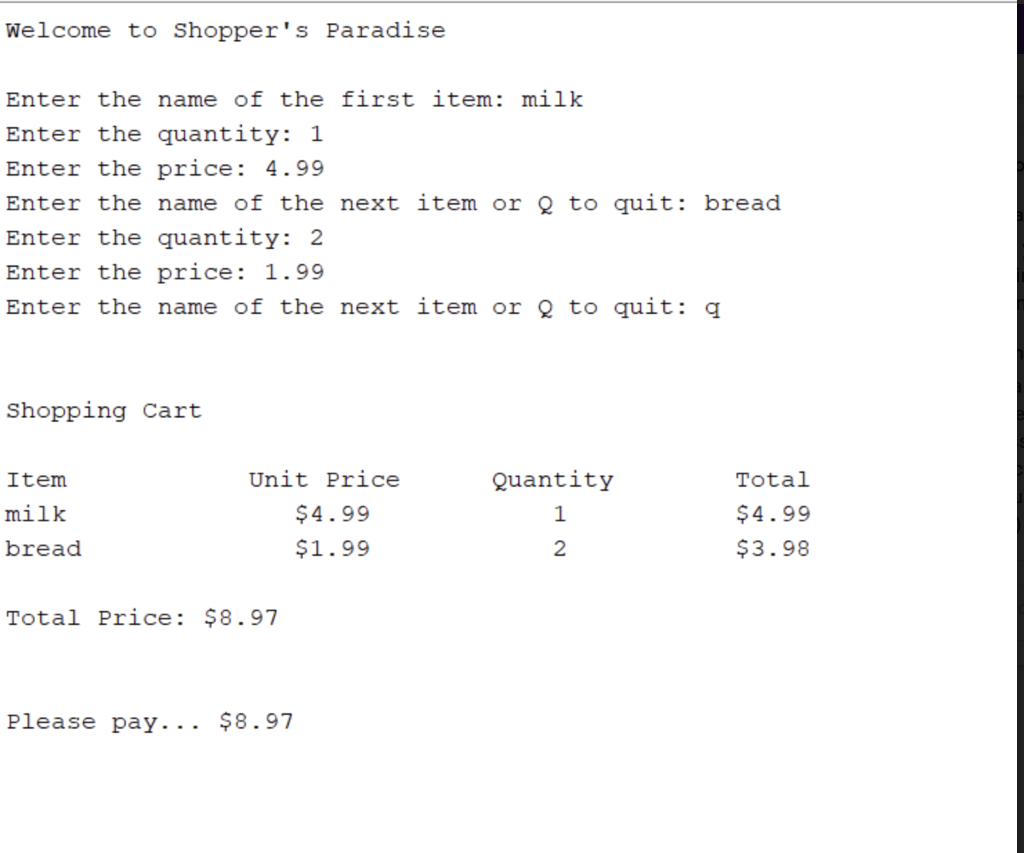
Question: ShoppingCart - array (see image below for sample output) Item class: creates a particular grocery item with a name, price and quantity. This class also
ShoppingCart - array (see image below for sample output)
Item class: creates a particular grocery item with a name, price and quantity. This class also formats the receipt (toString method)
ShoppingCart: adding the items for the cart.
Tester: you need to create this.
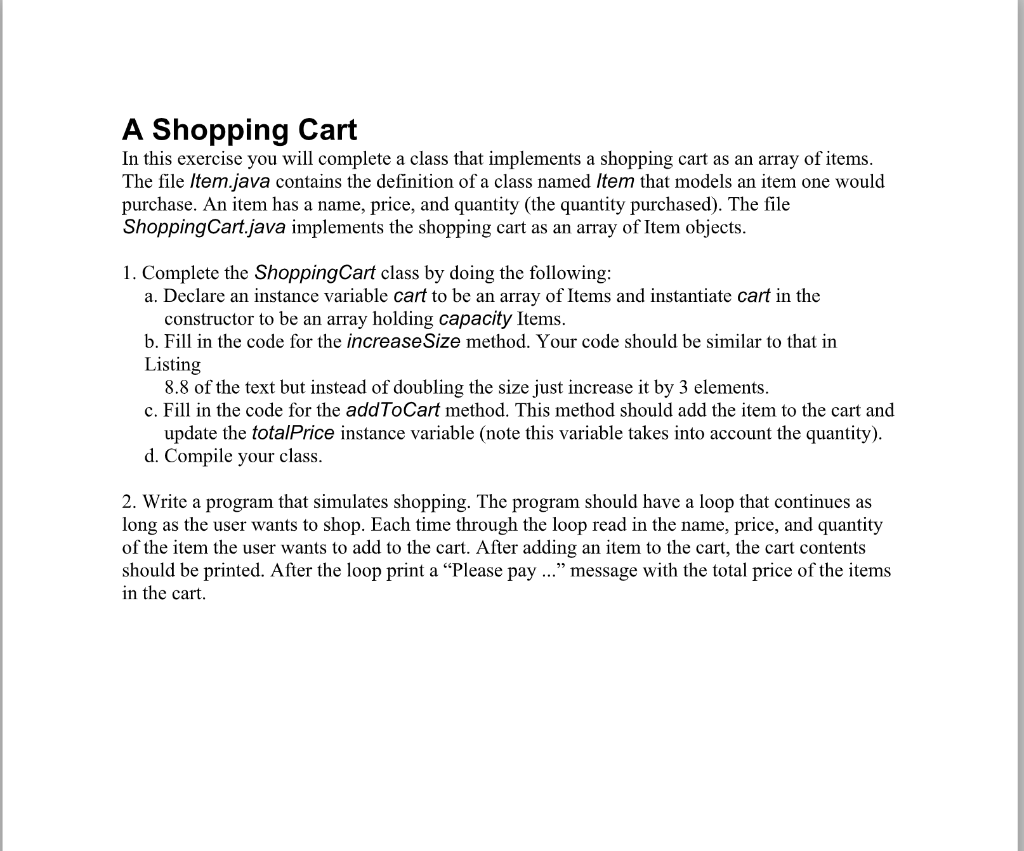
Welcome to Shopper's Paradise Enter the name of the first item: milk Enter the quantity: 1 Enter the price: 4.99 Enter the name of the next item or Q to quit: bread Enter the quantity: 2 Enter the price: 1.99 Enter the name of the next item or 2 to quit: q Shopping Cart Item Unit Price $4.99 $1.99 Quantity 1 milk bread Total $4.99 $3.98 2 Total Price: $8.97 Please pay... $8.97 A Shopping Cart In this exercise you will complete a class that implements a shopping cart as an array of items. The file Item.java contains the definition of a class named Item that models an item one would purchase. An item has a name, price, and quantity (the quantity purchased). The file Shopping Cart.java implements the shopping cart as an array of Item objects. 1. Complete the Shopping Cart class by doing the following: a. Declare an instance variable cart to be an array of Items and instantiate cart in the constructor to be an array holding capacity Items. b. Fill in the code for the increase Size method. Your code should be similar to that in Listing 8.8 of the text but instead of doubling the size just increase it by 3 elements. c. Fill in the code for the addToCart method. This method should add the item to the cart and update the totalPrice instance variable (note this variable takes into account the quantity). d. Compile your class. 2. Write a program that simulates shopping. The program should have a loop that continues as long as the user wants to shop. Each time through the loop read in the name, price, and quantity of the item the user wants to add to the cart. After adding an item to the cart, the cart contents should be printed. After the loop print a Please pay ... message with the total price of the items in the cart
Step by Step Solution
There are 3 Steps involved in it

Get step-by-step solutions from verified subject matter experts
 Study Help