



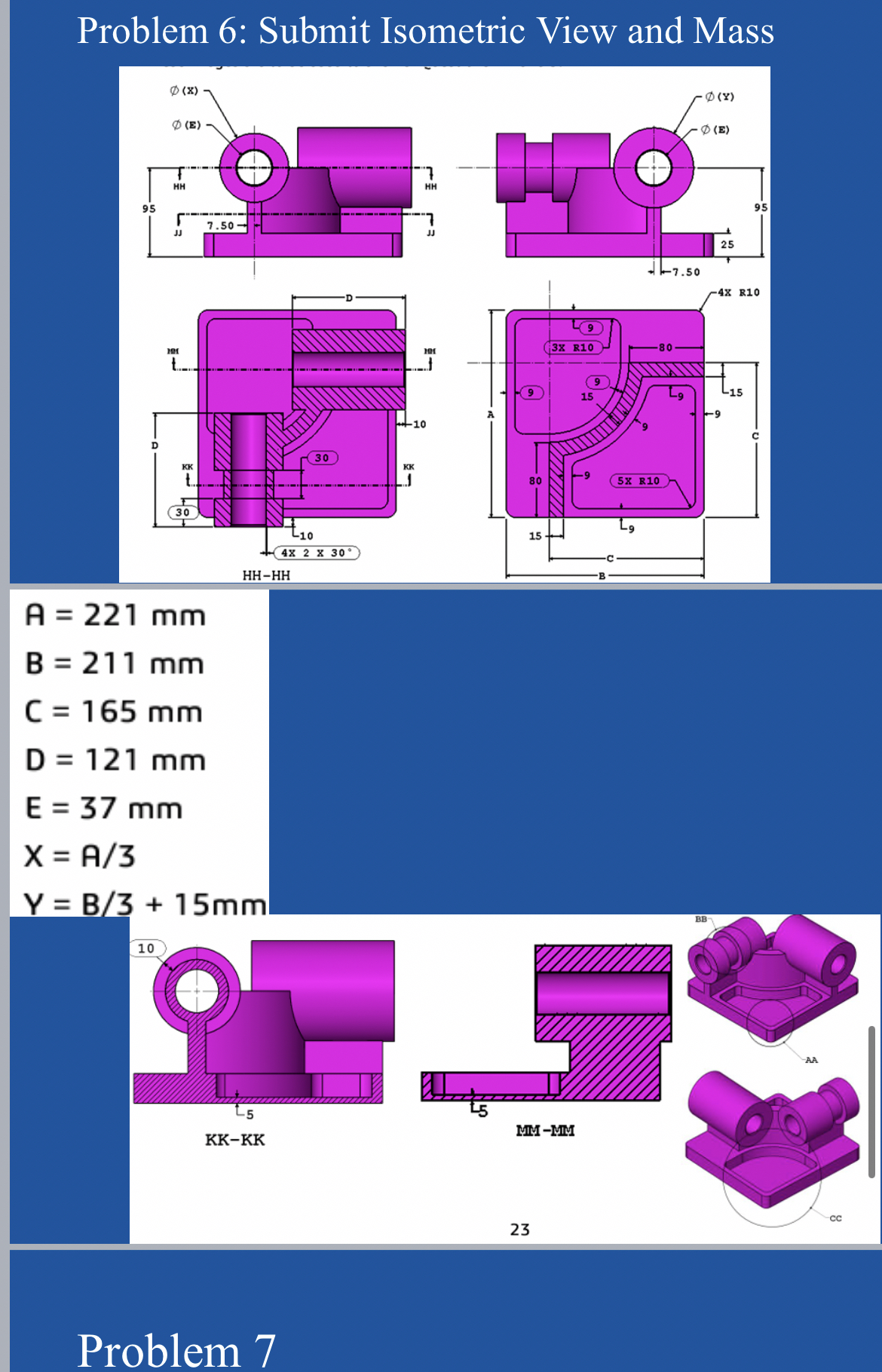
Question: Show me how to do this all in solidwoeks with visuals and mass plesse thank you. Problem 3 : Submit Mass and Isometric View Unit
Show me how to do this all in solidwoeks with visuals and mass plesse thank you.
Problem : Submit Mass and Isometric View
Unit system: MMGS millimeter gram, second
Decimal places:
Part origin: Arbitrary
Material: Alloy Steel
Density
All holes through all unless shown otherwise
Use the following parameters and equations which correspond to the dimensions labeled in the images:
F Hole Wizard Standard: Ansi Metric Counterbore
Type: Hex Bolt ANSI BM
Size: M
Fit: Close
Through Hole Diameter: ms
Counterbore Diameter: mm
Counterbore Depth: mm
End Condition: Through All
mmProblem
Create a drawing of the part in problem Create and update a revision table. Use Hole callout for the hole wizard part.
Submit a screenshot of the drawing
Problem : Update dimensions, report mass
F Hole Wizard Standard: Ansi Metric Counterbore
Type: Hex Bolt ANSI BM
Size: M
Fit: Close
Through Hole Diameter: mm
Counterbore Diameter: mm
Counterbore Depth: mm
End Condition: Through All
mmProblem : Submit Isometric View and Mass
KKK
Problem
Step by Step Solution
There are 3 Steps involved in it
1 Expert Approved Answer
Step: 1 Unlock

Question Has Been Solved by an Expert!
Get step-by-step solutions from verified subject matter experts
Step: 2 Unlock
Step: 3 Unlock