



Question: show the execl work and what functions should be used in those blue areas based on insructions. I expect work to be show in excel
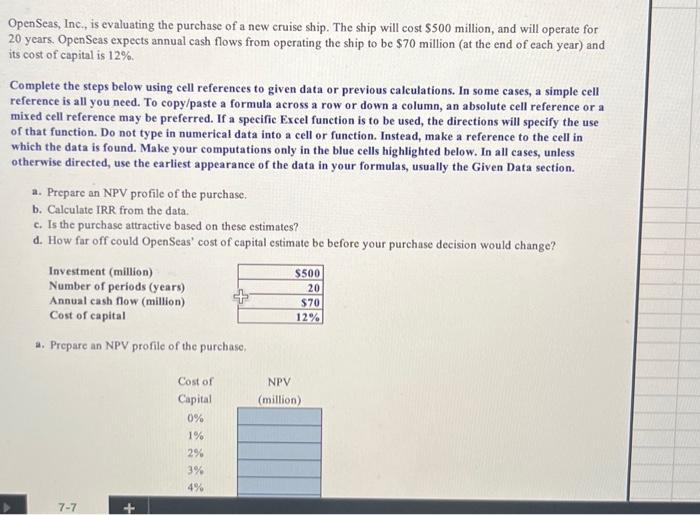
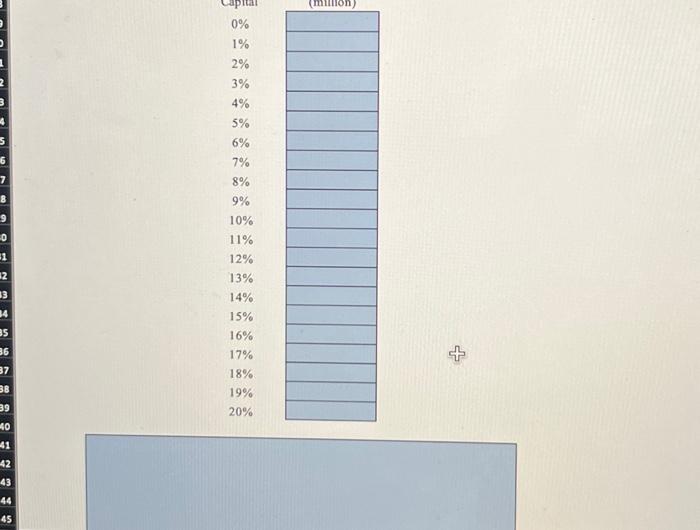
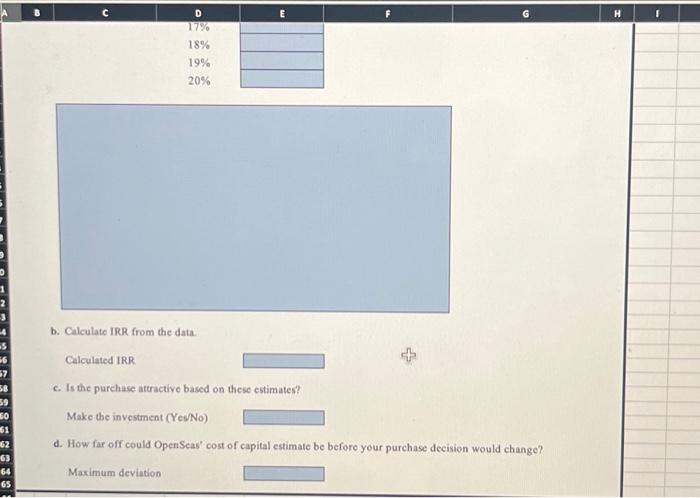
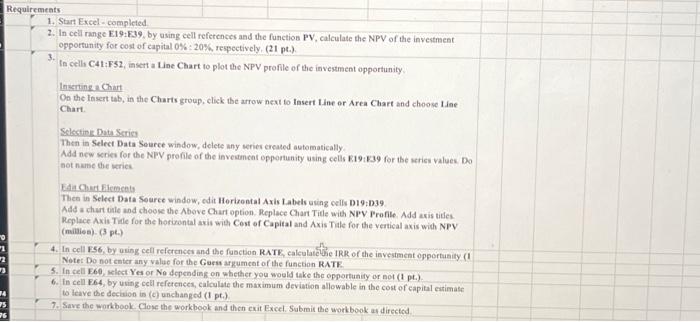
Calculated IRR c. Is the purchuse attractive based on these estimates? Make the investment (YesNo) d. How fir off could OpenSeas" cost of capital estimate be before your purchase decision would change? Maximum deviation Requiremeats 1. Start Excel - completed 2. In cell range E19: E39, by osing cell references and the function PV, calculate the NPV of the investraent opportunity for cost of capital 0%:20%, respectively, (21pt.). 3. In cell C41:F52, insert a Line Chart to plot the NPV profile of the investment opportunity. Instrine e Chart On the lasert tab, in the Charts group, click the arrow neat to Insert tine or Area Chart and choose tine Chart. Selection Duta Scries Then in Select Data Seurce window, delete any serier ereated automatically. Ada new series for the NTV profile of the inveatancat opportunity using cells E.19:139 for the series values. Do hot nume the weries. EAta Cunt filements Thes in Select Data Source window, edit Herizental Axis Labels using cells D19:D39 Add a chart tite and choose the Above Char option. Replace Charr Title with NPV Profile, Add axis tites. Replace Axis Tile for the horiwontal axis wien Cost of Capital and Axis Tile for the vertical axis with NPV (malies). (3 pe) Note: Do not enter any value for the Guess argument of the function RATK. 5. In cell E60, select Yes or No depending on whether you would take the epportunity or not (1 pt.). 6. In cell F64, by using cell references, calculate the maximum deviution allowable in the cost of eapital extimase to leave the dection in (c) unchanged (1,pt.). 7. Sive the workbook. Close the workbook and then exit Excel. Submit the workbook at directed OpenSeas, Inc, is evaluating the purchase of a new cruise ship. The ship will cost $500 million, and will operate for 20 years. OpenSeas expects annual cash flows from operating the ship to be $70 million (at the end of each year) and its cost of capital is 12%. Complete the steps below using cell references to given data or previous calculations. In some cases, a simple cell reference is all you need. To copy/paste a formula across a row or down a column, an absolute cell reference or a mixed cell reference may be preferred. If a specific Excel function is to be used, the directions will specify the use of that function. Do not type in numerical data into a cell or function. Instead, make a reference to the cell in which the data is found. Make your computations only in the blue cells highlighted below. In all cases, unless otherwise directed, use the earliest appearance of the data in your formulas, usually the Given Data section. a. Prepare an NPV profile of the purchase: b. Calculate IRR from the data. c. Is the purchase attractive based on these estimates? d. How far off could OpenSeas' cost of capital estimate be before your purchase decision would change? a. Prepare an NPV profile of the purchase
Step by Step Solution
There are 3 Steps involved in it

Get step-by-step solutions from verified subject matter experts