







Question: Show work in java Write a class named Rectangle (in a file named Rectangle.java) for representing rectangles. Follow this UML diagram and the notes below:
Show work in java 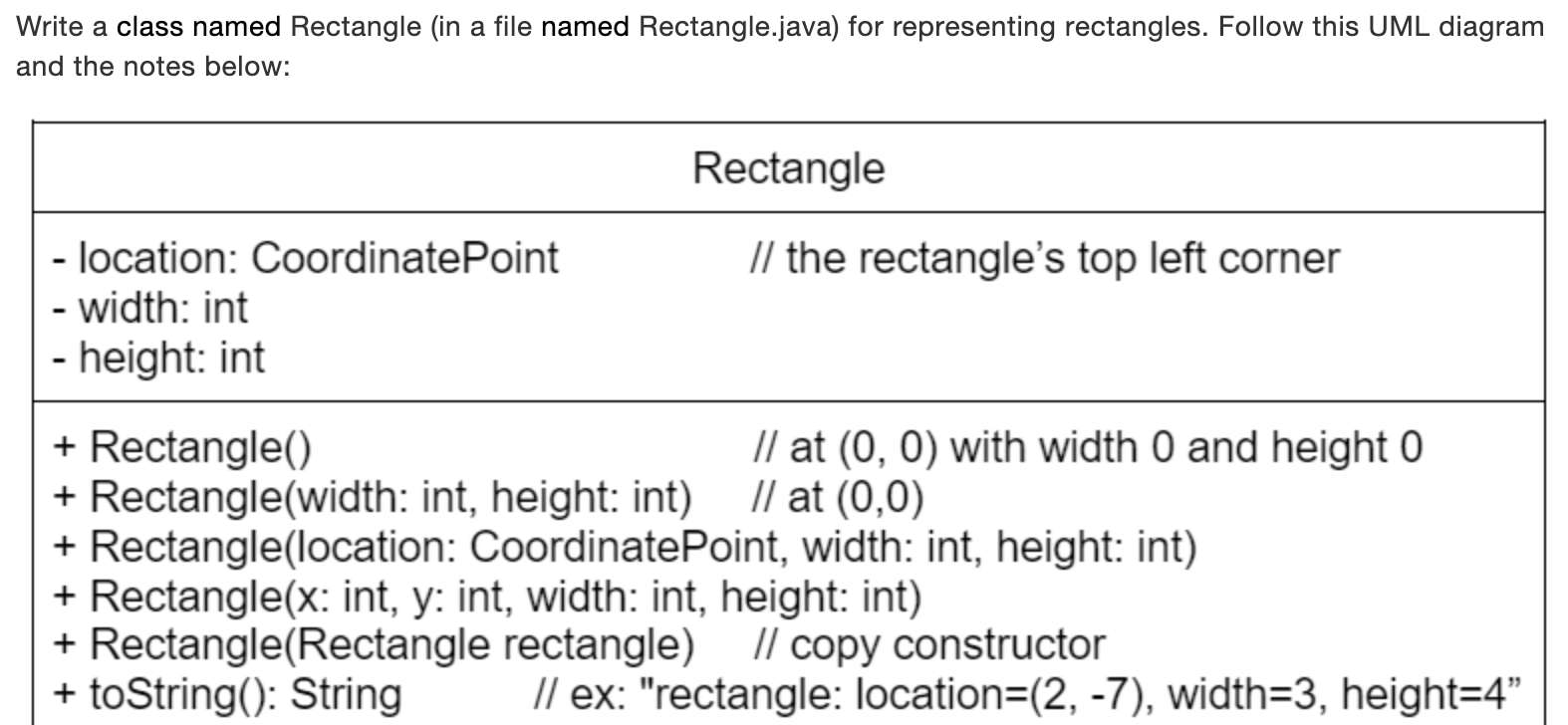
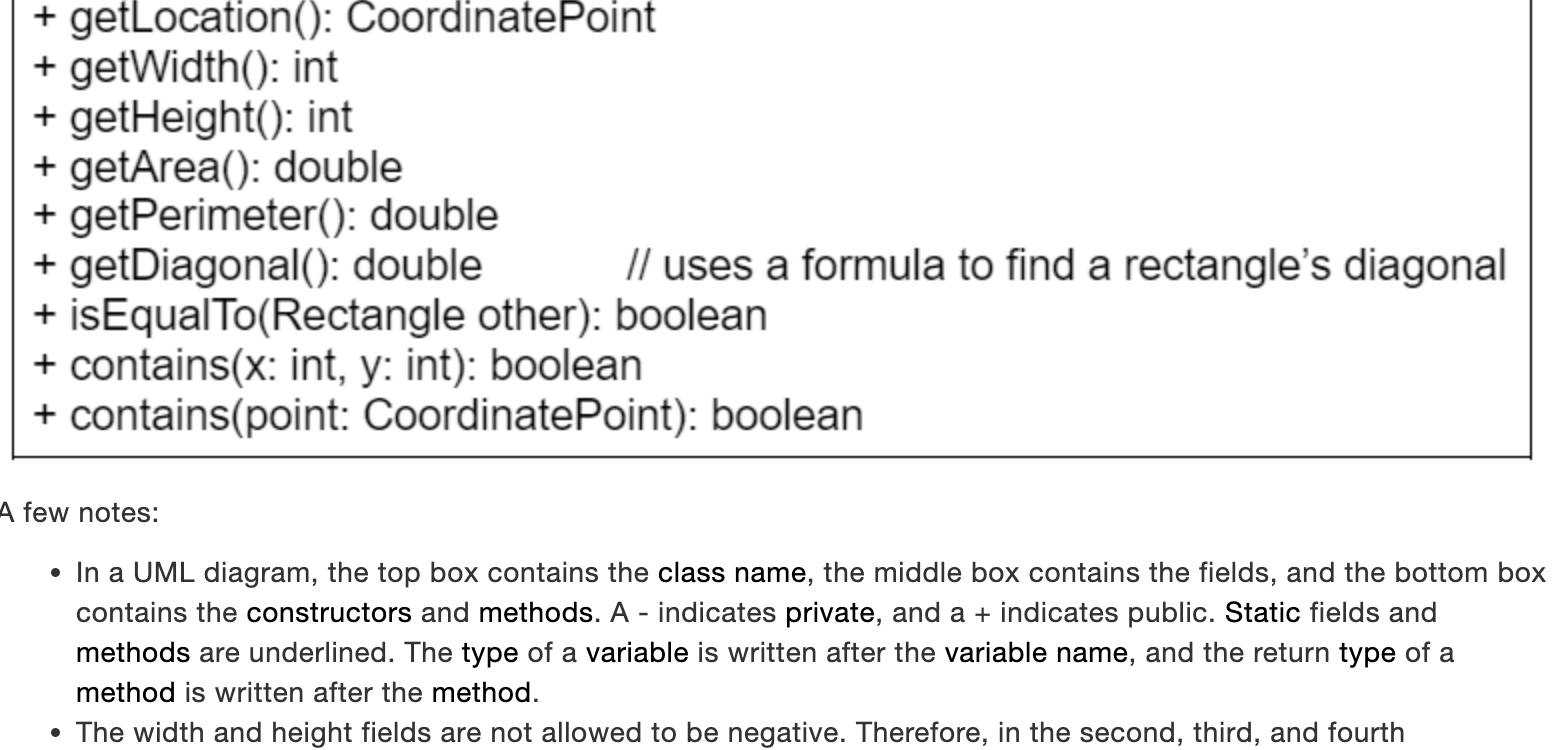
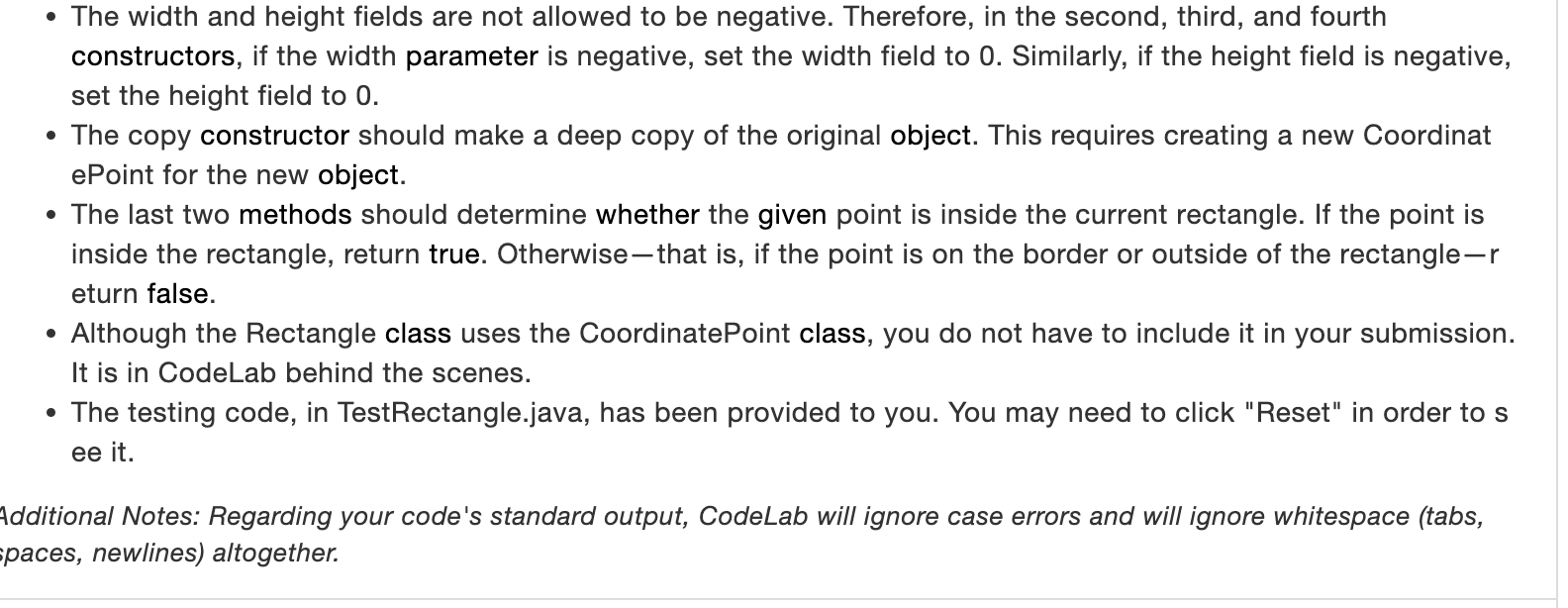
Write a class named Rectangle (in a file named Rectangle.java) for representing rectangles. Follow this UML diagram and the notes below: + getLocation(): CoordinatePoint + getWidth(): int + getHeight(): int + getArea(): double + getPerimeter(): double + getDiagonal(): double // uses a formula to find a rectangle's diagonal + isEqualTo(Rectangle other): boolean + contains(x: int, y: int): boolean + contains(point: CoordinatePoint): boolean few notes: - In a UML diagram, the top box contains the class name, the middle box contains the fields, and the bottom box contains the constructors and methods. A - indicates private, and a+ indicates public. Static fields and methods are underlined. The type of a variable is written after the variable name, and the return type of a method is written after the method. - The width and height fields are not allowed to be negative. Therefore, in the second, third, and fourth - The width and height fields are not allowed to be negative. Therefore, in the second, third, and fourth constructors, if the width parameter is negative, set the width field to 0 . Similarly, if the height field is negative, set the height field to 0 . - The copy constructor should make a deep copy of the original object. This requires creating a new Coordinat ePoint for the new object. - The last two methods should determine whether the given point is inside the current rectangle. If the point is inside the rectangle, return true. Otherwise - that is, if the point is on the border or outside of the rectangle-r eturn false. - Although the Rectangle class uses the CoordinatePoint class, you do not have to include it in your submission. It is in CodeLab behind the scenes. - The testing code, in TestRectangle.java, has been provided to you. You may need to click "Reset" in order to s ee it. Iditional Notes: Regarding your code's standard output, CodeLab will ignore case errors and will ignore whitespace (tabs, aces, newlines) altogether
Step by Step Solution
There are 3 Steps involved in it

Get step-by-step solutions from verified subject matter experts
 Study Help