







Question: Show.php Validate.php Project 1 HTML Code Project 1 What is AddyBook? AddyBook is a revolutionary application that allows you to manage and keep all your
Show.php
$contacts = array(
array("name" => "Peter",
"email" => "peter@peter.com",
"phone" => "555 555 5555"),
array("name" => "Roger",
"email" => "roger@roger.com",
"phone" => "555 123 4567")
);
?>
Validate.php
function validate($name, $password) {
return True; // for the time being
}
?>
Project 1 HTML Code
What is AddyBook?
AddyBook is a revolutionary application that allows you to manage and keep all your contacts in one safe and convenient place.
You can access all of your added or imported contacts in one simple to use page.
you can also delete or modify current contacts, create groups of contacts, as well share contacts with other users!
To begin create an account or log in if you already have an account with us!
To create an account please enter your email Along with creating a unique username and password below
Log into your account:
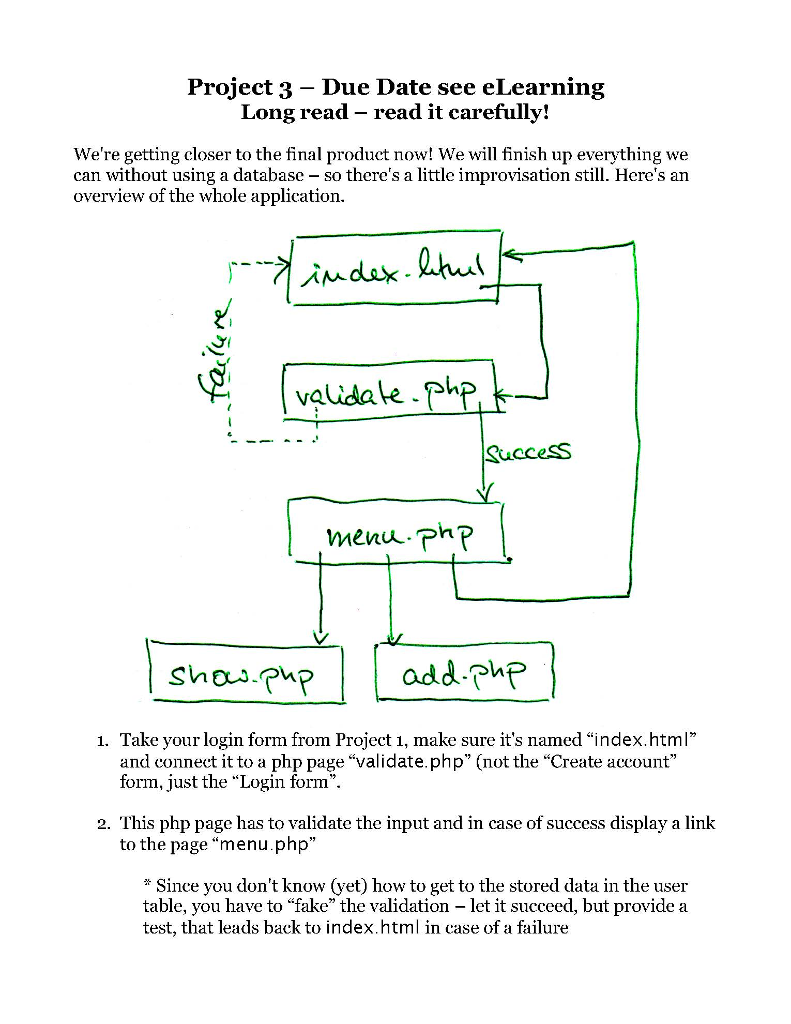
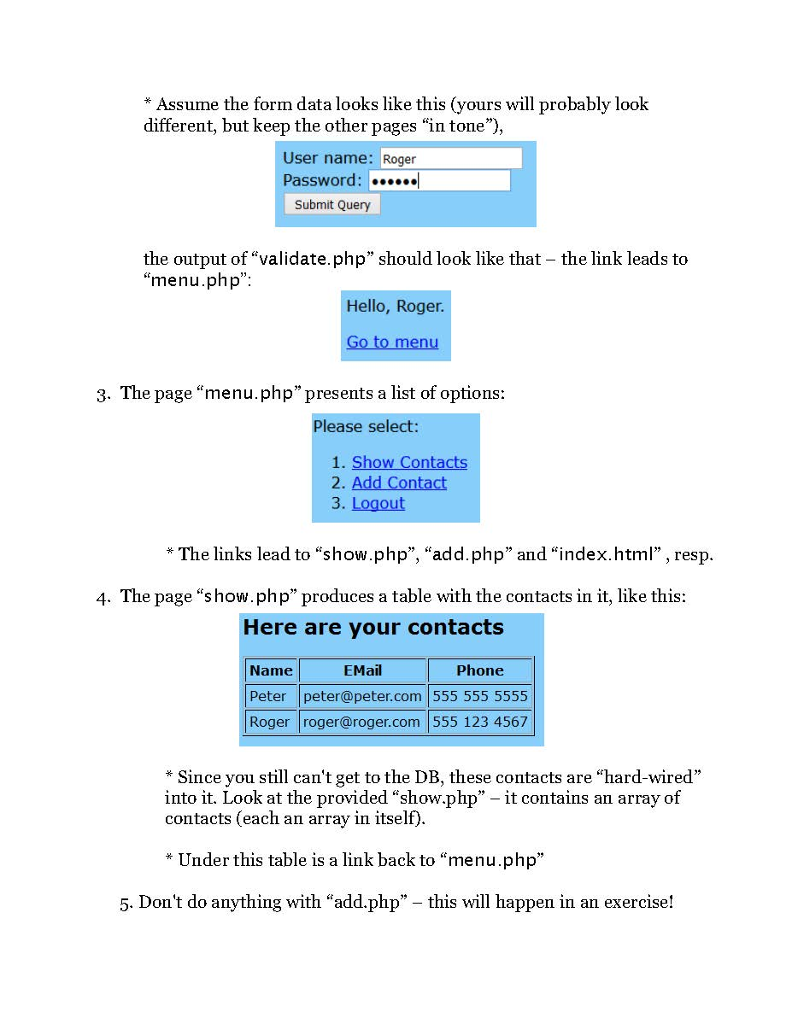
Project 3 - Due Date see eLearning Long read - read it carefully! We're getting closer to the final product now! We will finish up everything we can without using a database - so there's a little improvisation still. Here's an overview of the whole application. cceSS men ph? add phP 1. Take your login form from Project 1, make sure it's named "index.html" and connect it to a php page "validate.php (not the "Create account" form, just the "Login form". 2. This php page has to validate the input and in case of success display a link to the page "menu.php" * Since you don't know (yet) how to get to the stored data in the user table, you have to "fake" the validation - let it succeed, but provide a test, that leads back to index.html in case of a failure
Step by Step Solution
There are 3 Steps involved in it

Get step-by-step solutions from verified subject matter experts
 Study Help