







Question: slove the project .. Object Oriented Programing (10636212) Project: Math Cards The purpose of this project is to design and implement a math cards questions.
slove the project ..
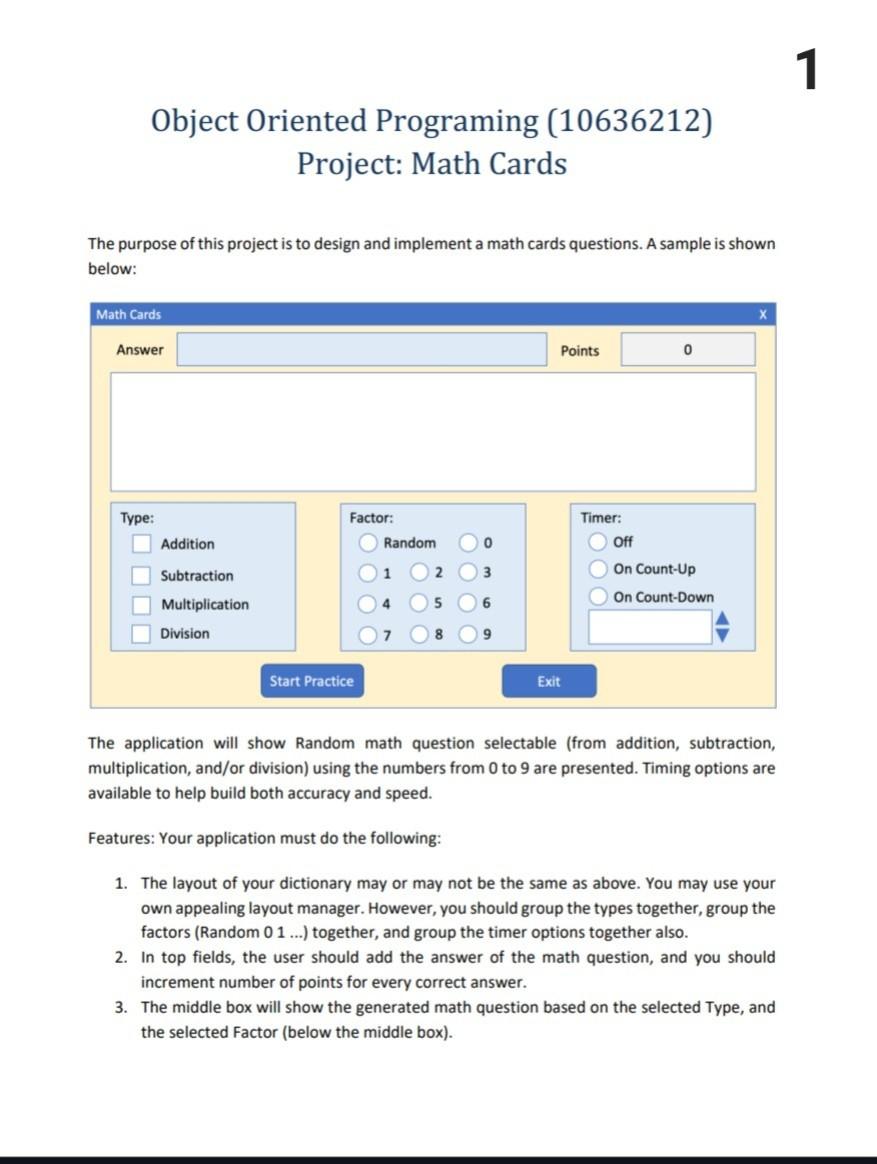
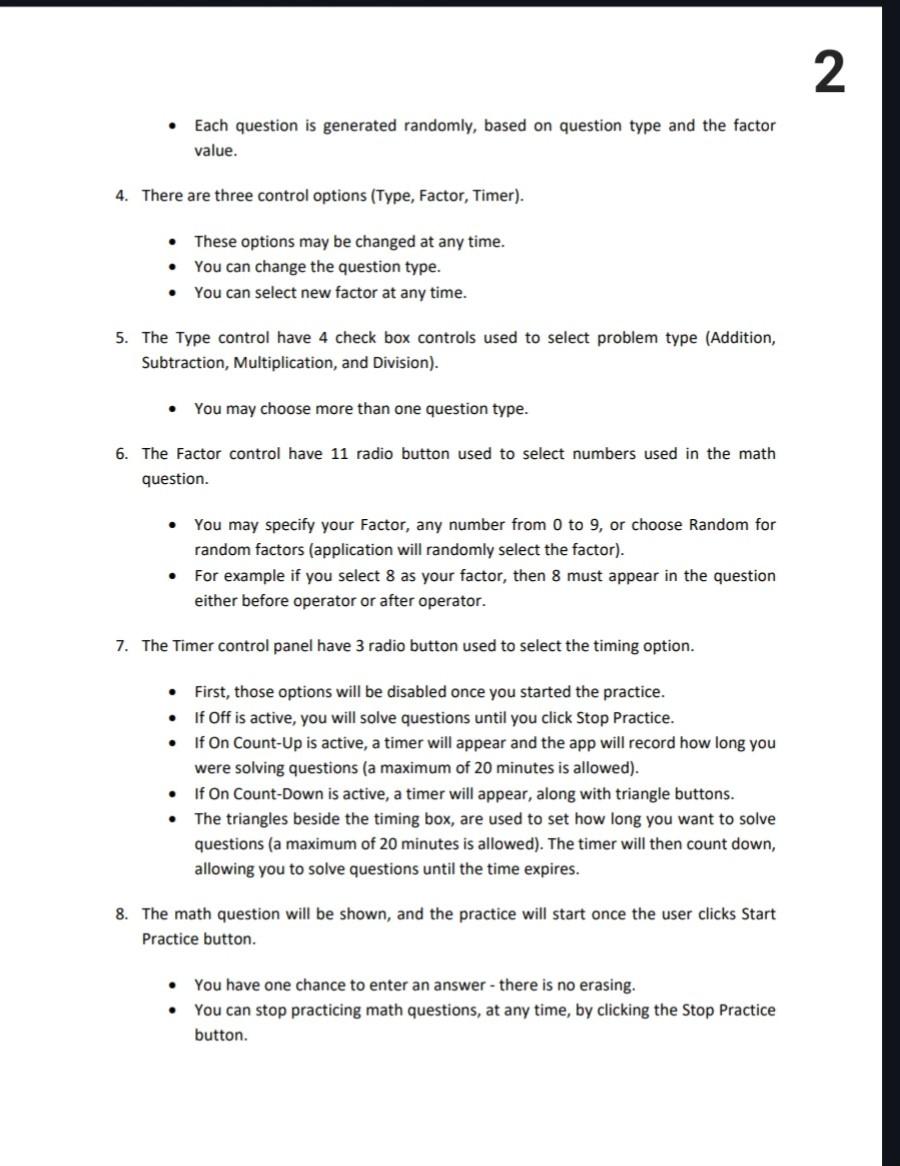
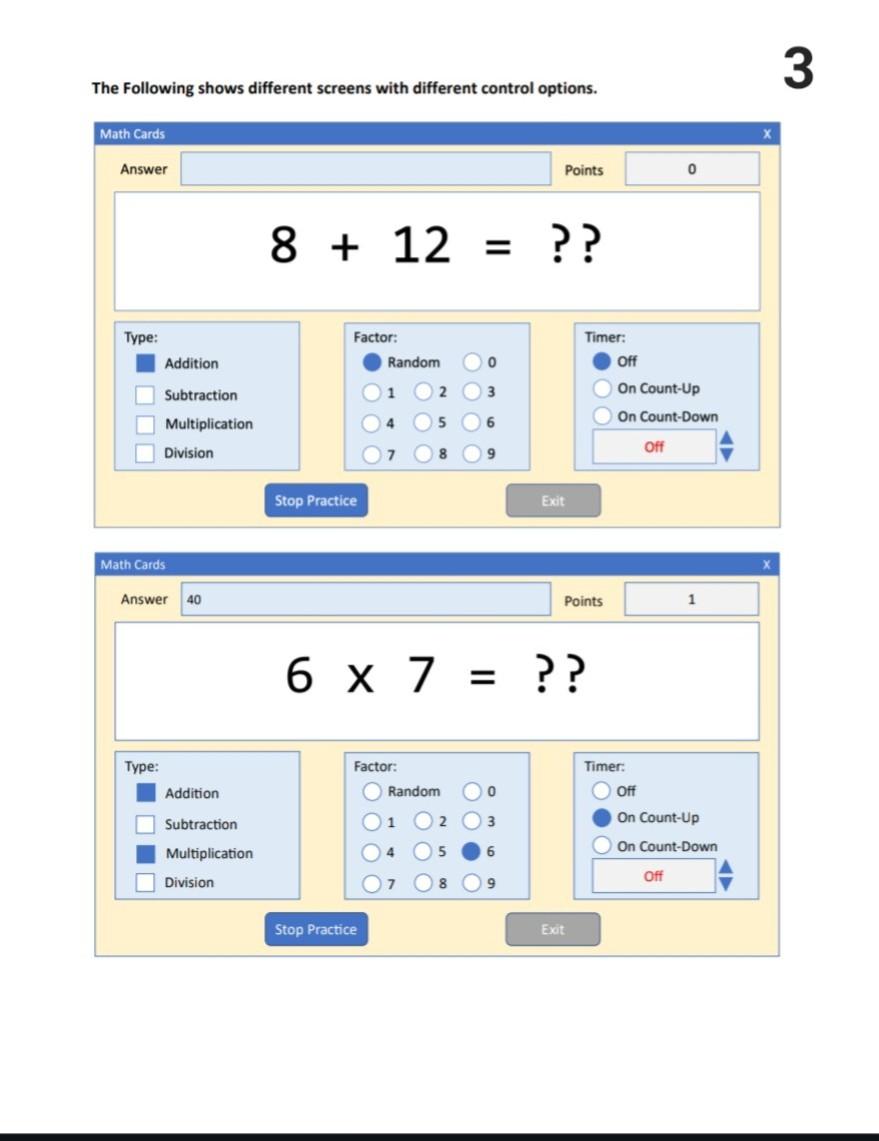
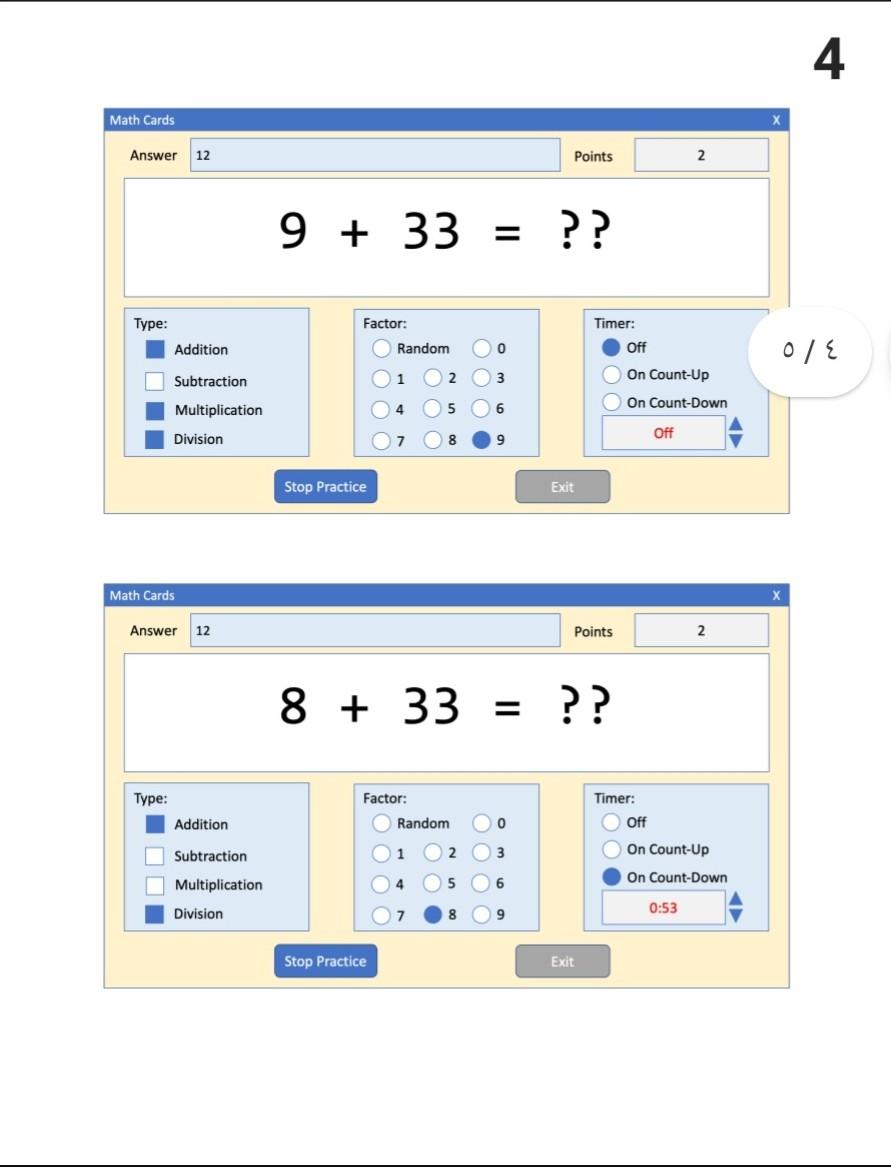
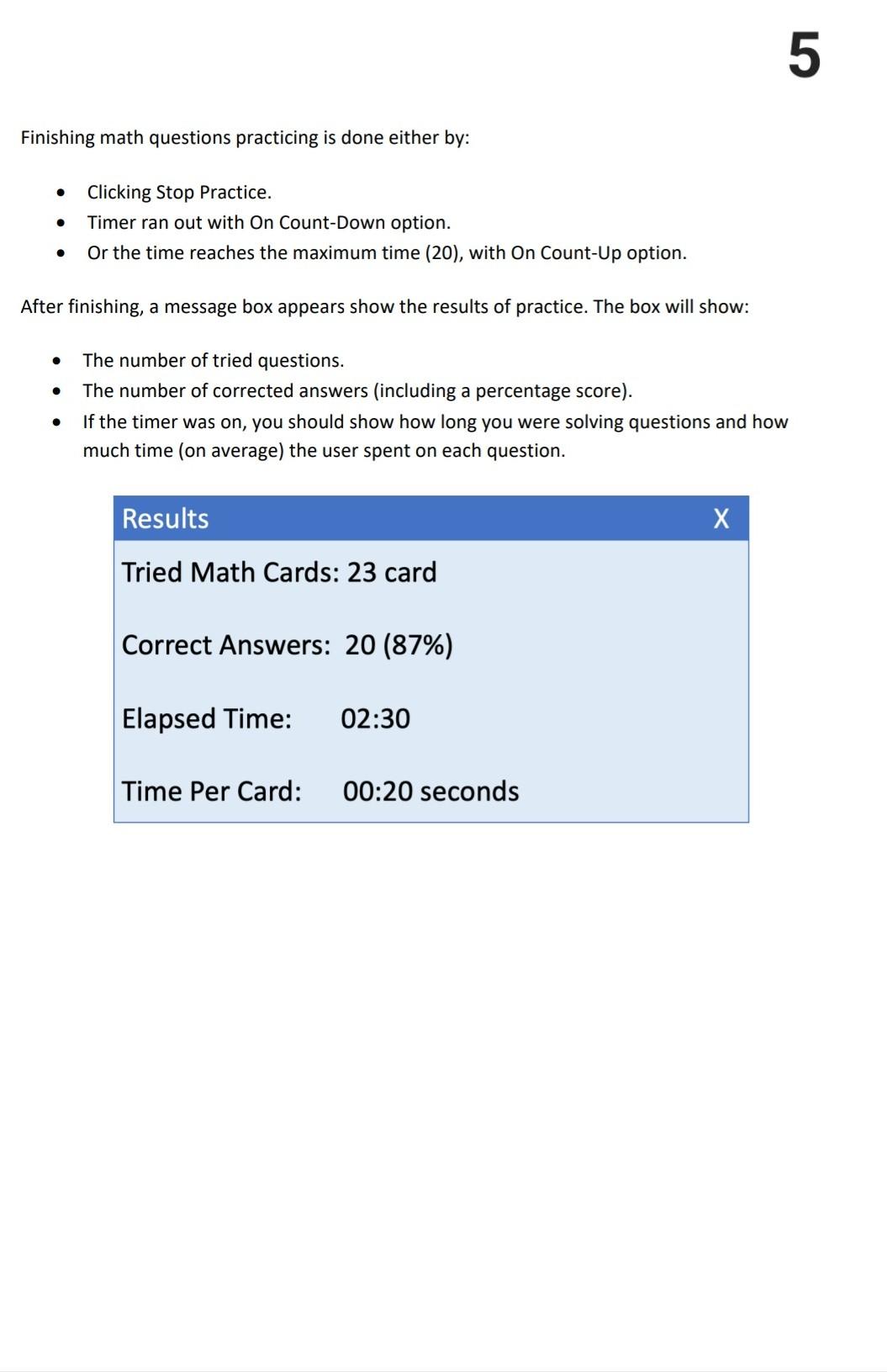
Object Oriented Programing (10636212) Project: Math Cards The purpose of this project is to design and implement a math cards questions. A sample is shown below: The application will show Random math question selectable (from addition, subtraction, multiplication, and/or division) using the numbers from 0 to 9 are presented. Timing options are available to help build both accuracy and speed. Features: Your application must do the following: 1. The layout of your dictionary may or may not be the same as above. You may use your own appealing layout manager. However, you should group the types together, group the factors (Random 01 ...) together, and group the timer options together also. 2. In top fields, the user should add the answer of the math question, and you should increment number of points for every correct answer. 3. The middle box will show the generated math question based on the selected Type, and the selected Factor (below the middle box). - Each question is generated randomly, based on question type and the factor value. 4. There are three control options (Type, Factor, Timer). - These options may be changed at any time. - You can change the question type. - You can select new factor at any time. 5. The Type control have 4 check box controls used to select problem type (Addition, Subtraction, Multiplication, and Division). - You may choose more than one question type. 6. The Factor control have 11 radio button used to select numbers used in the math question. - You may specify your Factor, any number from 0 to 9 , or choose Random for random factors (application will randomly select the factor). - For example if you select 8 as your factor, then 8 must appear in the question either before operator or after operator. 7. The Timer control panel have 3 radio button used to select the timing option. - First, those options will be disabled once you started the practice. - If Off is active, you will solve questions until you click Stop Practice. - If On Count-Up is active, a timer will appear and the app will record how long you were solving questions (a maximum of 20 minutes is allowed). - If On Count-Down is active, a timer will appear, along with triangle buttons. - The triangles beside the timing box, are used to set how long you want to solve questions (a maximum of 20 minutes is allowed). The timer will then count down, allowing you to solve questions until the time expires. 8. The math question will be shown, and the practice will start once the user clicks Start Practice button. - You have one chance to enter an answer - there is no erasing. - You can stop practicing math questions, at any time, by clicking the Stop Practice button. The Following shows different screens with different control options. 4 +33= ? ? Points 2 Stop Practice Exit Timer: Factor: Random 0 1 2 3 4 5 6 7 8 9 x 2 12 Off 0/ On Count-Up On Count-Down 789 off Finishing math questions practicing is done either by: - Clicking Stop Practice. - Timer ran out with On Count-Down option. - Or the time reaches the maximum time (20), with On Count-Up option. After finishing, a message box appears show the results of practice. The box will show: - The number of tried questions. - The number of corrected answers (including a percentage score). - If the timer was on, you should show how long you were solving questions and how much time (on average) the user spent on each
Step by Step Solution
There are 3 Steps involved in it

Get step-by-step solutions from verified subject matter experts
 Study Help