







Question: so its a lab where python will send R,G,B to Arduino IDE Mqtt. then arduino will send to m5stick c i want a python code
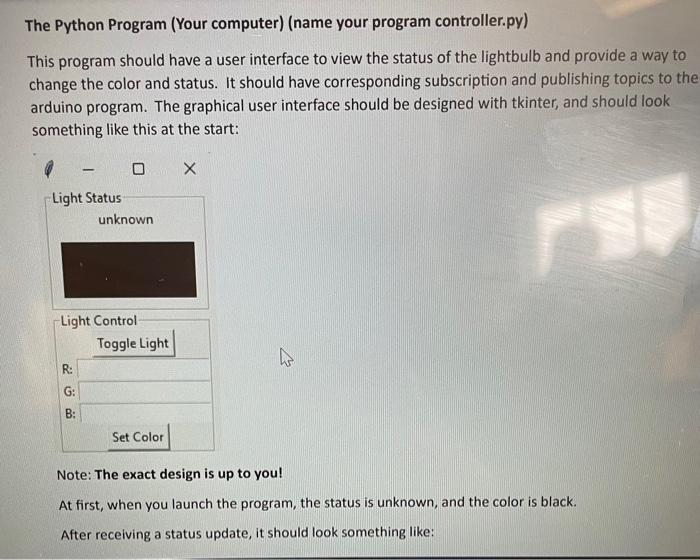
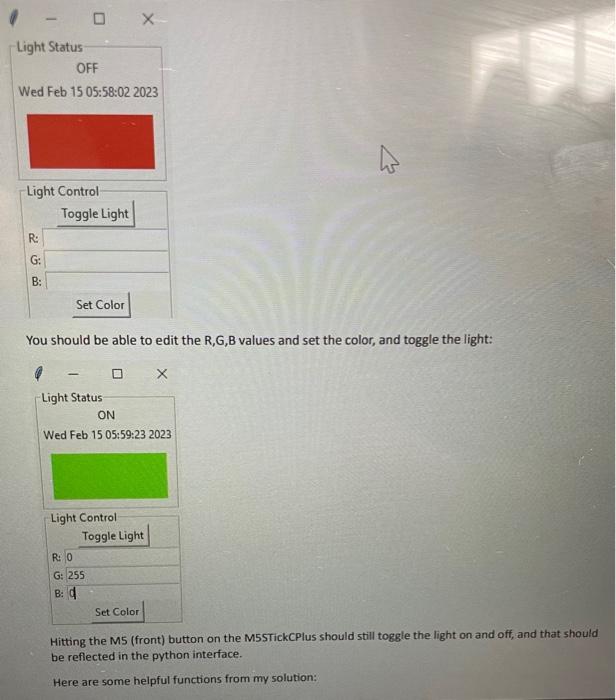
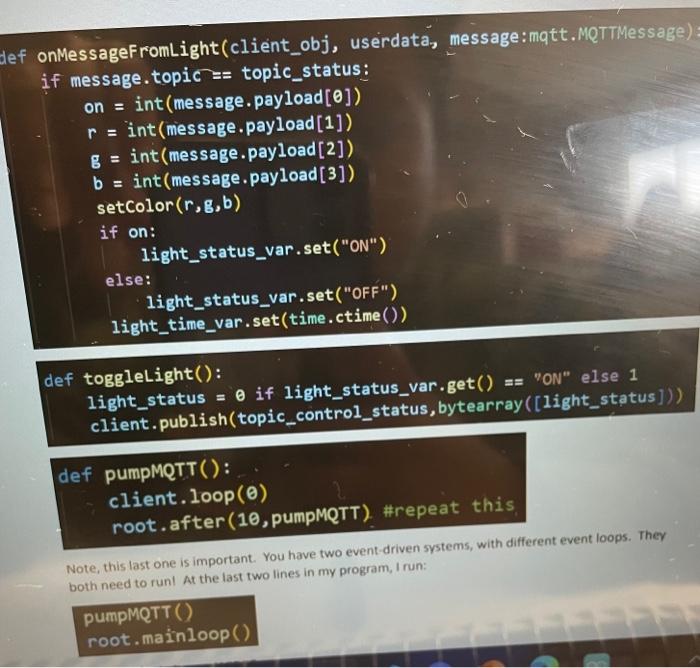
The Python Program (Your computer) (name your program controller.py) This program should have a user interface to view the status of the lightbulb and provide a way to change the color and status. It should have corresponding subscription and publishing topics to the arduino program. The graphical user interface should be designed with tkinter, and should look something like this at the start: Note: The exact design is up to you! At first, when you launch the program, the status is unknown, and the color is black. After receiving a status update, it should look something like: You should be able to edit the R,G,B values and set the color, and toggle the light: Light Status ON Wed Feb 15 05:59:23 2023 Hitting the MS (front) button on the M5STickCPlus should still toggle the light on and off, and that should be reflected in the python interface. Here are some helpful functions from my solution: Note, this last one is important. You have two event-driven systems, with different event loops. They both need to runl At the last two lines in my program, I run
Step by Step Solution
There are 3 Steps involved in it

Get step-by-step solutions from verified subject matter experts
 Study Help