







Question: Solution for Exercise 3 .orig x3000 LD R1, DATA_PTR LD R2, ARRAY_SIZE STR R0, R1, #0 LDR R0, R1, #0 DO_WHILE_LOOP Trap x23 STR R0,
Solution for Exercise 3
.orig x3000
LD R1, DATA_PTR LD R2, ARRAY_SIZE
STR R0, R1, #0 LDR R0, R1, #0
DO_WHILE_LOOP Trap x23 STR R0, R1, #0 ADD R1, R1, #1 ADD R2, R2, #-1 BRp DO_WHILE_LOOP END_DO_WHILE_LOOP
LD R1, DATA_PTR LD R2, ARRAY_SIZE LD R0, newline
DO_WHILE_LOOP2 LDR R0, R1, #0 OUT LEA R0, newline PUTS ADD R1, R1, #1 ADD R2, R2, #-1 BRp DO_WHILE_LOOP2 END_DO_WHILE_LOOP2
HALT ;------------------------------------------------- ; LOCAL DATA ;------------------------------------------------- .blkw #10 DATA_PTR .fill x4000 ARRAY_SIZE .fill #10 newline .fill ' '
.END
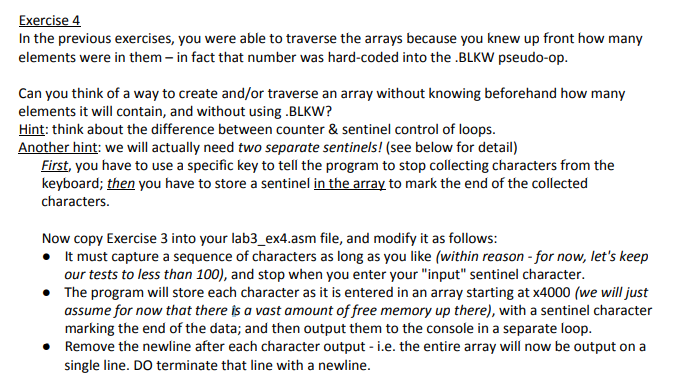
Exercise 4 In the previous exercises, you were able to traverse the arrays because you knew up front how many elements were in them- in fact that number was hard-coded into the .BLKW pseudo-op. Can you think of a way to create and/or traverse an array without knowing beforehand how many elements it will contain, and without using.BLKW? Hint: think about the difference between counter & sentinel control of loops. Another hint: we will actually need two separate sentinels! (see below for detail) First, you have to use a specific key to tell the program to stop collecting characters from the keyboard; then you have to store a sentinel in the array to mark the end of the collected characters. Now copy Exercise 3 into your lab3_ex4.asm file, and modify it as follows: It must capture a sequence of characters as long as you like (within reason - for now, let's keep our tests to less than 100), and stop when you enter your "input" sentinel character. The program will store each character as it is entered in an array starting at x4000 (we will just assume for now that there is a vast amount of free memory up there), with a sentinel character marking the end of the data; and then output them to the console in a separate loop. Remove the newline after each character output - i.e. the entire array will now be output on a single line. DO terminate that line with a newline. Exercise 4 In the previous exercises, you were able to traverse the arrays because you knew up front how many elements were in them- in fact that number was hard-coded into the .BLKW pseudo-op. Can you think of a way to create and/or traverse an array without knowing beforehand how many elements it will contain, and without using.BLKW? Hint: think about the difference between counter & sentinel control of loops. Another hint: we will actually need two separate sentinels! (see below for detail) First, you have to use a specific key to tell the program to stop collecting characters from the keyboard; then you have to store a sentinel in the array to mark the end of the collected characters. Now copy Exercise 3 into your lab3_ex4.asm file, and modify it as follows: It must capture a sequence of characters as long as you like (within reason - for now, let's keep our tests to less than 100), and stop when you enter your "input" sentinel character. The program will store each character as it is entered in an array starting at x4000 (we will just assume for now that there is a vast amount of free memory up there), with a sentinel character marking the end of the data; and then output them to the console in a separate loop. Remove the newline after each character output - i.e. the entire array will now be output on a single line. DO terminate that line with a newline
Step by Step Solution
There are 3 Steps involved in it

Get step-by-step solutions from verified subject matter experts
 Study Help