







Question: solutions are there for reference need done in excel Overview The purpose of this assignment is to prepare a financial calculator that presents an estimate
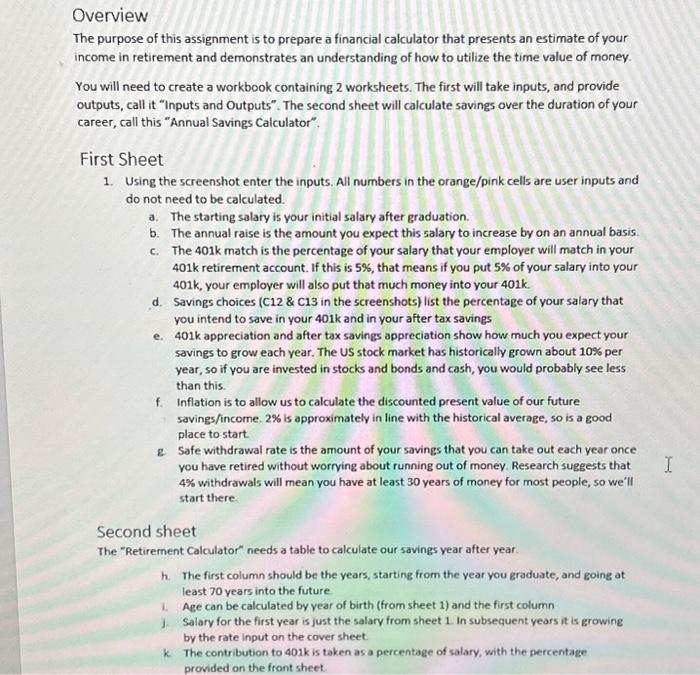
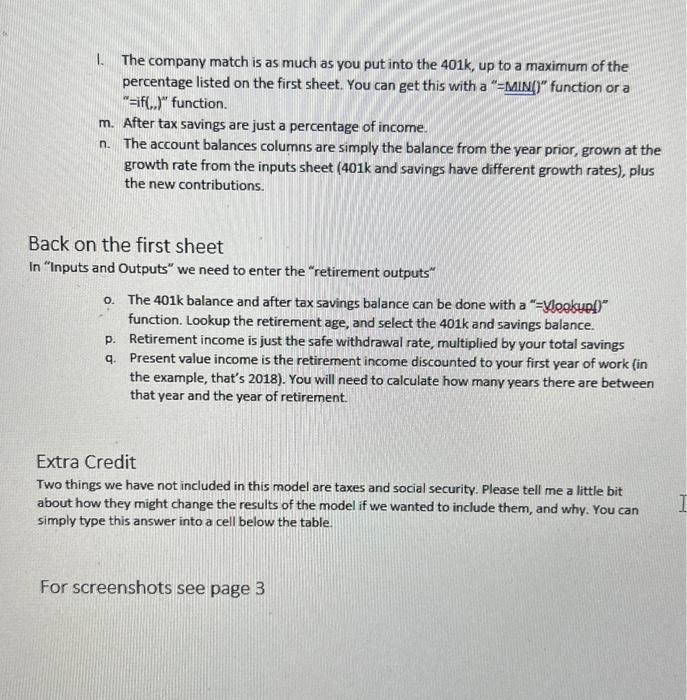
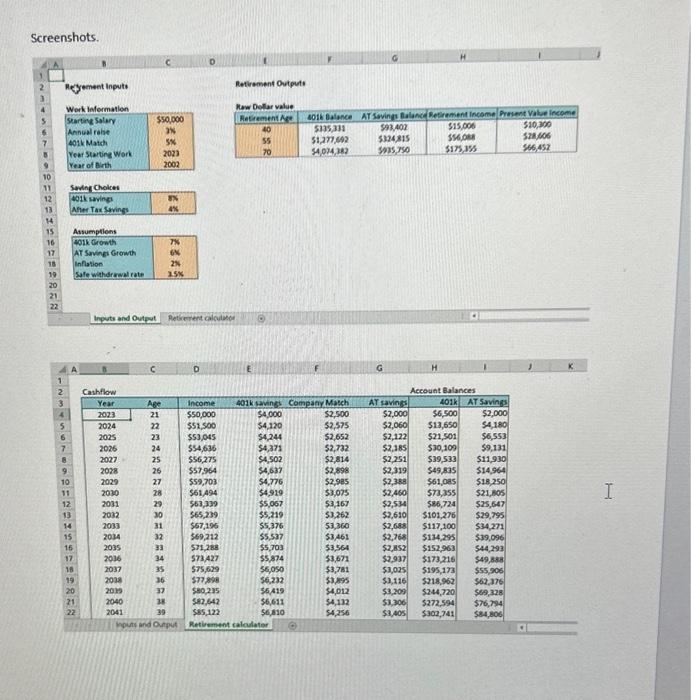
Overview The purpose of this assignment is to prepare a financial calculator that presents an estimate of your income in retirement and demonstrates an understanding of how to utilize the time value of money. You will need to create a workbook containing 2 worksheets. The first will take inputs, and provide outputs, call it "Inputs and Outputs". The second sheet will calculate savings over the duration of your career, call this "Annual Savings Calculator". First Sheet 1. Using the screenshot enter the inputs. All numbers in the orange/pink cells are user inputs and do not need to be calculated. a. The starting salary is your initial salary after graduation. b. The annual raise is the amount you expect this salary to increase by on an annual basis. c. The 401k match is the percentage of your salary that your employer will match in your 401k retirement account. If this is 5%, that means if you put 5% of your salary into your 401k, your employer will also put that much money into your 401k. d. Savings choices ( C12 \& C13 in the screenshots) list the percentage of your salary that you intend to save in your 401k and in your after tax savings e. 401k appreciation and after tax savings appreciation show how much you expect your savings to grow each year. The US stock market has historically grown about 10% per year, so if you are invested in stocks and bonds and cash, you would probably see less than this. f. Inflation is to allow us to calculate the discounted present value of our future savings/income. 2% is approximately in line with the historical average, so is a good place to start. g. Safe withdrawal rate is the amount of your savings that you can take out each year once you have retired without worrying about running out of money. Research suggests that 4% withdrawals will mean you have at least 30 years of money for most people, so we'll start there. Second sheet The "Retirement Calculator" needs a table to calculate our savings year after year. h. The first column should be the years, starting from the year you graduate, and going at least 70 years into the future 1. Age can be calculated by vear of birth (from sheet 1 ) and the first column j. Salary for the first year is just the salary from sheet 1 in subsequent years it is growing by the rate input on the cover sheet. k The contribution to 401k is taken as a percentage of salary, with the percentage provided on the front sheet. 1. The company match is as much as you put into the 401k, up to a maximum of the percentage listed on the first sheet. You can get this with a " = MiN()" function or a "=if(,., ) " function. m. After tax savings are just a percentage of income. n. The account balances columns are simply the balance from the year prior, grown at the growth rate from the inputs sheet (401k and savings have different growth rates), plus the new contributions. Back on the first sheet In "Inputs and Outputs" we need to enter the "retirement outputs" o. The 401k balance and after tax savings balance can be done with a "=Vleokupl)" function. Lookup the retirement age, and select the 401k and savings balance. p. Retirement income is just the safe withdrawal rate, multiplied by your total savings q. Present value income is the retirement income discounted to your first year of work (in the example, that's 2018). You will need to calculate how many years there are between that year and the year of retirement. Extra Credit Two things we have not included in this model are taxes and social security. Please tell me a little bit about how they might change the results of the model if we wanted to include them, and why. You can simply type this answer into a cell below the table. For screenshots see page 3 Screenshots
Step by Step Solution
There are 3 Steps involved in it

Get step-by-step solutions from verified subject matter experts
 Study Help