







Question: solve a, b and c in Matlab display code Manning's equation Manning's equation can be used to compute the velocity of water in a rectangular
solve a, b and c in Matlab display code
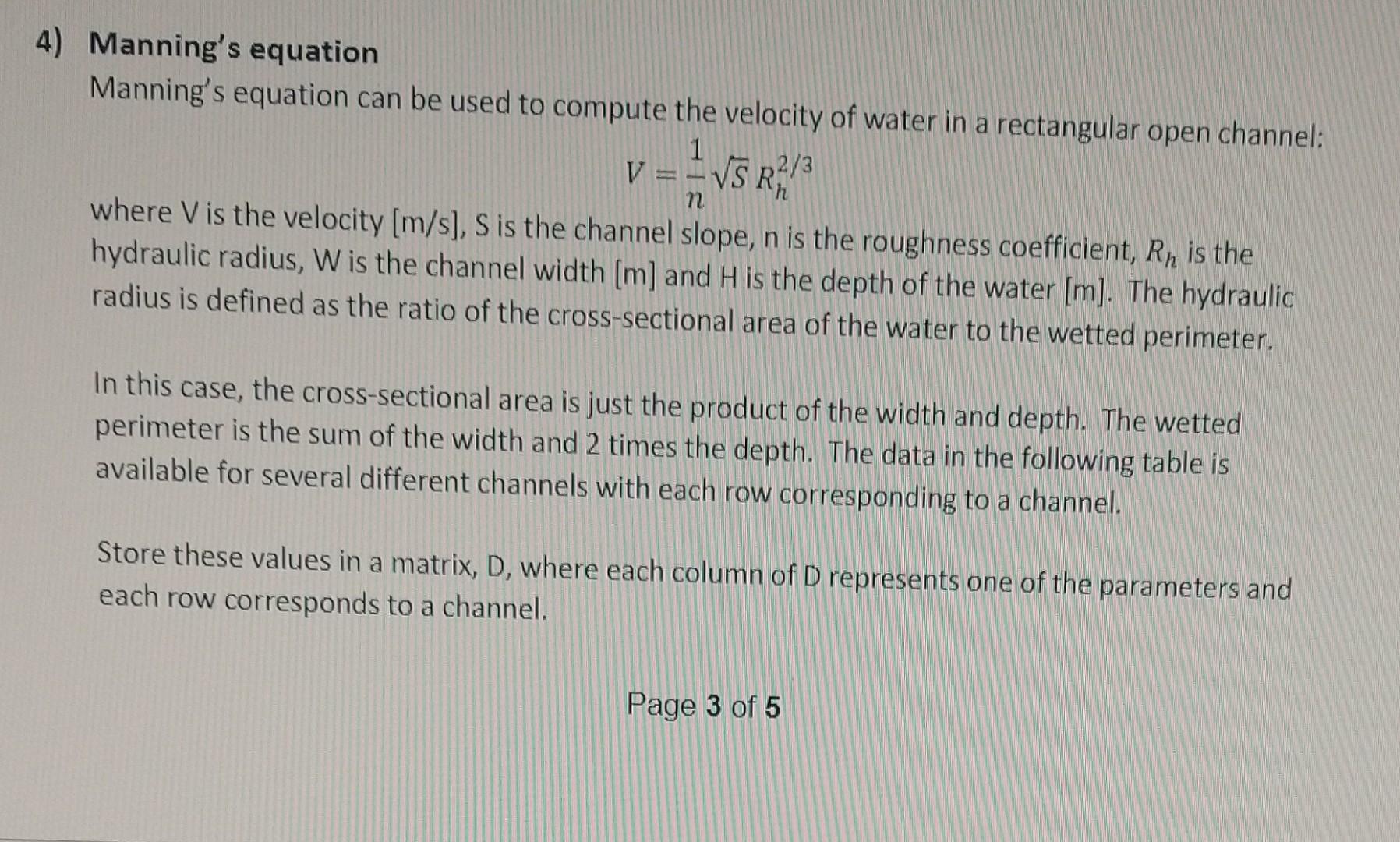
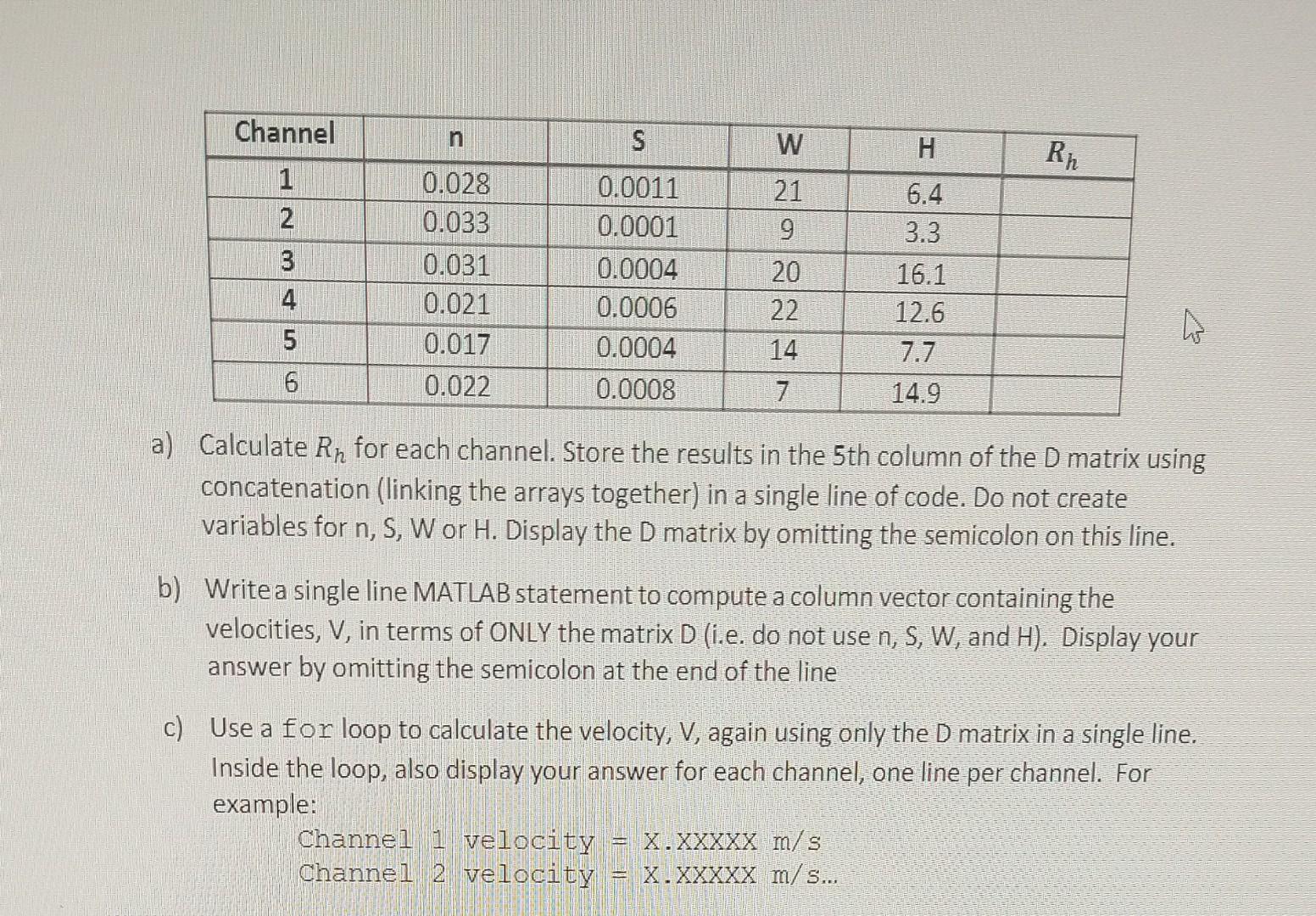
Manning's equation Manning's equation can be used to compute the velocity of water in a rectangular open channel: V=n1SRh2/3 where V is the velocity [m/s],S is the channel slope, n is the roughness coefficient, Rh is the hydraulic radius, W is the channel width [m] and H is the depth of the water [m]. The hydraulic radius is defined as the ratio of the cross-sectional area of the water to the wetted perimeter. In this case, the cross-sectional area is just the product of the width and depth. The wetted perimeter is the sum of the width and 2 times the depth. The data in the following table is available for several different channels with each row corresponding to a channel. Store these values in a matrix, D, where each column of D represents one of the parameters and each row corresponds to a channel. a) Calculate Rh for each channel. Store the results in the 5 th column of the D matrix using concatenation (linking the arrays together) in a single line of code. Do not create variables for n,S,W or H. Display the D matrix by omitting the semicolon on this line. b) Write a single line MATLAB statement to compute a column vector containing the velocities, V, in terms of ONLY the matrix D (i.e. do not use n,S,W, and H ). Display your answer by omitting the semicolon at the end of the line c) Use a for loop to calculate the velocity, V, again using only the D matrix in a single line. Inside the loop, also display your answer for each channel, one line per channel. For example: Channel 1 velocity =X.XXXXXm/s Channel 2 velocity =X.XXXXXm/s
Step by Step Solution
There are 3 Steps involved in it

Get step-by-step solutions from verified subject matter experts
 Study Help