







Question: Solve in JAVA. Prefix finder In this problem, you will write a method called findWordWithPrefix that finds the first word in a given piece of
Solve in JAVA.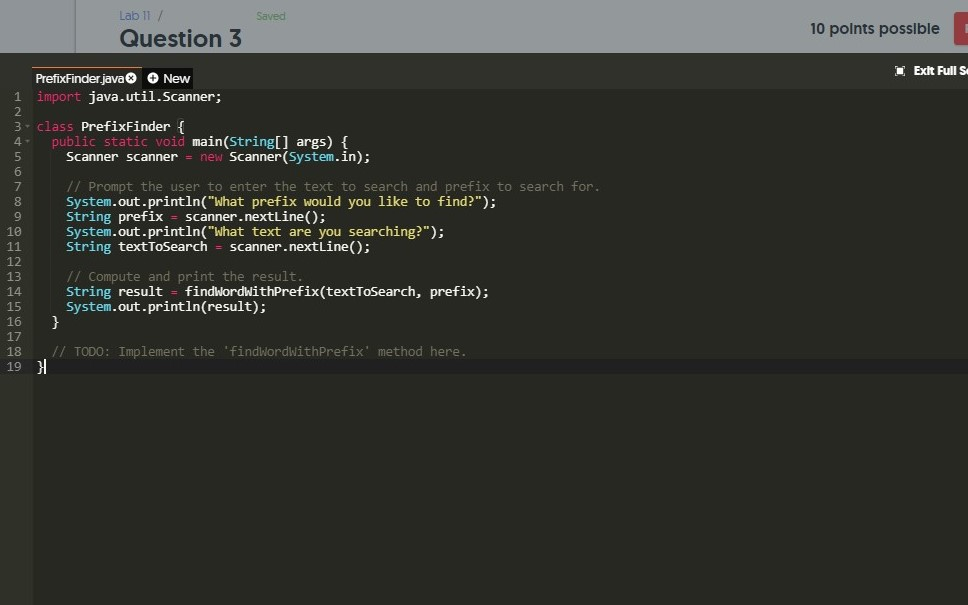
Prefix finder
In this problem, you will write a method called findWordWithPrefix that finds the first word in a given piece of text to search that starts with the specified prefix text.
Assumptions/clarifications:
You may assume the prefix will only contain letters and will not be empty.
You may assume that the text to search will only contain letters and spaces.
The case of the prefix must match the case of the search text exactly in order for it to be a match.
If multiple words start with the prefix, you should return the first one.
The prefix is the start of the word if it is at the beginning of the text to search or if it is immediately preceded by a space character in the text to search.
You must use appropriate methods of the String, Character, and/or StringBuilder classes to write your solution. Suggested methods for this problem:
String.indexOf
String.startsWith
String.charAt
String.length
String.substring
Tip: There are versions of the String.indexOf and String.startsWith methods that take two arguments instead of one. You may find these variants especially useful for this problem!
Be sure to pass all the test cases, use good style, and add Javadoc comments for your methods.
Lab 11 / Sav 10 polnts posslble Question 5 Exit Full S PrefixFinder java New 1 import java.util.Scanner; 3 class PrefixFinder ( 2 4 public static void main(String[] args) t Scanner(System.in); 5 6 7 8 9 10 Scanner scanner new // Prompt the user to enter the text to search and prefix to search for System.out.println("What prefix would you like to find?"); String prefix scanner.nextLine); System.out.println("What text are you searching?"); string textToSearch scanner.nextLine(); 12 13 14 15 16 17 // Compute and print the result String result findWordwithPrefix(textToSearch, prefix).: System.out.println(result); 18 / TODO: Implement the findWordwithPrefix' method here. 19
Step by Step Solution
There are 3 Steps involved in it

Get step-by-step solutions from verified subject matter experts
 Study Help