







Question: solve in matlab include matlab screenshots Consider the outer product X:=xx,xRn, where Rn denotes the set of all n1 vectors with real entries. Without using
solve in matlab include matlab screenshots
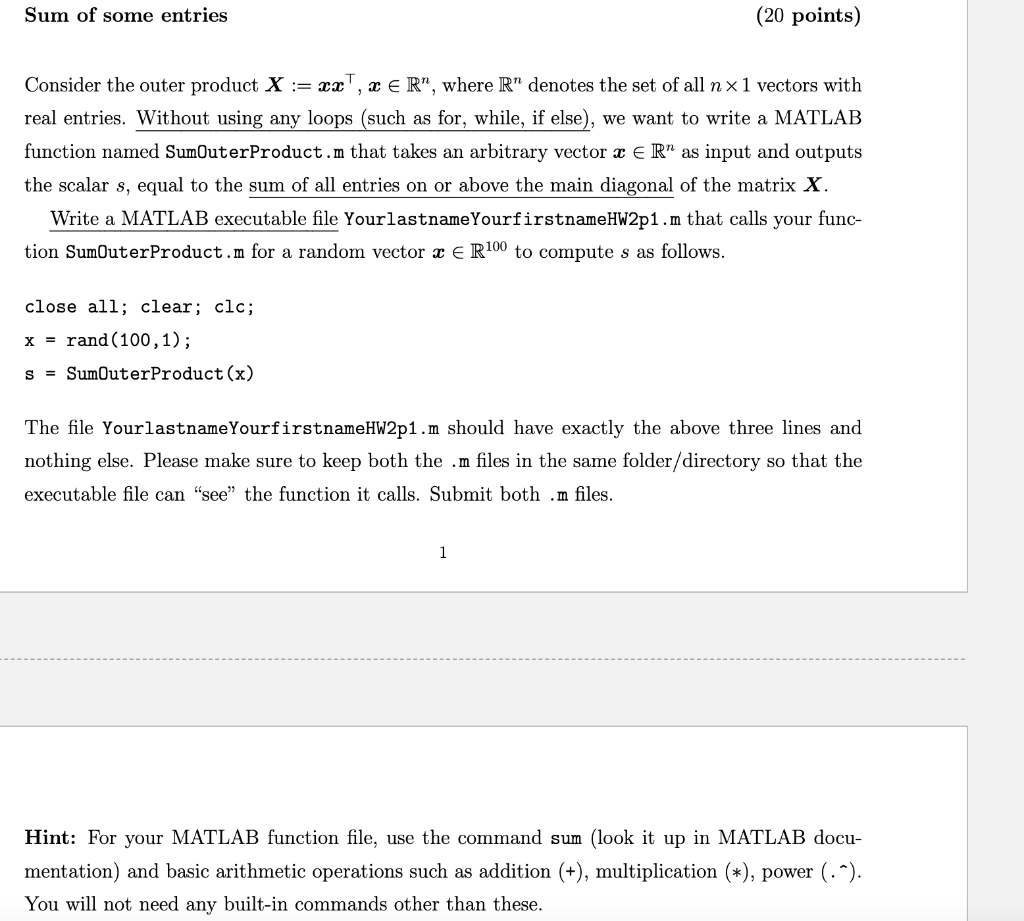
Consider the outer product X:=xx,xRn, where Rn denotes the set of all n1 vectors with real entries. Without using any loops (such as for, while, if else), we want to write a MATLAB function named SumOuterProduct.m that takes an arbitrary vector xRn as input and outputs the scalar s, equal to the sum of all entries on or above the main diagonal of the matrix X. Write a MATLAB executable file YourlastnameYourf irstnameHW2p1 .m that calls your function SumOuterProduct.m for a random vector xR100 to compute s as follows. close all; clear; clc; x=rand(100,1) s= SumOuterProduct (x) The file YourlastnameYourfirstnameHW2p1.m should have exactly the above three lines and nothing else. Please make sure to keep both the .m files in the same folder/directory so that the executable file can "see" the function it calls. Submit both .m files. 1 Hint: For your MATLAB function file, use the command sum (look it up in MATLAB documentation) and basic arithmetic operations such as addition (+), multiplication (), power (.). You will not need any built-in commands other than these
Step by Step Solution
There are 3 Steps involved in it

Get step-by-step solutions from verified subject matter experts
 Study Help