







Question: Solve only parts 5&6 using MATLAB, (tinycat is the picture used in this sample) but feel free to use any picture Problem 3 - Basic
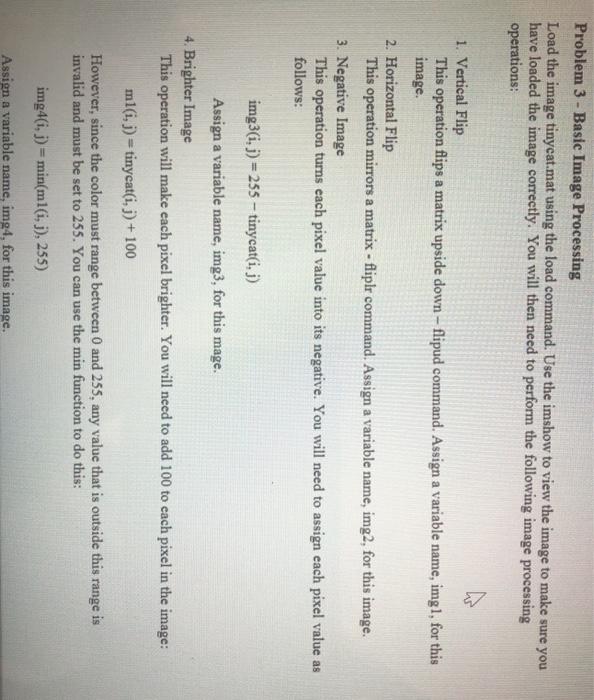
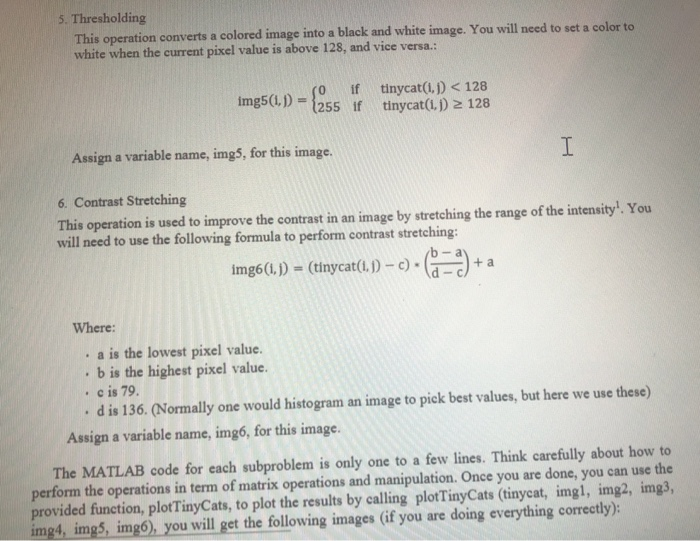
Problem 3 - Basic Image Processing Load the image tinycat.mat using the load command. Use the imshow to view the image to make sure you have loaded the image correctly. You will then need to perform the following image processing operations: 1. Vertical Flip This operation flips a matrix upside down - flipud command. Assign a variable name, img1, for this image. 2. Horizontal Flip This operation mirrors a matrix - fliplr command. Assign a variable name, img2, for this image. 3. Negative Image This operation turns each pixel value into its negative. You will need to assign each pixel value as follows: img3(i, j) = 255 - tinycat(i, j) Assign a variable name, img3, for this mage. 4. Brighter Image This operation will make each pixel brighter. You will need to add 100 to cach pixel in the image: ml(i,) = tinycat(i, j) + 100 However, since the color must range between 0 and 255, any value that is outside this range is invalid and must be set to 255. You can use the min function to do this: img4(i, j) = min(ml(i,j), 255) Assign a variable name, img4. for this image. 5. Thresholding This operation converts a colored image into a black and white image. You will need to set a color to white when the current pixel value is above 128, and vice versa.: img5(1,1 - 255 iftinycat(1.1) 2 128 So if tinycat(1.1)
Step by Step Solution
There are 3 Steps involved in it

Get step-by-step solutions from verified subject matter experts
 Study Help