







Question: Solve the assignment using Solidworks 1. Problem Statement: Use Solidworks Flow Simulation to study the three-dimensional flow of air, with a velocity (x) of 708.67
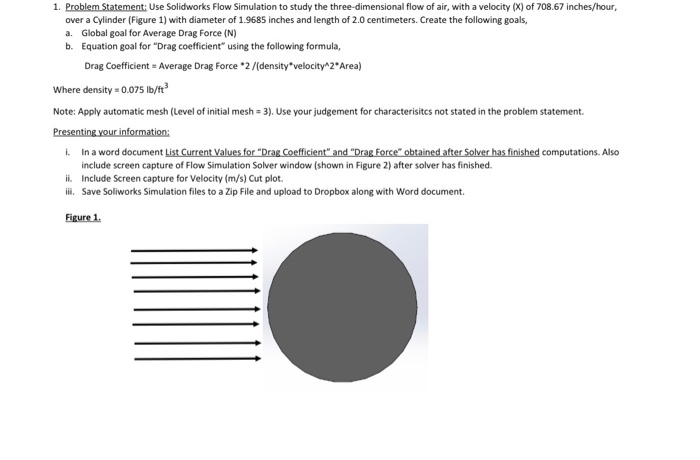
1. Problem Statement: Use Solidworks Flow Simulation to study the three-dimensional flow of air, with a velocity (x) of 708.67 inches/hour, over a Cylinder (Figure 1) with diameter of 1.9685 inches and length of 2.0 centimeters. Create the following goals, a. Global goal for Average Drag Force (N) b. Equation goal for "Drag coefficient using the following formula, Drag Coefficient = Average Drag Force *2/(density*velocity^2*Area) Where density = 0.075 lb/ft? Note: Apply automatic mesh (level of initial mesh = 3). Use your judgement for characterisites not stated in the problem statement Presenting your information: I. In a word document List Current Values for "Drag Coefficient" and "Drag Force" obtained after Solver has finished computations. Also include screen capture of Flow Simulation Solver window (shown in Figure 2) after solver has finished. ii. Include Screen capture for Velocity (m/s) Cut plot. ili. Save Soliworks Simulation files to a Zip File and upload to Dropbox along with Word document. Figure 1. 1. Problem Statement: Use Solidworks Flow Simulation to study the three-dimensional flow of air, with a velocity (x) of 708.67 inches/hour, over a Cylinder (Figure 1) with diameter of 1.9685 inches and length of 2.0 centimeters. Create the following goals, a. Global goal for Average Drag Force (N) b. Equation goal for "Drag coefficient using the following formula, Drag Coefficient = Average Drag Force *2/(density*velocity^2*Area) Where density = 0.075 lb/ft? Note: Apply automatic mesh (level of initial mesh = 3). Use your judgement for characterisites not stated in the problem statement Presenting your information: I. In a word document List Current Values for "Drag Coefficient" and "Drag Force" obtained after Solver has finished computations. Also include screen capture of Flow Simulation Solver window (shown in Figure 2) after solver has finished. ii. Include Screen capture for Velocity (m/s) Cut plot. ili. Save Soliworks Simulation files to a Zip File and upload to Dropbox along with Word document. Figure 1
Step by Step Solution
There are 3 Steps involved in it

Get step-by-step solutions from verified subject matter experts
 Study Help