







Question: Solve the following exercise LEVEL 2. In excel file 9. Save and close the Computer Purchase Level 2 - Compiling Relocation Information for Devcon Finn,
Solve the following exercise LEVEL 2. In excel file
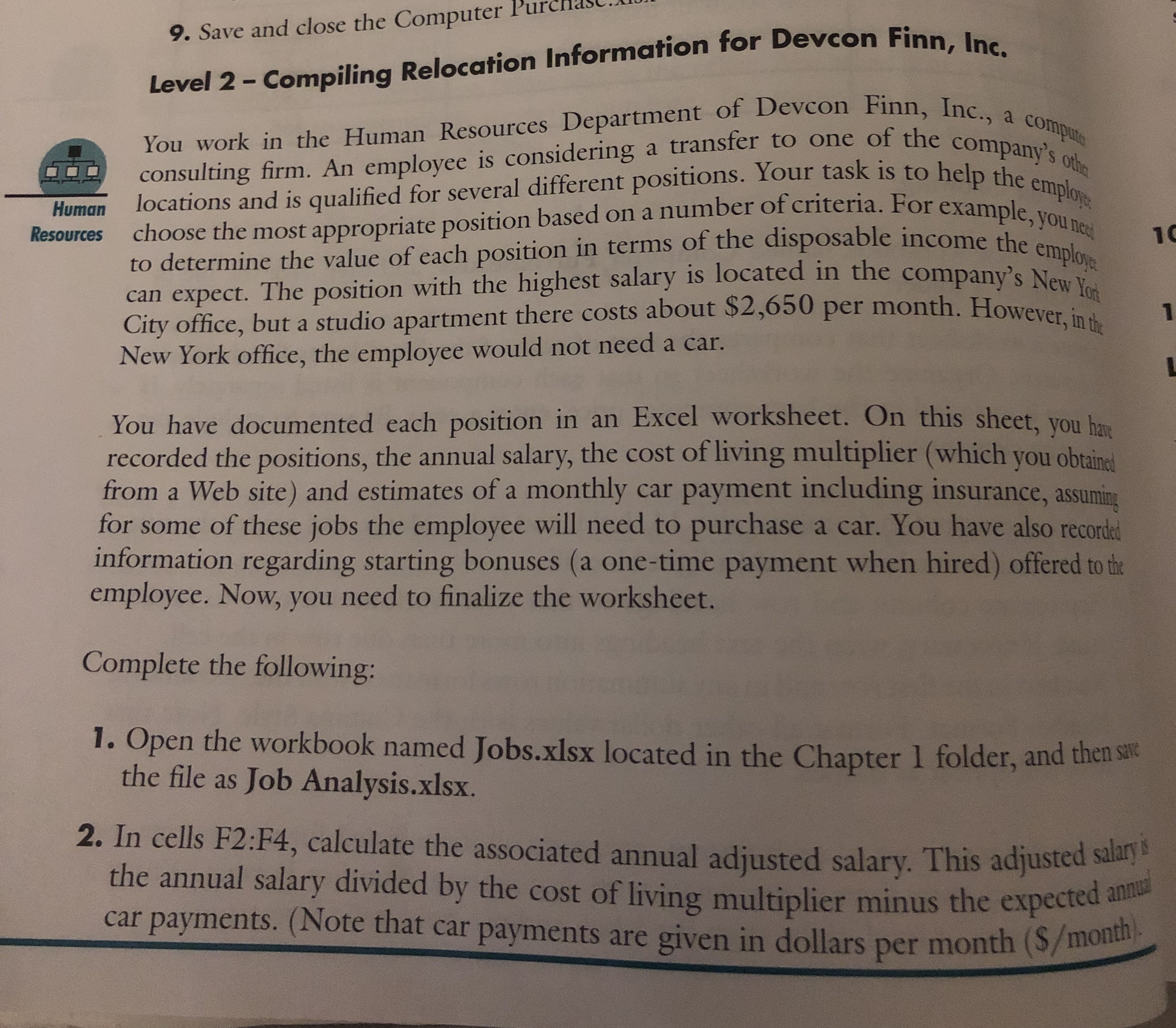
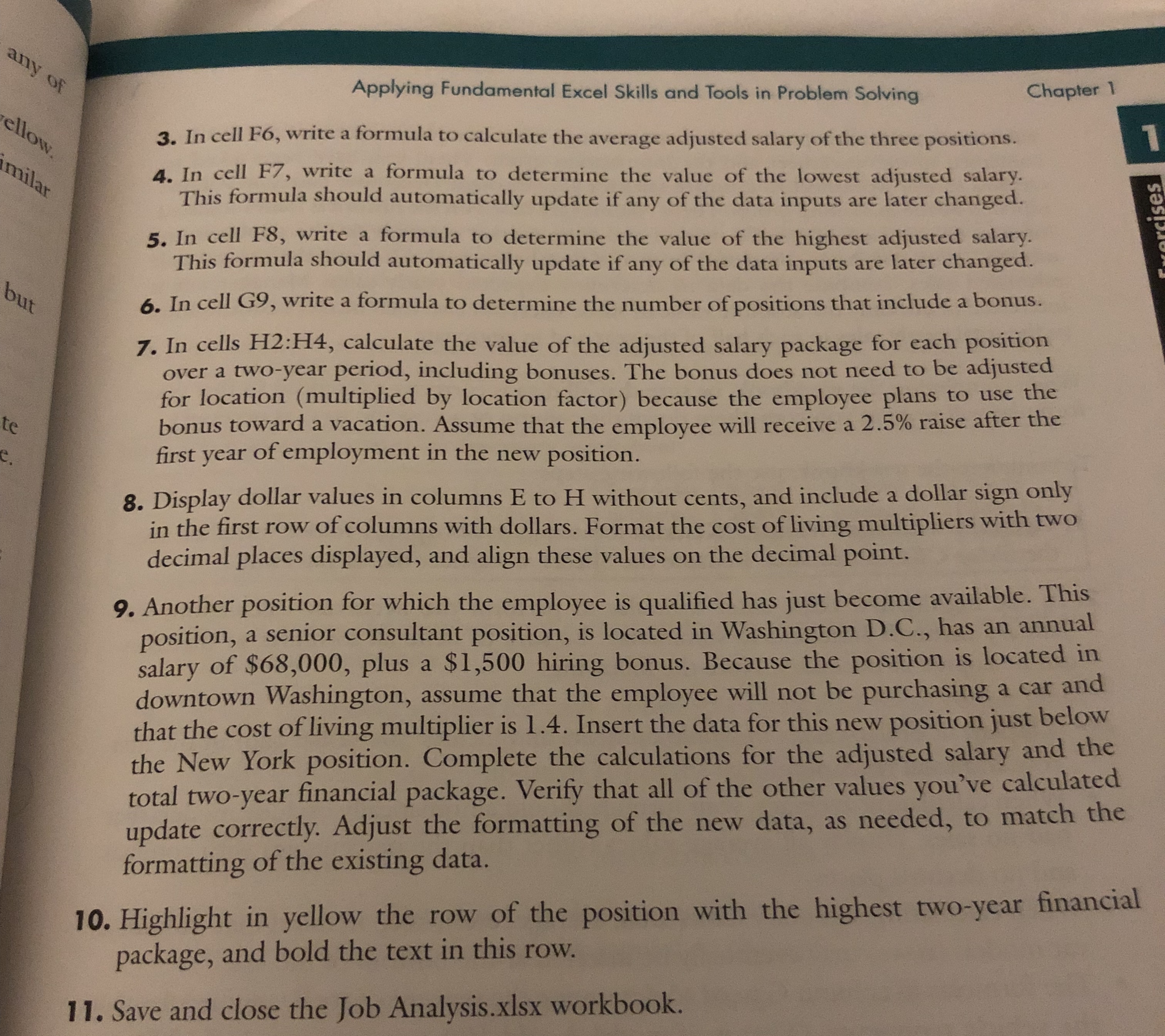
9. Save and close the Computer Purchase Level 2 - Compiling Relocation Information for Devcon Finn, Inc. You work in the Human Resources Department of Devcon Finn, Inc., a compu consulting firm. An employee is considering a transfer to to one of the company's other Human locations and is qualified for several different positions. Your task is to help the employ Resources choose the most appropriate position based on a number of criteria. For example, you ness to determine the value of each position in terms of the disposable income the em can expect. The position with the highest salary is located in the company's New Yor City office, but a studio apartment there costs about $2,650 per month. However, in the New York office, the employee would not need a car. You have documented each position in an Excel worksheet. On this sheet, you have recorded the positions, the annual salary, the cost of living multiplier (which you obtained from a Web site) and estimates of a monthly car payment including insurance, assuming for some of these jobs the employee will need to purchase a car. You have also recorded information regarding starting bonuses (a one-time payment when hired) offered to the employee. Now, you need to finalize the worksheet. Complete the following: 1. Open the workbook named Jobs.xlsx located in the Chapter 1 folder, and then save the file as Job Analysis.xlsx. 2. In cells F2:F4, calculate the associated annual adjusted salary. This adjusted salary & the annual salary divided by the cost of living multiplier minus the expected annual car payments. ( Note that car payments are given in dollars per month ($/monthany of Applying Fundamental Excel Skills and Tools in Problem Solving Chapter 1/ Fellow 3 . In cell FO , write a formula to calculate the average adjusted salary of the three positions . milan 4 . In cell FT , write a formula to determine the value of the lowest adjusted salary This formula should automatically update if any of the data inputs are later changed . 5 . In cell FS , write a formula to determine the value of the highest adjusted salary . This formula should automatically update if any of the data inputs are later changed . but 6 . In cell GO, write a formula to determine the number of positions that include a bonus . 7 . In cells HI2 : H14 , calculate the value of the adjusted salary package for each position over a two - year period , including bonuses . The bonus does not need to be adjusted for location ( multiplied by location factor ) because the employee plans to use the bonus toward a vacation . Assume that the employee will receive a 2.5% raise after the first year of employment in the new position . 8 . Display dollar values in columns E to IT without cents , and include a dollar sign only in the first row of columns with dollars . Format the cost of living multipliers with two decimal places displayed , and align these values on the decimal point . 9 . Another position for which the employee is qualified has just become available . This position , a senior consultant position , is located in Washington D. C., has an annual salary of $68, 000, plus a $1, 500 hiring bonus . Because the position is located in downtown Washington , assume that the employee will not be purchasing a car and that the cost of living multiplier is 1. 4 . Insert the data for this new position just below the New York position . Complete the calculations for the adjusted salary and the total two - year financial package . Verify that all of the other values you've calculated update correctly . Adjust the formatting of the new data , as needed , to match the formatting of the existing data . 10 . Highlight in yellow the row of the position with the highest two - year financial package , and bold the text in this row . 11 . Save and close the Job Analysis . xIsx workbook
Step by Step Solution
There are 3 Steps involved in it

Get step-by-step solutions from verified subject matter experts
 Study Help