







Question: Solve the following problem/ Scenario below in google excel sheet. I have a google excel sheet that are appending datas from a google form. The
Solve the following problem/ Scenario below in google excel sheet.
I have a google excel sheet that are appending datas from a google form. The data contains the laptop cart being requested(EX, laptop A, B, C D), the period that it is being used for(EX. Period 1, 2, 3,4), the date that the person is being the date(Ex. Monday to Friday)and the persons name request for the item(email). Note. Each person can select multiple items on the list
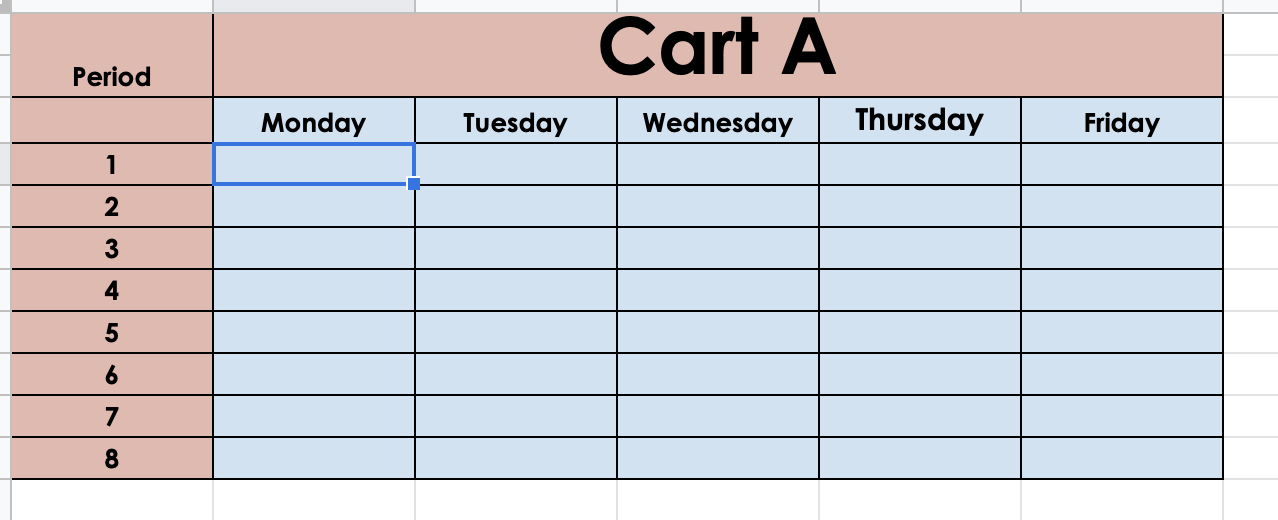
In the second google sheet, it contains different table sheet for the corresponding laptop carts. I want to create a google excel sheet that appends the person request information into the right laptop cart data sheet. For example, in excel sheet 1, an user request information from the google form to have access laptop cart A period 1 and 2 on Monday. On the second excel sheet, I want to automate the process and add the persons name to requested item on table. (the persons name will appear on the laptop Cart A, Period 1 and 2 ).
Please make a google form sheet and the excel sheet to do the above.
The following is sheet 1 
The following is sheet 2.
Step by Step Solution
There are 3 Steps involved in it

Get step-by-step solutions from verified subject matter experts
 Study Help