







Question: solve this plz using python as the question say u must creat these ccommands in the python script i need the answer soon Type in
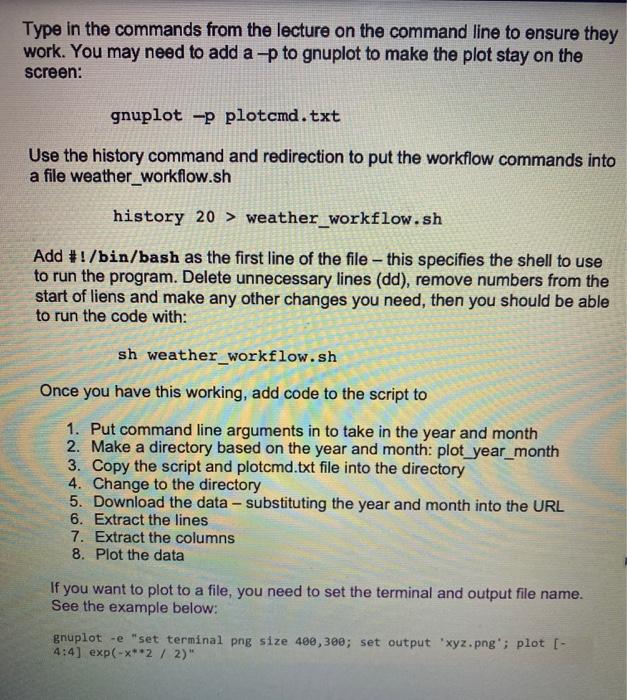
Type in the commands from the lecture on the command line to ensure they work. You may need to add a -p to gnuplot to make the plot stay on the screen: gnuplot -p plotcmd.txt Use the history command and redirection to put the workflow commands into a file weather_workflow.sh history 20 > weather_workflow.sh Add #!/bin/bash as the first line of the file - this specifies the shell to use to run the program. Delete unnecessary lines (dd), remove numbers from the start of liens and make any other changes you need, then you should be able to run the code with: sh weather_workflow.sh Once you have this working, add code to the script to 1. Put command line arguments in to take in the year and month 2. Make a directory based on the year and month: plot_year_month 3. Copy the script and plotcmd.txt file into the directory 4. Change to the directory 5. Download the data - substituting the year and month into the URL 6. Extract the lines 7. Extract the columns 8. Plot the data If you want to plot to a file, you need to set the terminal and output file name. See the example below: gnuplot -e "set terminal png size 400, 300; set output 'xyz.png'; plot [- 4:4] exp(-x**2 / 2)" Type in the commands from the lecture on the command line to ensure they work. You may need to add a -p to gnuplot to make the plot stay on the screen: gnuplot -p plotcmd.txt Use the history command and redirection to put the workflow commands into a file weather_workflow.sh history 20 > weather_workflow.sh Add #!/bin/bash as the first line of the file - this specifies the shell to use to run the program. Delete unnecessary lines (dd), remove numbers from the start of liens and make any other changes you need, then you should be able to run the code with: sh weather_workflow.sh Once you have this working, add code to the script to 1. Put command line arguments in to take in the year and month 2. Make a directory based on the year and month: plot_year_month 3. Copy the script and plotcmd.txt file into the directory 4. Change to the directory 5. Download the data - substituting the year and month into the URL 6. Extract the lines 7. Extract the columns 8. Plot the data If you want to plot to a file, you need to set the terminal and output file name. See the example below: gnuplot -e "set terminal png size 400, 300; set output 'xyz.png'; plot [- 4:4] exp(-x**2 / 2)
Step by Step Solution
There are 3 Steps involved in it

Get step-by-step solutions from verified subject matter experts
 Study Help