







Question: Solve this problem of debugging the code. Part 1 : Create the Bug Set up and run the code without Debugging. Capture the error in
Solve this problem of debugging the code.
Part : Create the Bug
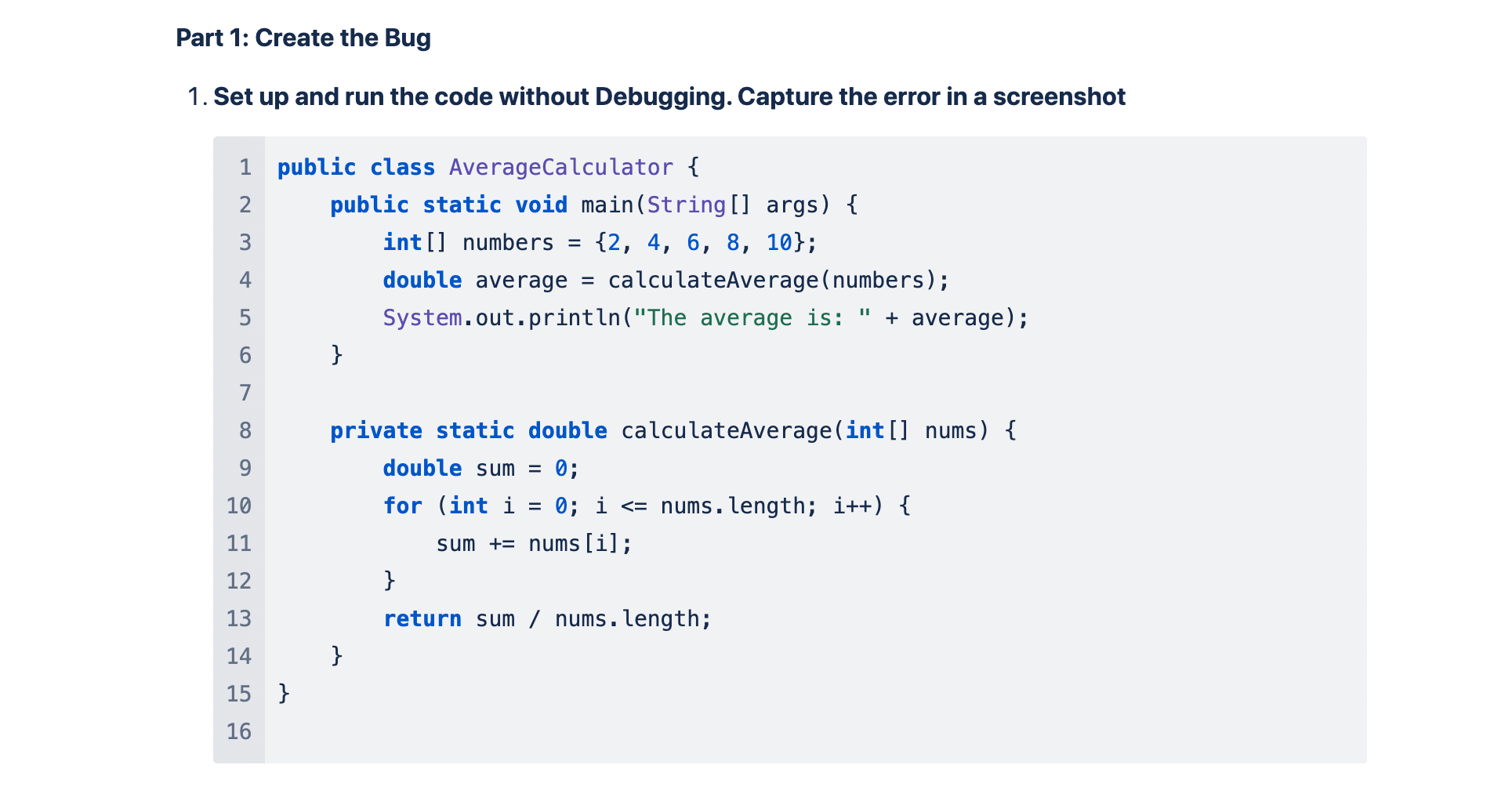
Set up and run the code without Debugging. Capture the error in a screenshot
public class AverageCalculator
public static void mainString args
int numbers ;
double average calculateAveragenumbers;
System.out.printlnThe average is: average;
private static double calculateAverageint nums
double sum ;
for int i ; i nums.length; i
sum numsi;
return sum nums.length;
Part : Using the debugger
Set Breakpoints: Line or
Step Through the Code: Step through the code and provide screenshots of the steps Run in Debug mode: Provide a screenshot of the IDE Debugger messages
Part : Fixing the Bug and Reflection
Fix the Bug and include the source code for the fix
Reflect: Write a short reflection on the process of debugging and how the debugger helped in identifying and fixing the bug. Part : Using the Debugger
Set Breakpoints: Line or
Step Through the Code: Step through the code and provide screenshots of the steps screenshots Run in Debug mode: Provide a screenshot of the IDE Debugger messages
Part : Fixing the Bug and Reflection
Fix the Bug and include the source code for the fix
Reflect: Write a short reflection on the process of debugging and how the debugger helped in identifying and fixing the bug.
Step by Step Solution
There are 3 Steps involved in it
1 Expert Approved Answer
Step: 1 Unlock

Question Has Been Solved by an Expert!
Get step-by-step solutions from verified subject matter experts
Step: 2 Unlock
Step: 3 Unlock
 Study Help