







Question: % solve this task in overleaf latex editor so we can compile there % dimension box - - > black box is dimensions: 9 .
solve this task in overleaf latex editor so we can compile there
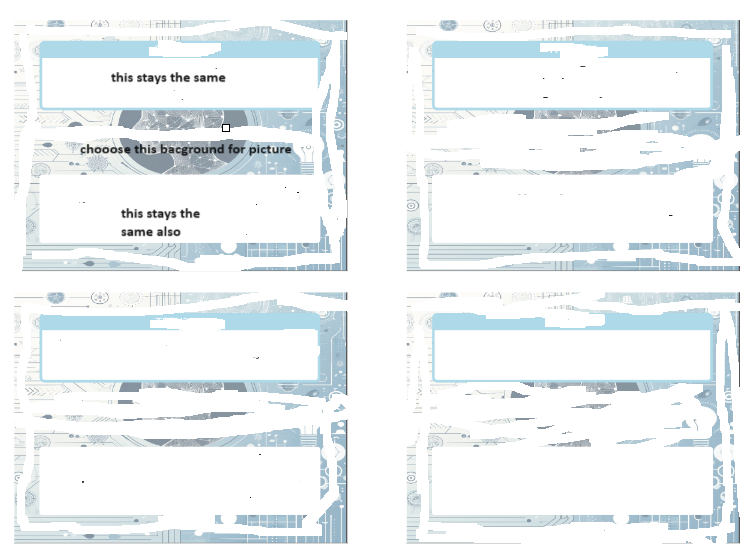
dimension box black box is dimensions: cm x cm create around this code one more box and fill this box with background image and then place this two boxes on this imagepicture shown
documentclassapaper,ptarticle
usepackagetopin bottomin leftin rightingeometry
usepackagegraphicx
usepackagetcolorbox
usepackageqrcode
usepackagetikz
usepackagemulticol
Custom colors
definecolortitlecolorRGB
definecoloraccreditationcolorRGB
begindocument
oindent
beginminipagetextwidth
begintcolorboxcolbackwhite, colframetitlecolor, widthtextwidth boxrulemm titlecentering textbfmdlkdsl
begincenter
textbf
ormalsizejiobfbnfdk
endcenter
endtcolorbox
vspacecm
begintcolorboxcolbackwhite, colframewhite, widthtextwidth boxrulemm
begintabularptextwidth ptextwidth
beginminipagetlinewidth
textbfHugetextcolorblackmcndlksvnvdlex
textbflargetextcolorblackvmdlkvmdfkl
endminipage &
beginminipagetlinewidth
centering
qrcodeheightcmmvlkdfmnklhtml
endminipage
endtabular
endtcolorbox
endminipagehfill
enddocument
Step by Step Solution
There are 3 Steps involved in it
1 Expert Approved Answer
Step: 1 Unlock

Question Has Been Solved by an Expert!
Get step-by-step solutions from verified subject matter experts
Step: 2 Unlock
Step: 3 Unlock
 Study Help