







Question: Solve using MATLAB, please provide steps screenshots and explanations. *solve using loops Loops and Vectorization. In Matlab, the code has been optimized so that most
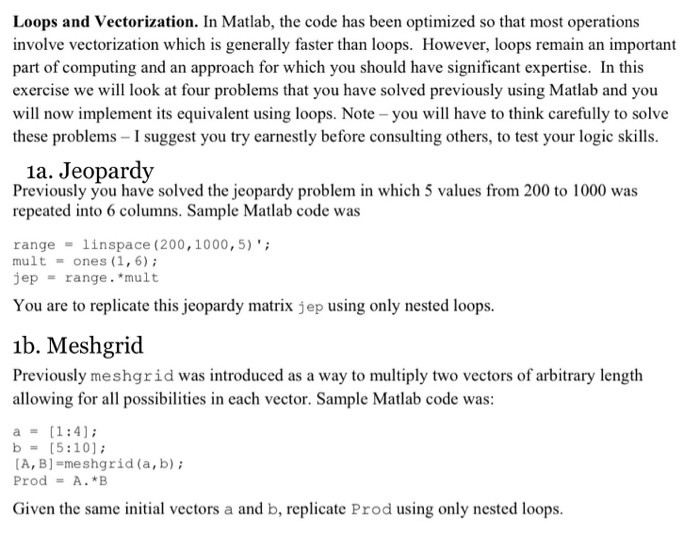
Loops and Vectorization. In Matlab, the code has been optimized so that most operations involve vectorization which is generally faster than loops. However, loops remain an important part of computing and an approach for which you should have significant expertise. In this exercise we will look at four problems that you have solved previously using Matlab and you will now implement its equivalent using loops. Note - you will have to think carefully to solve these problems - I suggest you try earnestly before consulting others, to test your logic skills. 1a. Jeopardy Previously you have solved the jeopardy problem in which 5 values from 200 to 1000 was repeated into 6 columns. Sample Matlab code was range = linspace (200, 1000,5); mult = ones (1,6); jep = range. *mult You are to replicate this jeopardy matrix jep using only nested loops. ib. Meshgrid Previously meshgrid was introduced as a way to multiply two vectors of arbitrary length allowing for all possibilities in each vector. Sample Matlab code was: a = [1:4); b = (5:10); [A, B] -meshgrid(a,b); Prod = A.*B Given the same initial vectors a and b, replicate Prod using only nested loops
Step by Step Solution
There are 3 Steps involved in it

Get step-by-step solutions from verified subject matter experts
 Study Help