







Question: someone please Create a new Python program in IDLE, and save it as lob12.py. (Again, I recommend saving lab programs to a USB stick.) Part
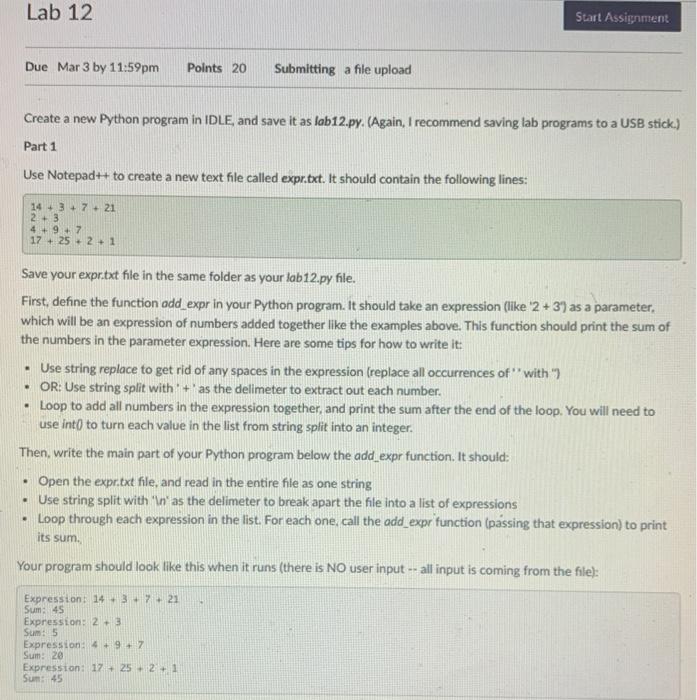
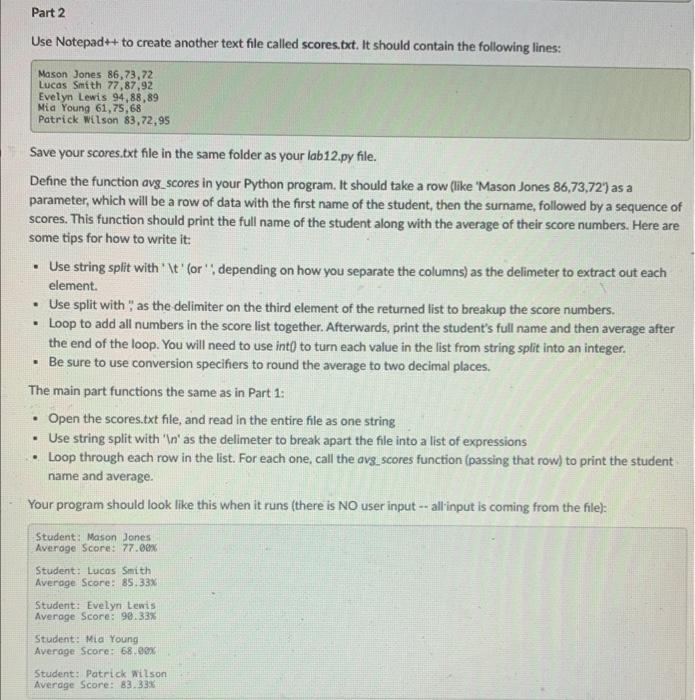
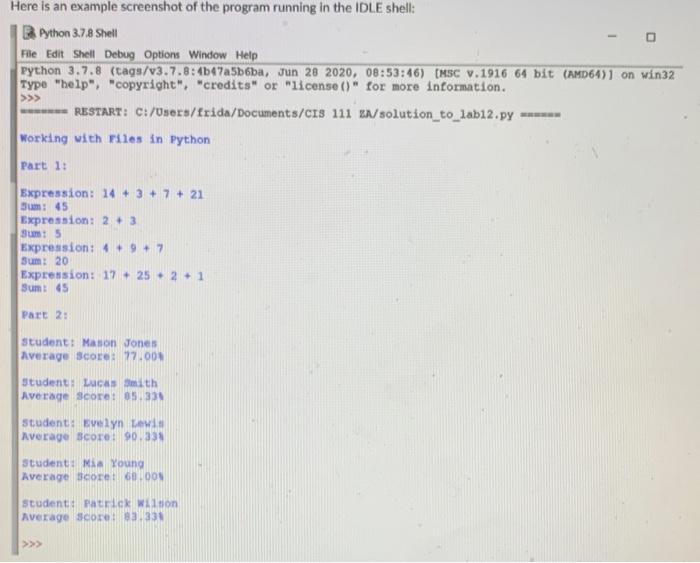
Create a new Python program in IDLE, and save it as lob12.py. (Again, I recommend saving lab programs to a USB stick.) Part 1 Use Notepadt+ to create a new text file called expr.txt. It should contain the following lines: 14+3+7+212+34+9+717+25+2+1 Save your expr.txt file in the same folder as your lab12.py file. First, define the function odd_expr in your Python program. It should take an expression (ilke ' 2+37 as a parameter. which will be an expression of numbers added together like the examples above. This function should print the sum of the numbers in the parameter expression. Here are some tips for how to write it: - Use string replace to get rid of any spaces in the expression (replace all occurrences of" with ") - OR: Use string split with' +' as the delimeter to extract out each number. - Loop to add all numbers in the expression together, and print the sum after the end of the loop. You will need to use int 0 to turn each value in the list from string split into an integer. Then, write the main part of your Python program below the add_expr function. It should: - Open the expr.txt file, and read in the entire file as one string - Use string split with ' In2 as the delimeter to break apart the file into a list of expressions - Loop through each expression in the list. For each one, call the add_expr function (passing that expression) to print. its sum. Your program should look like this when it runs (there is NO user input - all input is coming from the file): Expression: 14+3+7+21 Sum: 45 Expression: 2+3 Sum: 5 Expression: 4+9+7 Sum: 20 Expression: 17+25+2+1 Sun: 45 Save your scores.txt file in the same folder as your lab12.py file. Define the function avg_scores in your Python program. It should take a row flike 'Mason Jones 86,73,72') as a parameter, which will be a row of data with the first name of the student, then the surname, followed by a sequence of scores. This function should print the full name of the student along with the average of their score numbers. Here are some tips for how to write it: - Use string split with ' It' (or" ", depending on how you separate the columns) as the delimeter to extract out each element. - Use split with", as the delimiter on the third element of the returned list to breakup the score numbers. - Loop to add all numbers in the score list together. Afterwards, print the student's full name and then average after the end of the loop. You will need to use int0 to turn each value in the list from string split into an integer. - Be sure to use conversion specifiers to round the average to two decimal places. The main part functions the same as in Part 1: - Open the scores.txt file, and read in the entire file as one string - Use string split with 'In' as the delimeter to break apart the file into a list of expressions - Loop through each row in the list. For each one, call the avg. scores function (passing that row) to print the student. name and average. Your program should look like this when it runs (there is NO user input allinput is coming from the file): B. Python 3.7.8 Shell File Edit Shell Debug Options Window Help Python 3.7.8 (tags/v3.7.8:4b47a5b6ba, Jun 282020,08:53:46) [MSC v.1916 64 bit (AMD64)] on win32 Type "help", "copyright", "credits" or "1icense ()" for more information. >> RESTART: C:/Users/frida/Documents/CIS 111 zN/solution_to_lab12.py Working with Files in Python Part 1: Expression: 14+3+7+21 Jum: 45 Expression: 2+3 Bum: 5 Expression: 4+9+7 Sunt 20 Expression: 17+25+2+1 Sum: 45 Pare 2: student: Mason Jones Average score: 77.004 student: Lucas smith Average score: 85,33h Student: Evelyn Levid Average Bcore: 90.331 Student: Nia Koung Average score: 68.00l scudent: Patrick wition Average score: 83.331 >
Step by Step Solution
There are 3 Steps involved in it

Get step-by-step solutions from verified subject matter experts
 Study Help