







Question: Special Instructions & Sample Code Some questions require the use of simple conditional branching. Conditional branching isn't fully covered until Chapter 11, so we have
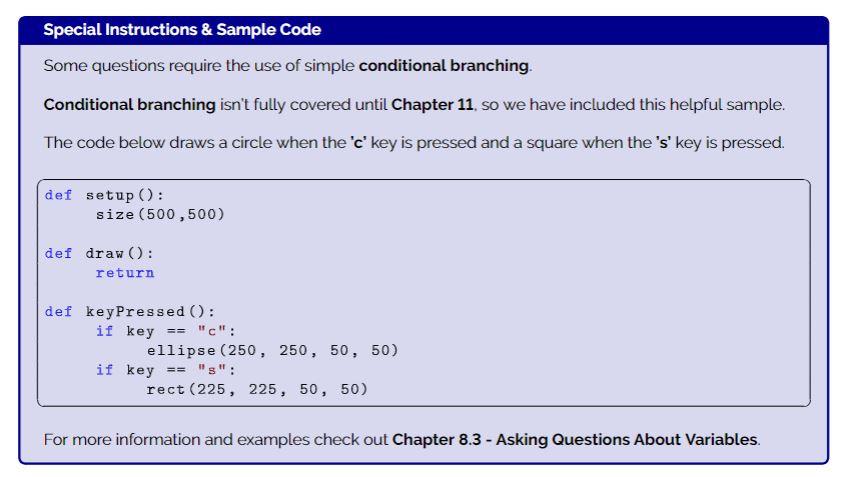
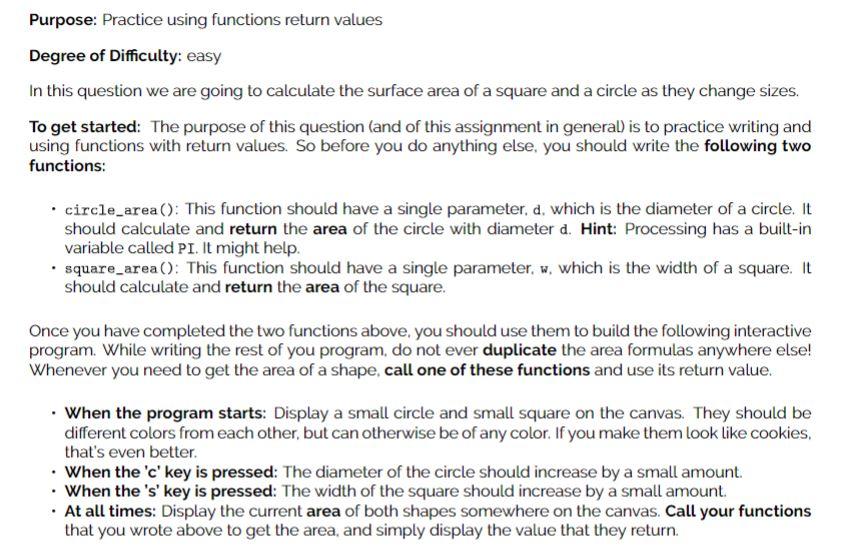
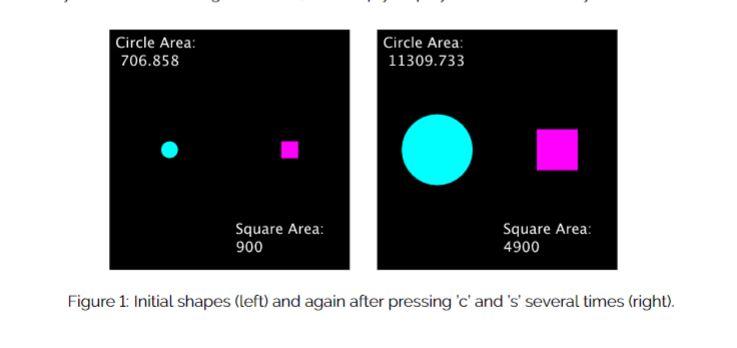
Special Instructions \& Sample Code Some questions require the use of simple conditional branching. Conditional branching isn't fully covered until Chapter 11, so we have included this helpful sample. The code below draws a circle when the ' c ' key is pressed and a square when the ' s ' key is pressed. For more information and examples check out Chapter 8.3 - Asking Questions About Variables. Purpose: Practice using functions return values Degree of Difficulty: easy In this question we are going to calculate the surface area of a square and a circle as they change sizes. To get started: The purpose of this question (and of this assignment in general) is to practice writing and using functions with return values. So before you do anything else, you should write the following two functions: - circle_area (): This function should have a single parameter. d. which is the diameter of a circle. It should calculate and return the area of the circle with diameter d. Hint: Processing has a built-in variable called PI. It might help. - square_area (): This function should have a single parameter, w. which is the width of a square. It should calculate and return the area of the square. Once you have completed the two functions above, you should use them to build the following interactive program. While writing the rest of you program, do not ever duplicate the area formulas anywhere else! Whenever you need to get the area of a shape, call one of these functions and use its return value. - When the program starts: Display a small circle and small square on the canvas. They should be different colors from each other, but can otherwise be of any color. If you make them look like cookies. that's even better. - When the 'c' key is pressed: The diameter of the circle should increase by a small amount. - When the 's' key is pressed: The width of the square should increase by a small amount. - At all times: Display the current area of both shapes somewhere on the canvas. Call your functions that you wrote above to get the area, and simply display the value that they return. Figure 1: Initial shapes (left) and again after pressing 'c' and 's' several times (right)
Step by Step Solution
There are 3 Steps involved in it

Get step-by-step solutions from verified subject matter experts
 Study Help