







Question: Specification Start with the program Words2. java from the textbook. Implement this as a BlueJ project. This is just a matter of copy and paste
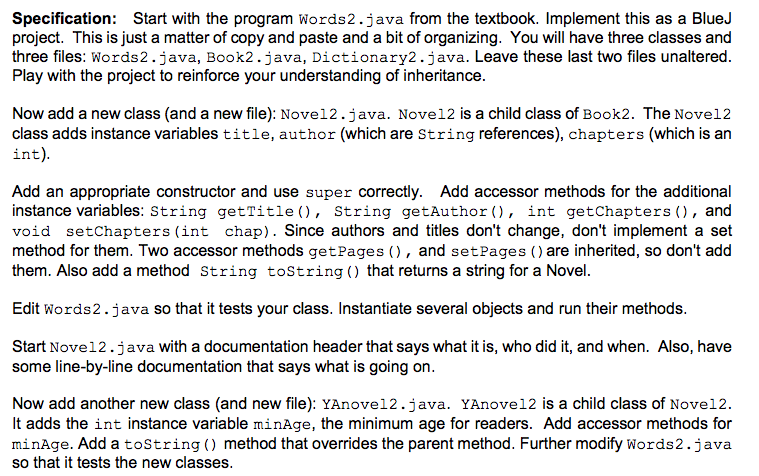
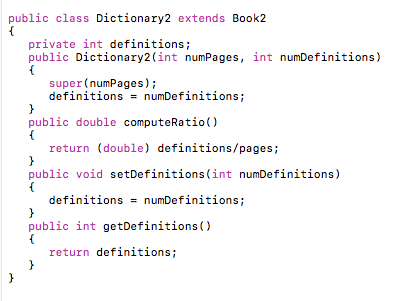
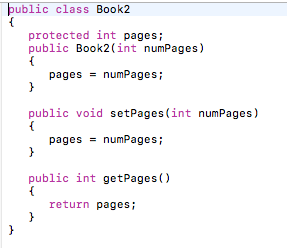
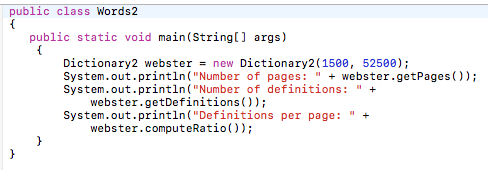
Specification Start with the program Words2. java from the textbook. Implement this as a BlueJ project. This is just a matter of copy and paste and a bit of organizing. You will have three classes and three files Words2.java, Book2. java, Dictionary2. java. Leave these last two files unaltered. Play with the project to reinforce your understanding of inheritance. Now add a new class (and a new file): Nove12. java. Nove12 is a child class of Book2. The Nove12 class adds instance variables title, author (which are String references), chapters (which is an int) Add an appropriate constructor and use super correctly. Add accessor methods for the additional instance variables: String getTitle String get Author in getChapters and void setChapters (int chap). Since authors and titles don't change, don't implement a set method for them. Two accessor methods getPages and set Pages are inherited, so don't add them. Also add a method String toString that returns a string for a Novel. Edit Words2.java so that it tests your class. Instantiate several objects and run their methods. Start Novel2.java with a documentation header that says what it is, who did it, and when. Also, have some line-by-line documentation that says what is going on. Now add another new class (and new file): YAnovel2. java. YAnovel2 is a child class of Novel2 t adds the int instance variable minAge, the minimum age for readers. Add accessor methods for minAge. Add a toString method that overrides the parent method. Further modify Words2. java so that it tests the new classes
Step by Step Solution
There are 3 Steps involved in it

Get step-by-step solutions from verified subject matter experts
 Study Help