







Question: Specifications 1. Create an abstract class in Java that will represent a three-dimensional geometrical shape. Using the Strategy pattern discussed in class, a) Implement the
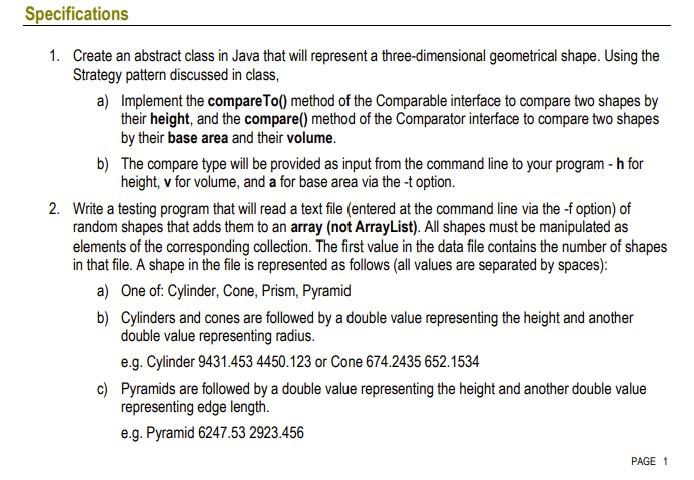
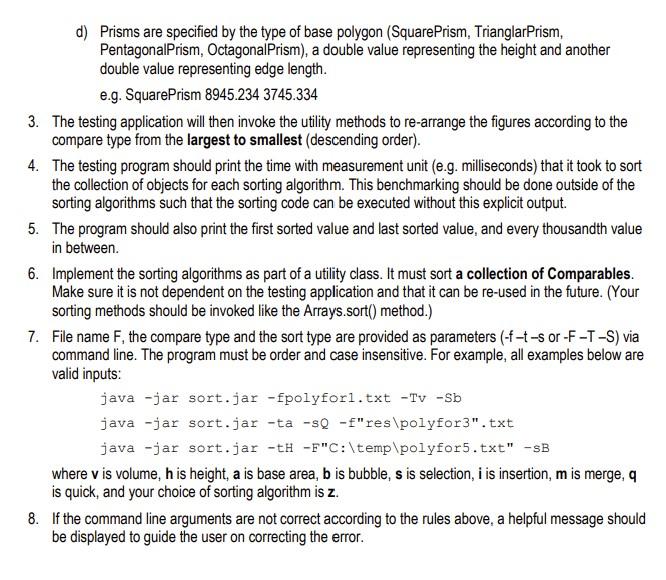
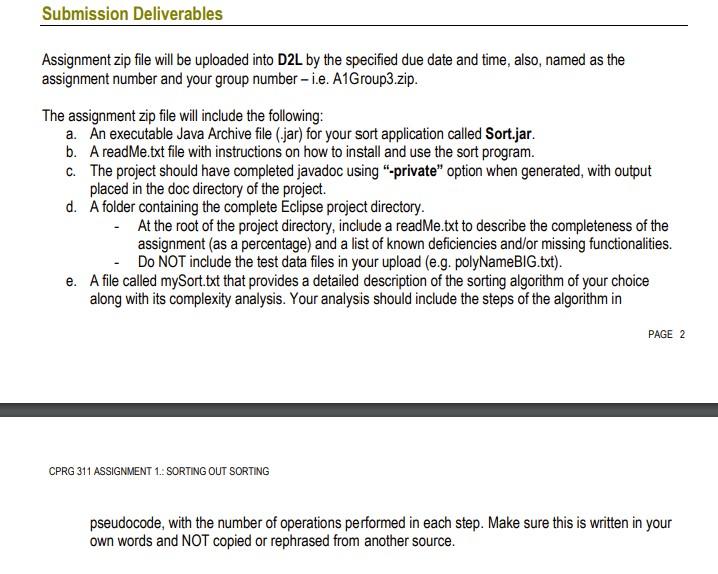
Specifications 1. Create an abstract class in Java that will represent a three-dimensional geometrical shape. Using the Strategy pattern discussed in class, a) Implement the compareTo() method of the Comparable interface to compare two shapes by their height, and the compare() method of the Comparator interface to compare two shapes by their base area and their volume. b) The compare type will be provided as input from the command line to your program - h for height, v for volume, and a for base area via the-t option. 2. Write a testing program that will read a text file (entered at the command line via the -f option) of random shapes that adds them to an array (not ArrayList). All shapes must be manipulated as elements of the corresponding collection. The first value in the data file contains the number of shapes in that file. A shape in the file is represented as follows (all values are separated by spaces): a) One of: Cylinder, Cone, Prism, Pyramid b) Cylinders and cones are followed by a double value representing the height and another double value representing radius. e.g. Cylinder 9431.453 4450.123 or Cone 674.2435 652.1534 c) Pyramids are followed by a double value representing the height and another double value representing edge length. e.g. Pyramid 6247.53 2923.456 PAGE 1 d) Prisms are specified by the type of base polygon (SquarePrism, TrianglarPrism, PentagonalPrism, OctagonalPrism), a double value representing the height and another double value representing edge length. e.g. SquarePrism 8945.234 3745.334 3. The testing application will then invoke the utility methods to re-arrange the figures according to the compare type from the largest to smallest (descending order). 4. The testing program should print the time with measurement unit (e.g. milliseconds) that it took to sort the collection of objects for each sorting algorithm. This benchmarking should be done outside of the sorting algorithms such that the sorting code can be executed without this explicit output. 5. The program should also print the first sorted value and last sorted value, and every thousandth value in between 6. Implement the sorting algorithms as part of a utility class. It must sort a collection of Comparables. Make sure it is not dependent on the testing application and that it can be re-used in the future. (Your sorting methods should be invoked like the Arrays.sort() method.) 7. File name F, the compare type and the sort type are provided as parameters (-f-t-s or -F-T-S) via command line. The program must be order and case insensitive. For example, all examples below are valid inputs: java -jar sort.jar -fpolyforl.txt -Tv -Sb java -jar sort.jar -ta -SQ -f"res\polyfor3".txt java -jar sort.jar -tH -F"C:\temp\polyfor5.txt" -sB where v is volume, h is height, a is base area, b is bubble, s is selection, i is insertion, mis merge, a is quick, and your choice of sorting algorithm is z. 8. If the command line arguments are not correct according to the rules above, a helpful message should be displayed to guide the user on correcting the error. Submission Deliverables Assignment zip file will be uploaded into D2L by the specified due date and time, also, named as the assignment number and your group number - i.e. A1Group3.zip. The assignment zip file will include the following: a. An executable Java Archive file (.jar) for your sort application called Sort.jar. b. A readme.txt file with instructions on how to install and use the sort program. C. The project should have completed javadoc using -private" option when generated with output placed in the doc directory of the project. d. A folder containing the complete Eclipse project directory. At the root of the project directory, include a readMe.txt to describe the completeness of the assignment (as a percentage) and a list of known deficiencies and/or missing functionalities. - DO NOT include the test data files in your upload (e.g. polyNameBIG.txt). e. A file called mySort.txt that provides a detailed description of the sorting algorithm of your choice along with its complexity analysis. Your analysis should include the steps of the algorithm in PAGE 2 CPRG 311 ASSIGNMENT 1: SORTING OUT SORTING pseudocode, with the number of operations performed in each step. Make sure this is written in your own words and NOT copied or rephrased from another source
Step by Step Solution
There are 3 Steps involved in it

Get step-by-step solutions from verified subject matter experts
 Study Help