







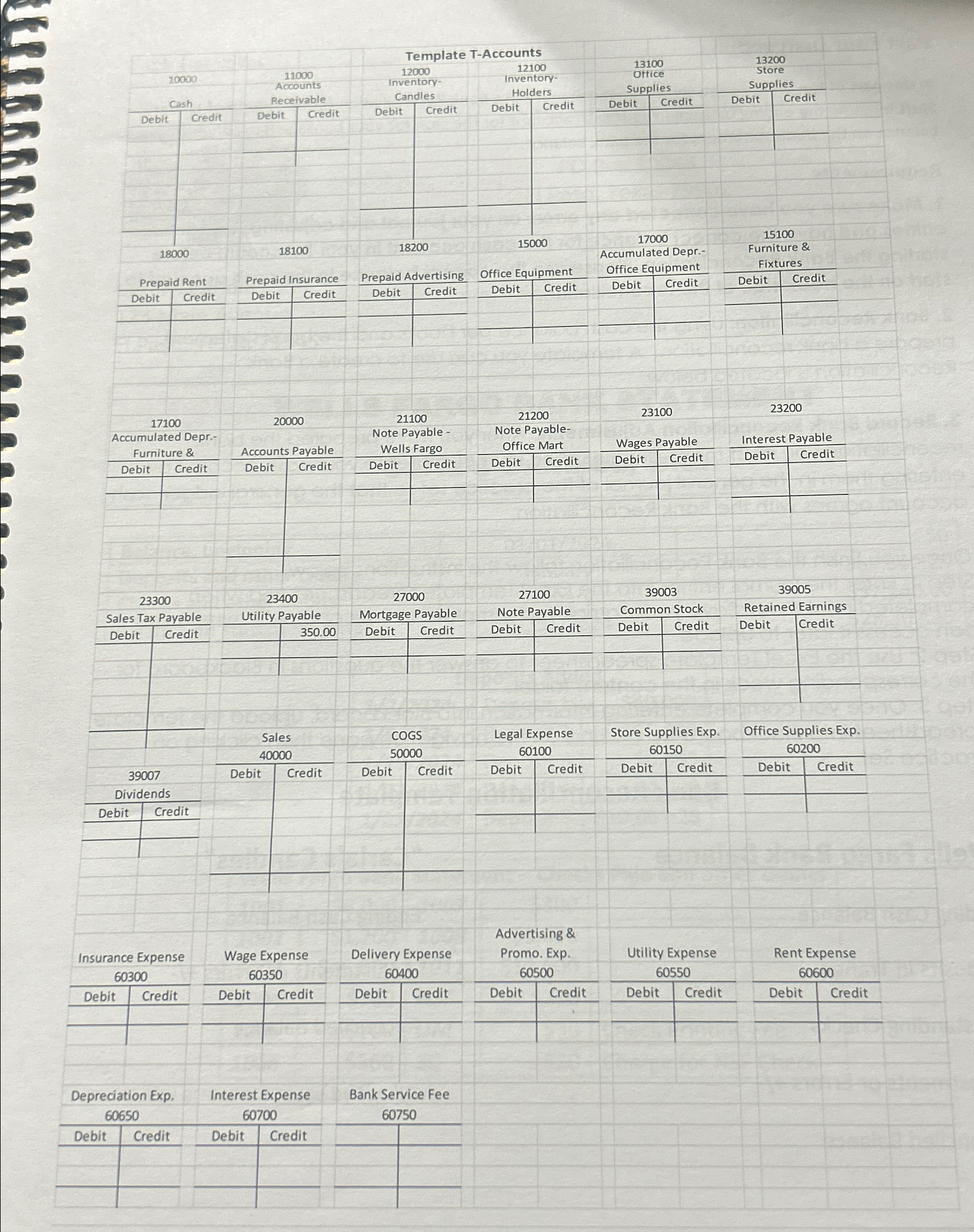
Question: Spreadsheet as shown here on page 1 3 . Put all debits and credits in each account and calculate the ending balance. All accounts that
Spreadsheet as shown here on page Put all debits and credits in each account and calculate the ending balance. All accounts that were used in the Chart of Accounts should be included and if the account has a zero balance place the zero on the normal balance side. Once you finish preparing all the balances in each account, use the template spreadsheet to answer the questions in Blackboard. In Blackboard the question will be the same for each account. What is the balance in Account number or whatever account it asks and what is the normal balance? Since it asked for account number that is the cash account and then enter your answer below as written:
Dr $
This will be done for each account. Use the template spreadsheet to answer the questions in Blackboard. Once you complete answering the questions in Blackboard then upload your TAccount Template Spreadsheet to Blackboard following the instructions below:
Step : Enter the journal entries into the Excel Template spreadsheet and when completed print it out. Save your completed template to your computer where you can access it later to upload.
Step : Use the Excel Template spreadsheet to answer the questions in Blackboard for the corresponding week in the content folder.
Step : Once you complete entering information into Blackboard, upload the template spreadsheet into Blackboard by clicking on the navigation pane then clicking on Practice Set.
A template for the TAccounts follows on page Some accounts such as cash will require more than just one or two lines. Lines may be added or deleted.
Requirements
Correct Errors: Correct any errors that you made on the journal and adjusting journal entries before entering the information into the TAccounts.
Account Balances: Once you have completed entering the transactions then prepare the ending balance in each account.
Blackboard by clicking on the navigation pane then clicking on Practice Set.
Transactions
tableDate,tableDeposit NoCheck NoDescriptiontableCarla Cannel met with her lawyer and CPA for advice on starting thebusiness They decided that Ms Cannel would organize thebusiness as a corporation. The lawyer told Ms Cannel to registerthe company name, Carla's Candles, Inc., with the County of El Paso.In addition, Ms Cannel will get an employer identification numberEIN from the Internal Revenue Service and get a sales tax permitfrom the state of Texas. The lawyer agreed to prepare the Articlesof Incorporation to be filed with the Secretary of State of Texas.The CPA has agreed to help Ms Cannel set up her accountingsystemDeposit #tableMs Cannel opened a business checking account at Wells Fargo Bankby depositing the personal check she gave her company for$ The corporation issued her a stock certificate for shares of common stock.tableMs Cannel signed a oneyear rental agreement with ReynoldsRealtors for shop space. She was required to pay $ for rent forthe months of January March
a g e
Record Adjusting Entries: Record the following month end adjusting entries for the month of January. Write the journal entries in the practice set after the original journal entries and round to the nearest cent.
a $ of store supplies remained on hand.
b $ of office supplies remained on hand.
c $ of wages for the parttime help from Irene's Temp Services for January should be accrued. Do not worry about payroll taxes; Temp Services Inc. will handle these.
d Make the necessary adjusting entry for one month's depreciation for the furniture and fixtures using Straight Line Depreciation.
e Make the necessary adjusting entry for the office equipment using Straight Line Depreciation.
f One month of the prepaid insurance has expired.
g One month of the prepaid rent has expired.
h Record the interest on the loan from Wells Fargo.
Step by Step Solution
There are 3 Steps involved in it
1 Expert Approved Answer
Step: 1 Unlock

Question Has Been Solved by an Expert!
Get step-by-step solutions from verified subject matter experts
Step: 2 Unlock
Step: 3 Unlock
 Study Help