







Question: SQL Questions CREATE TABLE message attachment.join (message id INTEGER REFERENCES message (ROWID) ON DELETE CASCADE, attachment_id INTEGER REFERENCES attachment (ROWID) ON DELETE CASCADE, UNIQUE(message.jd, attachment_id))
SQL Questions
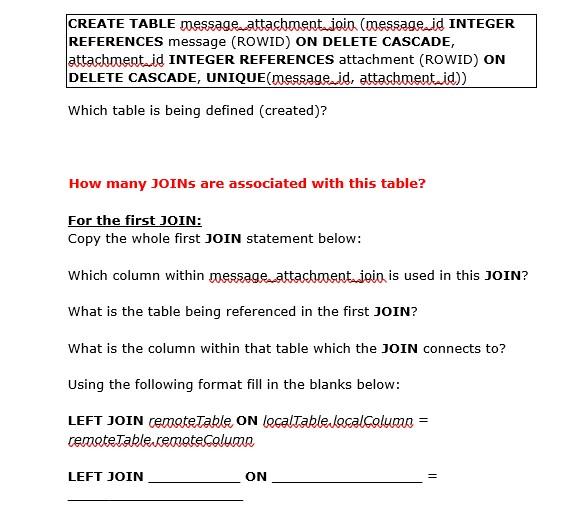
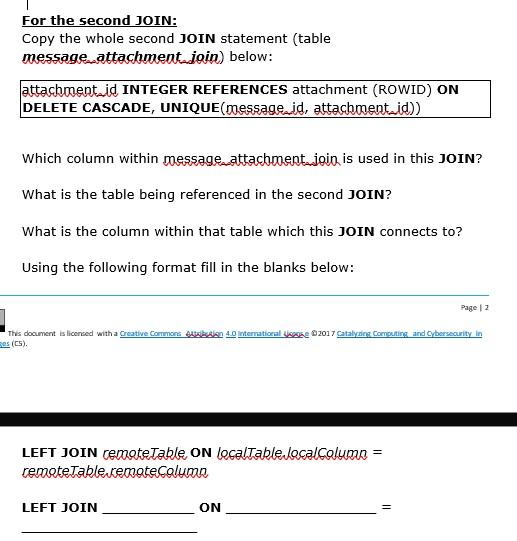
CREATE TABLE message attachment.join (message id INTEGER REFERENCES message (ROWID) ON DELETE CASCADE, attachment_id INTEGER REFERENCES attachment (ROWID) ON DELETE CASCADE, UNIQUE(message.jd, attachment_id)) Which table is being defined (created)? How many JOINs are associated with this table? For the first JOIN: Copy the whole first JOIN statement below: Which column within message attachroentjoin is used in this JOIN? What is the table being referenced in the first JOIN? What is the column within that table which the JOIN connects to? Using the following format fill in the blanks below: LEFT JOIN remote Table ON localTable Lacalcolumua = remote Table cenoteColumn LEFT JOIN ON For the second JOIN: Copy the whole second JOIN statement (table message attachment_join) below: Jattachment_id INTEGER REFERENCES attachment (ROWID) ON DELETE CASCADE, UNIQUE(messageid, attachment_id)) Which column within message attachment_join is used in this JOIN? What is the table being referenced in the second JOIN? What is the column within that table which this JOIN connects to? Using the following format fill in the blanks below: Page 12 This document is licensed with a Creative Commons Auktion 4.0 International ske 2017 Catalyzing Computing and Cybersecurity in ses (cs). LEFT JOIN remote Table ON localTable localColumn = remote Table remote Column LEFT JOIN ON
Step by Step Solution
There are 3 Steps involved in it

Get step-by-step solutions from verified subject matter experts
 Study Help