







Question: Stage 1 : Dataset Selection and Use - A suggested dataset is included on D 2 L . You may use the provided data or
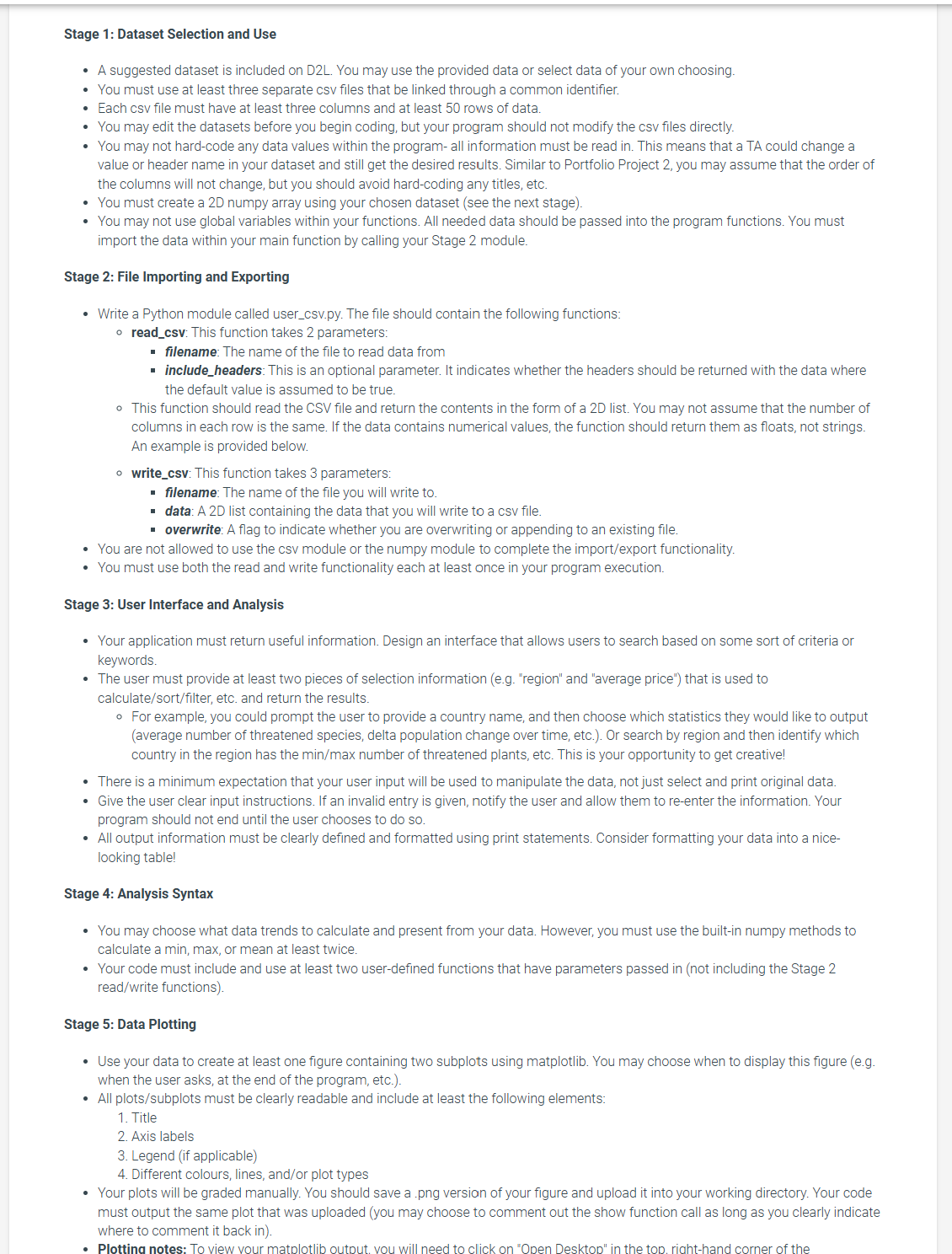
Stage : Dataset Selection and Use
A suggested dataset is included on DL You may use the provided data or select data of your own choosing.
You must use at least three separate csv files that be linked through a common identifier.
Each csv file must have at least three columns and at least rows of data.
You may edit the datasets before you begin coding, but your program should not modify the csv files directly.
You may not hardcode any data values within the program all information must be read in This means that a TA could change a value or header name in your dataset and still get the desired results. Similar to Portfolio Project you may assume that the order of the columns will not change, but you should avoid hardcoding any titles, etc.
You must create a D numpy array using your chosen dataset see the next stage
You may not use global variables within your functions. All needed data should be passed into the program functions. You must import the data within your main function by calling your Stage module.
Stage : File Importing and Exporting
Write a Python module called usercsvpy The file should contain the following functions:
readcsv: This function takes parameters:
filename: The name of the file to read data from
includeheaders: This is an optional parameter. It indicates whether the headers should be returned with the data where the default value is assumed to be true.
This function should read the CSV file and return the contents in the form of a D list. You may not assume that the number of columns in each row is the same. If the data contains numerical values, the function should return them as floats, not strings. An example is provided below.
writecsv: This function takes parameters:
filename: The name of the file you will write to
data: A D list containing the data that you will write to a csv file.
overwrite: A flag to indicate whether you are overwriting or appending to an existing file.
You are not allowed to use the csv module or the numpy module to complete the importexport functionality.
You must use both the read and write functionality each at least once in your program execution.
Stage : User Interface and Analysis
Your application must return useful information. Design an interface that allows users to search based on some sort of criteria or keywords.
The user must provide at least two pieces of selection information eg "region" and "average price" that is used to calculatesortfilter etc. and return the results.
For example, you could prompt the user to provide a country name, and then choose which statistics they would like to output average number of threatened species, delta population change over time, etc. Or search by region and then identify which country in the region has the mathrmminmathrmmax number of threatened plants, etc. This is your opportunity to get creative!
There is a minimum expectation that your user input will be used to manipulate the data, not just select and print original data.
Give the user clear input instructions. If an invalid entry is given, notify the user and allow them to reenter the information. Your program should not end until the user chooses to do so
All output information must be clearly defined and formatted using print statements. Consider formatting your data into a nicelooking table!
Stage : Analysis Syntax
You may choose what data trends to calculate and present from your data. However, you must use the builtin numpy methods to calculate a min, max, or mean at least twice.
Your code must include and use at least two userdefined functions that have parameters passed in not including the Stage readwrite functions
Stage : Data Plotting
Use your data to create at least one figure containing two subplots using matplotlib. You may choose when to display this figure eg when the user asks, at the end of the program, etc.
All plotssubplots must be clearly readable and include at least the following elements:
Title
Axis labels
Legend if applicable
Different colours, lines, andor plot types
Your plots will be graded manually. You should save a png version of your figure and upload it into your working directory. Your code must output the same plot that was uploaded you may choose to comment out the show function call as long as you clearly indicate where to comment it back in This is an example of potential data anaylsis menu options and output.
Your program should continue repeating until the user chooses to end.
ENDG Example Final Project Output
Please enter a subregion: Polynesia
Please enter a country within the specified subregion: Tonga
Calculating change in population and latest density...
The change in population from to in Tonga is: people
The average population from to is Tonga is: people
The current population density in Tonga is: begintabularccccc
hline Country & Mammals & Birds & Fish & Plants
hline Afghanista & & & &
hline Albania & & & &
hline Algeria & & & &
hline Andorra & & & &
hline Angola & & & &
hline Antigua anc & & & &
hline Argentina & & & &
hline Armenia & & & &
hline Australia & & & &
hline Austria & & & &
hline Azerbaijan & & & &
hline Bahamas & & & begintabularlllr
hline Country & UN Region & UN SubRegion & Sq Km
hline Afghanistar & Asia & Southern Asia &
hline Albania & Europe & Southern Europe &
hline Algeria & Africa & Northern Africa &
hline Andorra & Europe & Southern Europe &
hline Angola & Africa & SubSaharan Africa &
hline Antigua anc Americas & Latin America and the Caribbean &
hline Argentina & Americas & Latin America and the Caribbean &
hline Armenia & Asia & Wester
Step by Step Solution
There are 3 Steps involved in it
1 Expert Approved Answer
Step: 1 Unlock

Question Has Been Solved by an Expert!
Get step-by-step solutions from verified subject matter experts
Step: 2 Unlock
Step: 3 Unlock
 Study Help